

 Premium
What's new in Opera Mini: Fast Web Browser 17.0.2211.105178
- Browser themes
- Ad blocker counter
- Extreme mode media player
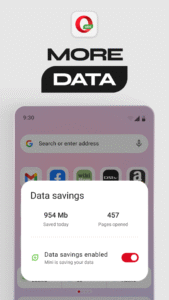
- New data-savings view design
- New navigation bar icons
- Default browser option
About Opera Mini: Fast Web Browser 17.0.2211.105178
The Opera Mini browser for Android lets you do everything you want to online without wasting your data plan. It’s a fast, safe browser that saves you tons of data.
Premium
New features
► Block ads - Opera Mini has a built-in ad blocker, so you can surf the web without annoying ads.
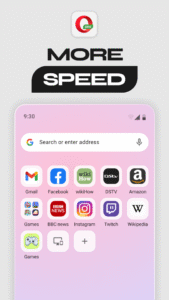
► Add to home screen - Add the sites you visit most to your mobile home screen with a single click.
Why Choose Opera Mini?
► Keep track of your data - You can check your savings in the settings menu and see how much data Opera Mini saves you.
► Multi-task - Keep lots of pages open at once with tabs.
► Browse privately - We all have pages we don’t want to remember visiting. If you don’t want something saved in your history, you can browse incognito with private tabs.
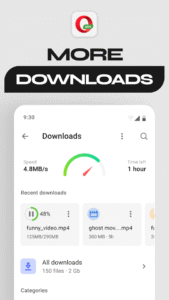
► Smarter downloads - Download files in the background and hold off downloading larger files until you’re back on Wi-Fi. Opera Mini will let you know as soon as your downloads are complete. Just click the notification to open your download – no more digging around in folders.
Other great stuff
✔ Save your favorite sites: Tap the + button on the search bar to save a page to your Speed Dial, add it to your mobile bookmarks or read it offline.
✔ Get the latest news: The start page keeps everything in one place. Choose the categories you’re interested in and Opera Mini will serve you the top stories and freshest content from across the web.
✔ Sync your devices: Give yourself access to all the bookmarks, Speed Dial shortcuts and open tabs from your other devices.
✔ Night mode: Dim the screen to save your eyes.
✔ Switch up your search: Assign your favorite default search engine.
Download Opera Mini and try one of the fastest ways to browse the web on your mobile device.
This update introduces new permissions. To learn more, see our privacy policy: www.opera.com/help/mini/android/permissions
Opera Mini may show ads from Facebook. To learn more, see m.facebook.com/ads/ad_choices
Have questions or need help? Visit www.opera.com/help/mini/android/
Get the latest news about Opera:
Twitter – twitter.com/opera/
Facebook – www.facebook.com/opera/
End User Terms:
By downloading and/or using this product, you acknowledge and agree to the end user license agreement at www.operasoftware.com/eula/mini and Privacy Statement at www.opera.com/privacy.
Opera Mini: Fast Web Browser 17.0.2211.105178 Play Store screenshots (7)
Screenshots from version 99.6.2254.2363



Download Opera Mini: Fast Web Browser 17.0.2211.105178
This release comes in several variants (we currently have 2). Consult our handy FAQ to see which download is right for you.

Version:99.6.2254.2363
Uploaded:September 15, 2026 at 8:19AM UTC
File size:47.29 MB
Downloads:912
Version:99.5.2254.2012
Uploaded:August 8, 2026 at 11:09AM UTC
File size:46.05 MB
Downloads:2,005
Version:99.4.2254.1608
Uploaded:July 7, 2026 at 10:42AM UTC
File size:45.05 MB
Downloads:1,843
Version:99.3.2254.1279
Uploaded:June 27, 2026 at 2:05PM UTC
File size:42.40 MB
Downloads:721
Version:99.3.2254.1265
Uploaded:June 13, 2026 at 9:59PM UTC
File size:26.58 MB
Downloads:1,277
Version:99.3.2254.1107
Uploaded:June 8, 2026 at 5:59AM UTC
File size:43.75 MB
Downloads:760
Version:99.2.2254.731
Uploaded:May 11, 2026 at 11:29AM UTC
File size:26.39 MB
Downloads:1,931
Version:99.1.2254.455
Uploaded:April 17, 2026 at 2:06PM UTC
File size:38.22 MB
Downloads:1,891
Version:99.1.2254.356
Uploaded:April 14, 2026 at 8:38AM UTC
File size:21.31 MB
Downloads:1,046
Version:99.0.2254.82153
Uploaded:March 30, 2026 at 6:57AM UTC
File size:21.68 MB
Downloads:1,842
Follow APK Mirror


