

 Premium
About Opera: Private Web Browser 33.0.2002.98088
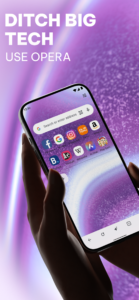
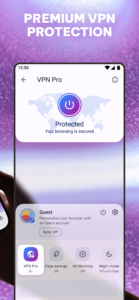
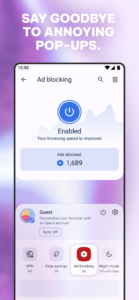
Get the best mobile browser for Android with a fresh, new icon. Opera looks great, loads pages super fast and keeps you safe on the web. Do more online with Opera for Android.
Premium
New features
● Video compression: Watch videos when you want on your mobile device, while using less data. Turn on video compression in the data-savings settings to prevent videos from stalling.
● Add to home screen: Add any website directly to your home screen to access your favorite sites even faster. Some sites, like twitter.com, will even give you an app-like experience!
● Stay in sync: Sync your phone’s Speed Dial shortcuts, tabs, bookmarks and typed history across all your devices. It’s never been easier to take all that you find fun, interesting or just plain entertaining on the web with you.
Other highlights
● Stay online: Our revamped data-savings mode powered by Opera’s compression servers help you browse faster, even on slow or congested networks. If you have a limited data plan, you can download more content, while staying within your plan’s limits.
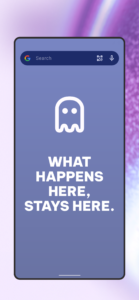
● Keep it private: Use Opera’s private tabs to go anywhere on the internet without leaving a trace on your device.
● Stay up to date: The Discover feature brings you the latest news, tech, sports and other content from world-leading magazines and newspapers, right in the browser.
Navigation tips
● Pull-to-refresh: Swipe down on any webpage to reload it.
● Search instantly, anywhere: Opera makes searching even simpler. Depending on your device, swipe up from the bottom edge in any app or long-press the home button to search the web with Opera. It’s a fast way to search the web.
● Organize your web: Speed Dial keeps the sites you love close at hand. Add your favorite pages to your Speed Dial or bookmarks simply by tapping the + symbol while you browse, and choose “Speed Dial”.
Do more with Opera: http://www.opera.com/about/products
Keep in touch:
Twitter – http://twitter.com/opera/
Facebook – http://facebook.com/opera/
Instagram – http://instagram.com/operabrowser/
Opera: Private Web Browser 33.0.2002.98088 Play Store screenshots (8)
Screenshots from version 102.2.5206.90449
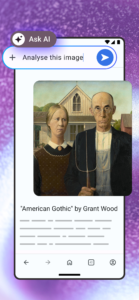
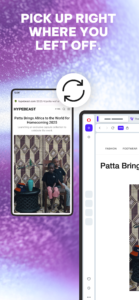

Opera: Private Web Browser 33.0.2002.98088 Play Store trailer
Download Opera: Private Web Browser 33.0.2002.98088
This release may come in several variants. Consult our handy FAQ to see which download is right for you.

Version:102.2.5206.90449
Uploaded:September 28, 2026 at 4:16AM UTC
File size:56.98 MB
Downloads:698
Version:102.1.5206.90382
Uploaded:September 23, 2026 at 4:38PM UTC
File size:56.99 MB
Downloads:572
Version:101.6.5178.90208
Uploaded:September 15, 2026 at 10:20PM UTC
File size:55.57 MB
Downloads:958
Version:101.5.5178.90147
Uploaded:September 12, 2026 at 4:18PM UTC
File size:55.57 MB
Downloads:573
Version:101.4.5178.90106
Uploaded:September 9, 2026 at 4:24AM UTC
File size:55.57 MB
Downloads:346
Version:101.3.5178.90032
Uploaded:September 8, 2026 at 12:23AM UTC
File size:55.57 MB
Downloads:727
Version:101.2.5178.89973
Uploaded:September 1, 2026 at 7:45AM UTC
File size:55.57 MB
Downloads:583
Version:101.1.5178.89889
Uploaded:August 29, 2026 at 6:03PM UTC
File size:55.56 MB
Downloads:815
Version:101.0.5178.89840
Uploaded:August 25, 2026 at 8:47PM UTC
File size:55.55 MB
Downloads:327
Version:100.4.5122.89709
Uploaded:August 17, 2026 at 11:36PM UTC
File size:55.02 MB
Downloads:1,142
Follow APK Mirror


