

 Premium
What's new in Opera: Private Web Browser 47.0.2249.129167
- Chromium 66
- Synchronization UI refresh
- Synchronization: Import all SD and Remove connected devices options
- Password synchronization
- Password manager in Settings
- Improved password saving
- Autofill support for addresses and credit cards
- Automatically generated password suggestion
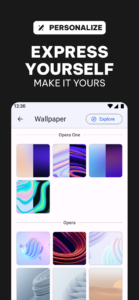
- Appearance settings for UI customization
- Recent searches On/Off option in Settings
- Swipe to remove History items
About Opera: Private Web Browser 47.0.2249.129167
Opera browser for Android is a fast, safe and secure browser. It blocks intrusive ads out of the box and keeps you up-to-date with the latest personalized news and Opera Mini mode (data saving).
Premium
Top features
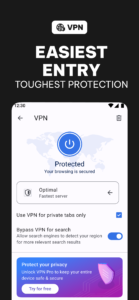
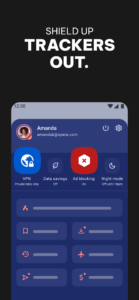
● Block ads for faster browsing: Opera’s integrated ad blocker helps your pages load faster and saves your data for the content you’re actually interested in.
● Private browsing: Use private tabs to go incognito anywhere on the Internet without leaving a trace on your device.
● Save data with Opera Mini mode: switch to data-savings mode to load pages faster than ever on slow networks. Powered by our famous compression technology, the Opera browser works hard to save loads of data without breaking your browsing experience.
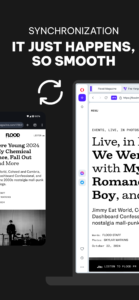
● Sync your Opera devices: Give yourself access to all the bookmarks, Speed Dial shortcuts, and open tabs from your other devices with Opera.
● Smart news feed: Swipe through a range of personalized news channels within the browser, subscribe to your favorite channels, and save stories to read later.
Other highlights
● Sleek new look: Our new, lightweight design makes it easier to find what you need and do what you came online to do.
● Add to home screen: Add any website directly to your device's home screen to access it even faster. Sites like Facebook can even send you push notifications, just like the app.
● Read comfortably on any screen: With Opera, you can force zoom on any page, making it easier to read. We even make sure the text fits nicely on your screen with automatic text wrap.
Do more with Opera: www.opera.com/about/products
Opera may show ads from Facebook. To learn more, see m.facebook.com/ads/ad_choices
Keep in touch:
Twitter – twitter.com/opera/
Facebook – facebook.com/opera/
Instagram – instagram.com/operabrowser/
End User Terms:
By downloading and/or using this product, you acknowledge and agree to the end user licence agreement at www.operasoftware.com/eula/android and Privacy Statement at www.opera.com/privacy.
Opera: Private Web Browser 47.0.2249.129167 screenshots (7)
Screenshots from version 94.0.4936.86741



Download Opera: Private Web Browser 47.0.2249.129167
This release comes in several variants (we currently have 2). Consult our handy FAQ to see which download is right for you.

Version:94.0.4936.86741
Uploaded:January 15, 2026 at 9:10PM UTC
File size:53.94 MB
Downloads:536
Version:94.1.4936.86818
Uploaded:January 15, 2026 at 2:15PM UTC
File size:54 MB
Downloads:233
Version:93.4.4906.86552
Uploaded:January 14, 2026 at 5:11AM UTC
File size:60.48 MB
Downloads:1,025
Version:93.3.4906.86355
Uploaded:December 8, 2025 at 8:13PM UTC
File size:60.46 MB
Downloads:901
Version:93.2.4906.86283
Uploaded:December 2, 2025 at 10:39AM UTC
File size:60.47 MB
Downloads:598
Version:93.1.4906.86256
Uploaded:December 1, 2025 at 7:58AM UTC
File size:60.46 MB
Downloads:413
Version:93.0.4906.86186
Uploaded:November 26, 2025 at 6:42PM UTC
File size:60.44 MB
Downloads:511
Version:92.6.4866.86081
Uploaded:November 19, 2025 at 9:42AM UTC
File size:59.72 MB
Downloads:625
Version:92.5.4866.86000
Uploaded:November 13, 2025 at 9:52AM UTC
File size:59.74 MB
Downloads:540
Version:92.4.4866.85935
Uploaded:November 7, 2025 at 6:11PM UTC
File size:59.73 MB
Downloads:688
Follow APK Mirror


