

 Premium
What's new in Opera: Private Web Browser 49.0.2361.133821
Thanks for choosing Opera! In this version, we are introducing our integrated Crypto Wallet (Android 6.0 and up). Try out the future of browsing by exploring the world of Web 3 apps (DApps) or sending/receiving cryptocurrency directly in your Opera browser.
More changes:
- Improvements to the download dialog
- Easy access to page-specific security information and site settings
- Chromium 70
About Opera: Private Web Browser 49.0.2361.133821
Opera browser is a fast, safe web browser for your Android device, featuring a rebooted news feed, a built-in ad blocker and data savings mode, all powered by our famous compression technology. As a user-friendly browser, Opera is 100% customisable all while providing useful features and different search engine options.
Premium
★ Top features ★
● Block ads for faster browsing:
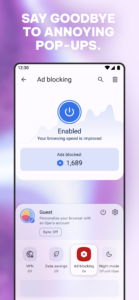
Opera’s integrated ad blocker effectively helps you get rid of intrusive ads and loads your pages faster to streamline your browsing experience.
Now, we have added to our ad blocker technology the option to eliminate a vast majority of annoying cookie and privacy dialogs.
● Personalised news feed:
Powered by our smartest AI news engine, the rebooted news feed allows you to swipe through a selection of personalised news channels within the browser, subscribe to your favourite topics, and save stories to read later. Catch up on AI-curated news specially tailored for your interests.
● Night mode:
Opera’s night mode provides you adjustable lighting options to get the most comfortable reading experience in the dark and the least eye strain. Night mode is easily accessible from the main menu.
● Manage passwords and autofill credit cards:
Opt in for automatic saving of passwords site by site and safely autofill your payment information for online shopping.
● Private browsing:
Use private tabs to go incognito anywhere on the Internet without leaving a trace on your device. Easily switch between private and normal browsing in the tab gallery.
● Read comfortably on any screen:
The Opera browser includes a text size setting which helps you adapt pages according to your reading preferences. More importantly, it works perfectly together with our automatic text wrap feature for an unparalleled reading experience.
● Manage downloads easily:
Our new download manager makes downloading files easier and faster than ever! You can easily sort and share each downloaded item, delete them from your phone or remove them from your list of downloads with a quick swipe to the right or left side. We even support background downloading when you have a download running but need to open another application!
● Home screen shortcuts:
Available on Android versions 7.1 or later, the Opera browser offers fast access from the home screen to search, open a new private tab or scan QR codes. To create your own home screen shortcut, long tap on the Opera icon in your device’s home screen and tap your desired function.
Other highlights
● Browser startup options:
Everyone is individual, so we let you choose whether to always open the browser with a new tab or to continue browsing where you left off, and to choose to close or preserve your open tabs when you exit the browser.
● Sync your Opera devices:
Give yourself access to all your bookmarks, Speed Dial shortcuts and open tabs from your other devices with Opera. Opera on Android can now easily sync with the Opera browser for computers.
● Add to home screen:
Add any website directly to your device's home screen to access it even faster. Sites like Facebook can even send you push notifications, just like the app.
Do more with Opera: www.opera.com/mobile/android
Opera may show ads from Facebook. To learn more, see m.facebook.com/ads/ad_choices
Keep in touch:
Twitter – twitter.com/opera/
Facebook – www.facebook.com/opera/
Instagram – www.instagram.com/opera
End User Terms:
By downloading and/or using this product, you acknowledge and agree to the end user licence agreement at www.operasoftware.com/eula/android and Privacy Statement at www.opera.com/privacy.
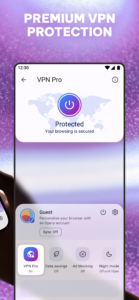
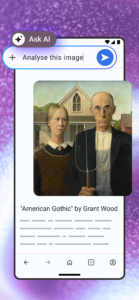
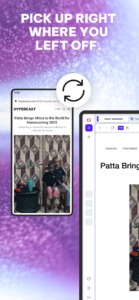
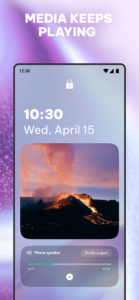
Opera: Private Web Browser 49.0.2361.133821 Play Store screenshots (8)
Screenshots from version 103.3.5234.91185


Opera: Private Web Browser 49.0.2361.133821 Play Store trailer
Download Opera: Private Web Browser 49.0.2361.133821
This release comes in several variants (we currently have 3). Consult our handy FAQ to see which download is right for you.

Version:103.3.5234.91185
Uploaded:November 6, 2026 at 9:04PM UTC
File size:57.30 MB
Downloads:895
Version:103.2.5234.90977
Uploaded:October 29, 2026 at 4:38AM UTC
File size:57.30 MB
Downloads:905
Version:103.1.5234.90883
Uploaded:October 24, 2026 at 3:30AM UTC
File size:57.38 MB
Downloads:936

Version:103.0.5234.90813
Uploaded:October 19, 2026 at 7:23AM UTC
File size:57.36 MB
Downloads:492
Version:102.4.5206.90738
Uploaded:October 17, 2026 at 6:38AM UTC
File size:56.98 MB
Downloads:659
Version:102.3.5206.90530
Uploaded:October 2, 2026 at 7:24PM UTC
File size:56.94 MB
Downloads:1,103
Version:102.2.5206.90449
Uploaded:September 28, 2026 at 4:16AM UTC
File size:56.98 MB
Downloads:822
Version:102.1.5206.90382
Uploaded:September 23, 2026 at 4:38PM UTC
File size:56.99 MB
Downloads:644
Version:101.6.5178.90208
Uploaded:September 15, 2026 at 10:20PM UTC
File size:55.57 MB
Downloads:989
Version:101.5.5178.90147
Uploaded:September 12, 2026 at 4:18PM UTC
File size:55.57 MB
Downloads:596
Follow APK Mirror


