

 Premium
What's new in PixVerse: AI Video Generator 3.16.2
What's New 3.16.2
1. Upgraded the Reference Mode to fix tag-related issues, ensuring more accurate and reliable creative results.
2. Optimized the switching experience between single-image and multi-image templates, making it smoother and more intuitive.
3. Fixing existing bugs and improving overall user experience.
About PixVerse: AI Video Generator 3.16.2
Looking for the ultimate AI video maker?
PixVerse is your all-in-one tool for creating stunning videos. From transforming text into video to animating images in seconds, PixVerse makes professional video creation effortless.
Premium
🚀 Powerful AI Video Creation Tools
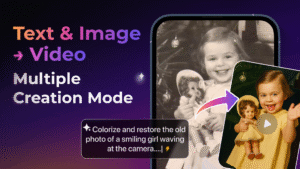
• Text-to-Video: Transform your ideas into cinematic videos instantly. Use PixVerse's proprietary AI models and access top-tier external models for various styles and effects.
• Image-to-Video: Bring your still images to life. Use advanced AI models, including external top models, to animate photos and turn them into dynamic video content.
• Transition (First & Last Frame): Smoothly connect the beginning and end of your video. Describe the scene between the first and last frames for seamless transitions and professional editing.
• Endless Video Extension: Keep your video rolling. Describe the next scene, and PixVerse will intelligently extend your footage for as long as you need.
• Modify Video (Selection Editing): Edit specific parts of your video with precision. Use @mentions to call out images, clips, or modes, and instantly apply your edits.
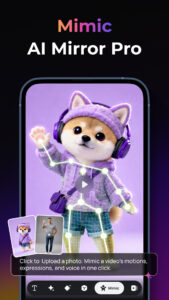
• Motion Control (Action Mimicry): Upload a character’s image and a reference motion video. PixVerse AI will mimic the exact actions, from simple gestures to complex movements.
• Reference (Multi-Image Support): Upload up to 7 reference images to generate a scene. For example, use @image1 and @image2 to create meaningful moments, like a conversation or standing together in a scenic view.
• Speech Integration: Add character dialogue effortlessly by typing their lines, like "Today, I’m excited to introduce our latest AI model." The AI will seamlessly integrate your script for professional delivery. Plus, PixVerse supports multiple languages, so you can reach a global audience with ease.
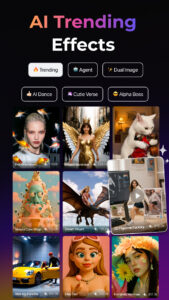
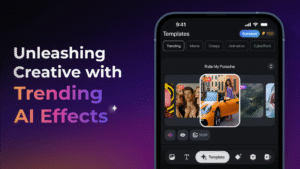
🔥 Trending AI Video Effects & Templates
• AI Dance Revolution: Discover a variety of trending dance styles. Whether it’s viral moves or classic choreography, find everything you need to create electrifying AI dance videos.
• Nostalgia Series: Bring old memories back to life! Restore damaged vintage photos, add color, and animate the people in them to relive those heartwarming moments.
• Transformation Series: Experience epic transformations! From powerful mech suits and luxury vehicle shoots to jaw-dropping muscle transformations, the possibilities are endless.
• Beauty Series: Unlock your most stunning look in a tap. Add majestic wings, create magical rain and mist effects, or turn your photo into a high-fashion black-and-white portrait.
• Miniature World Series: Shrink your photos into tiny characters you can interact with. Tap their face for reactions and watch them embark on fun adventures.
✨ Why choose PixVerse AI Video Generator?
• Lightning Speed: Get HD results in just 5 seconds.
• Hyper-Real AI: Realistic movements with advanced physics simulations for cinematic quality.
• User-Friendly: No technical skills required. Fast, simple, and powerful video creation for everyone.
Join millions of creators worldwide and redefine storytelling with PixVerse.
Download now – where imagination becomes reality!
Continue your creative journey with PixVerse across platforms:
🛠 Official Hub: app.pixverse.ai
💡 API Integration: platform.pixverse.ai
🔥 Stay ahead with PixVerse's viral-worthy updates: www.tiktok.com/@pixverse www.instagram.com/pixverse_official www.youtube.com/@PixVerse_Official
x.com/pixverse_
Terms of Service: docs.pixverse.ai/Terms-of-Service-5a019460172240b09bc101b7a12fafea
Privacy Policy: docs.pixverse.ai/Privacy-Policy-97a21aaf01f646ad968e8f6a0e1a2400









Download PixVerse: AI Video Generator 3.16.2
This release may come in several variants. Consult our handy FAQ to see which download is right for you.

Version:3.19.6
Uploaded:August 10, 2026 at 2:45PM UTC
File size:74.14 MB
Downloads:10
Version:3.19.5
Uploaded:August 9, 2026 at 9:58AM UTC
File size:74.14 MB
Downloads:14
Version:3.19.4
Uploaded:August 7, 2026 at 12:58PM UTC
File size:74.14 MB
Downloads:38
Version:3.19.3
Uploaded:August 6, 2026 at 12:52PM UTC
File size:74.10 MB
Downloads:33
Version:3.19.2
Uploaded:July 30, 2026 at 10:46AM UTC
File size:74.04 MB
Downloads:75
Version:3.19.1
Uploaded:July 29, 2026 at 2:00PM UTC
File size:74.04 MB
Downloads:39
Version:3.19.0
Uploaded:July 27, 2026 at 2:04PM UTC
File size:74.00 MB
Downloads:27
Version:3.18.6
Uploaded:July 21, 2026 at 1:23PM UTC
File size:74.25 MB
Downloads:68
Version:3.18.5
Uploaded:July 20, 2026 at 2:11PM UTC
File size:74.25 MB
Downloads:27
Version:3.18.4
Uploaded:July 16, 2026 at 10:19AM UTC
File size:73.97 MB
Downloads:50
Follow APK Mirror


