

 Premium
What's new in KODAK Photo Printer 1.80.0
- We have redesigned the app's user interface for a more modern and intuitive look.
- We have added support for our newly launched products.
- Now you can use camera feature in app to capture the images
- Added New
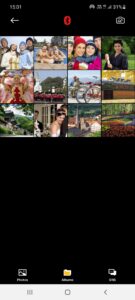
- Improved Albums and Photos displaying style
- Now you can check the battery percentage of Printer when connected to device
- Improved border adding feature to image in the Edit Preview screen
- Specific image delete option when multiple images are selected
About KODAK Photo Printer 1.80.0
The new features including the AR and beauty functions will blow you away! Thanks.
Supported Models :
Kodak 2 inch Printer (P210)
Kodak 2 in 1, 2 inch Camera (C210)
Kodak 3 inch Square Printer (P300)
Kodak 3 inch Square 2 in 1 Camera ( C300)
Kodak 4 inch Dock Printer (PD460)
[How to Use]
1. Make sure you recharge the printer before you use it.
2. Make sure the Adapter is connected properly.
3. Turn on the printer
4. Go to Bluetooth setting and find the printer’s MAC address.
The MAC address is placed inside the printer’s door
If you purchased Dock Printer, dock your smartphone at the pin on top the of the printer or find the MAC address on the downside of the printer to connect the device to the Bluetooth.
5. Select an image from the Gallery or take a photo with your smartphone.
6. Once image has been selected, edit the image with your personal preference.
7. Now press print button located on top of the printer when editing is completed.
8. When you print for the first time, it may need to update the firmware. Please follow the instruction shown on the screen of your smartphone.
9. It will take about a minute to fully print. Please do not pull the photo until it is completely printed.



Download KODAK Photo Printer 1.80.0
This release may come in several variants. Consult our handy FAQ to see which download is right for you.

Version:5.1.3
Uploaded:September 6, 2026 at 6:46AM UTC
File size:38.92 MB
Downloads:5
Version:5.1.2
Uploaded:August 12, 2026 at 1:13AM UTC
File size:38.90 MB
Downloads:9
Version:5.1.1
Uploaded:June 27, 2026 at 4:31AM UTC
File size:38.15 MB
Downloads:17
Version:5.0.9
Uploaded:April 9, 2026 at 12:27AM UTC
File size:37.12 MB
Downloads:19
Version:5.0.8
Uploaded:February 9, 2026 at 6:09AM UTC
File size:37.41 MB
Downloads:14
Version:5.0.7
Uploaded:February 4, 2026 at 6:18AM UTC
File size:37.41 MB
Downloads:6
Version:5.0.6
Uploaded:January 31, 2026 at 12:41AM UTC
File size:37.41 MB
Downloads:7
Version:5.0.5
Uploaded:December 10, 2025 at 8:02AM UTC
File size:34.97 MB
Downloads:19
Version:5.0.4
Uploaded:November 14, 2025 at 2:47AM UTC
File size:34.97 MB
Downloads:3
Version:5.0.2
Uploaded:October 1, 2025 at 1:22AM UTC
File size:34.86 MB
Downloads:21
Follow APK Mirror


