

 Premium
What's new in Quicken Classic: Companion App 6.29.0
New:
Added 'Spending by Payee' report.
Improved:
Aligned transfer process with desktop apps.
Fixed:
Resolved issue preventing customers with over a thousand securities from viewing all their stocks.
Removed redundant text in 'Add Attachment'.
Corrected error where a blank screen appeared when customers deleted one of two duplicate PDFs.
Addressed issue of no space between 'Note' field and separator in the 'Add Transaction' section.
Resolved issues related to display of PDFs.
About Quicken Classic: Companion App 6.29.0
The Quicken Desktop Companion App is a personal finance app for existing subscribers to use with your Quicken desktop software. Free to download and use with your active Quicken desktop subscription.
Premium
The Quicken Desktop Companion App for Android syncs with Quicken desktop, so you can make smart decisions with your money no matter where you are. We stand behind our products with over 40 years of experience and a 30-day money back guarantee.
If you currently don’t have Quicken on your desktop, please visit www.quicken.com/products to download our top personal finance software.
Stay Connected to Your Money. Anytime, Anywhere
• Automatically syncs your desktop and mobile data.
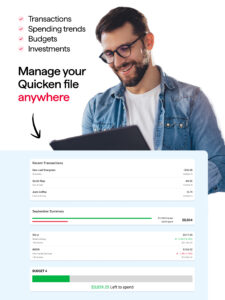
• View your balances, accounts, and transactions.
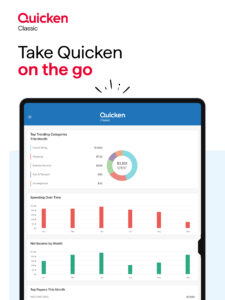
• See spending trends and check your budget.
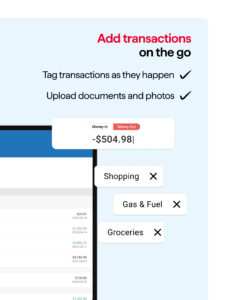
• Enter transactions as you spend even when you are not connected to the internet.
• Search transaction history.
• Split transactions for an accurate view of spending.
• Snap and store a picture of your receipt.
Feel Confidence Your Information is Secure
• Passcode-protected and backed by 256-bit encryption.
• Additional security with passcode protection.
• Data access guarantee: Always have full access to and ownership of your data.
Using the App
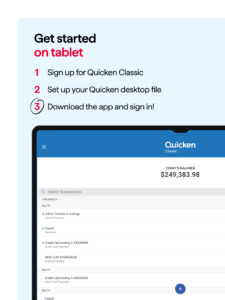
To begin using the Quicken Desktop Companion App, first create a Quicken ID from your Quicken desktop software. You will need this ID to log-in to the app and begin syncing your data.
System Requirements
• Android mobile or tablet: requires 4.1 or higher
• Windows Phone and Blackberry: not compatible at this time
Quicken Version Requirements
Quicken desktop software for Mac or for Windows: Starter Edition, Deluxe, Premier, Home & Business, or Rental Property Manager is required.
Security
We’re serious about protecting your account and privacy. Visit www.quicken.com/privacy/us to learn more.
Privacy
If you are a California resident, please refer to the new privacy guidelines set forth by The California Consumer Privacy Act on information sharing. If you would like to opt-out of the sale of your personal information as defined by these new guidelines, please go to www.quicken.com/privacy
Download Quicken Classic: Companion App 6.29.0
This release may come in several variants. Consult our handy FAQ to see which download is right for you.

Version:8.4.0
Uploaded:September 15, 2026 at 2:56AM UTC
File size:96.45 MB
Downloads:3
Version:8.3.0
Uploaded:June 22, 2026 at 5:27PM UTC
File size:96.35 MB
Downloads:33
Version:8.2.0
Uploaded:April 29, 2026 at 3:49AM UTC
File size:95.59 MB
Downloads:23
Version:8.1.1
Uploaded:March 2, 2026 at 6:34PM UTC
File size:95.54 MB
Downloads:31
Version:8.1.0
Uploaded:February 26, 2026 at 3:52PM UTC
File size:95.54 MB
Downloads:9
Version:8.0.1
Uploaded:February 13, 2026 at 4:50PM UTC
File size:95.53 MB
Downloads:9
Version:8.0.0
Uploaded:January 30, 2026 at 12:27PM UTC
File size:95.53 MB
Downloads:17
Version:7.8.0
Uploaded:September 29, 2025 at 10:37PM UTC
File size:84.03 MB
Downloads:81
Version:7.7.3
Uploaded:July 23, 2025 at 11:55PM UTC
File size:84.02 MB
Downloads:35
Version:7.7.2
Uploaded:July 7, 2025 at 3:54AM UTC
File size:84.01 MB
Downloads:15
Follow APK Mirror


