

 Premium
What's new in Samsung Browser 12.1.4.3
v12.1.4.3
o Fixed issues when disabling ad blockers
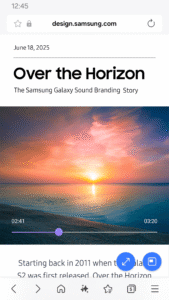
o Fixed slow scrolling issues on certain sites
o Fixed errors when downloading large sized image files
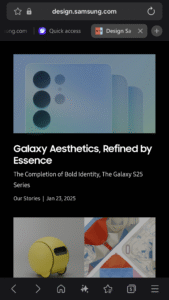
o Fixed Dark Mode background to be darker
About Samsung Browser 12.1.4.3
New Features for you
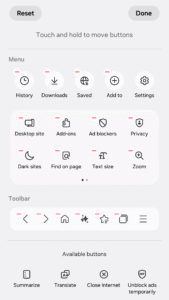
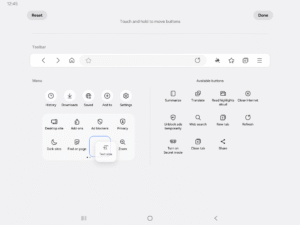
* Support the Context menu in the Tab Bar
You can manage your tab through the Context menu in the Tab Bar. Please long press the tab in the Tab Bar to lock the tab, refresh the page, or close all the open tabs.
Premium
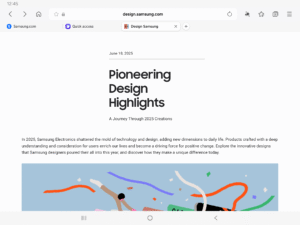
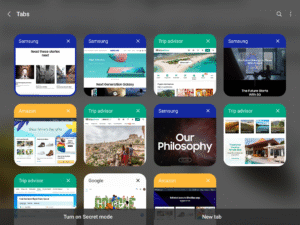
* New tab manager - See in the Grid view
Now you can use the ‘Grid view’ on your phone. This enables you to have an easy access to the web page that is open in each tab through the screenshots bigger than ‘List view’ size.
Security & Privacy
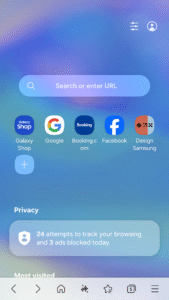
Samsung Internet helps you protect your security and privacy while browsing the Internet.
* Smart Anti-Tracking
Intelligently identify domains which have cross-site tracking ability and block storage (cookie) access.
* Protected Browsing
We will warn you before you can view known malicious sites to prevent you from visiting web sites which may try to steal your data.
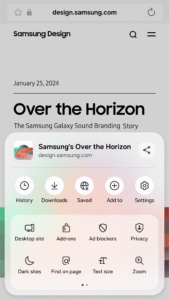
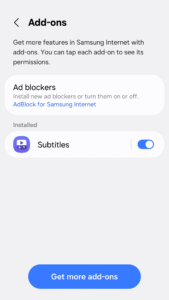
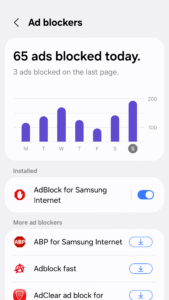
* Content Blockers
Samsung Internet for Android allows 3rd party apps to provide filters for content blocking, making browsing safer and more streamlined.
The following permissions are required for the app service.
For optional permissions, the default functionality of the service is turned on, but not allowed.
Required permissions
none
Optional permissions
Telephone: Used to check device-unique identification information for app analysis information
Location: Used to provide location-based content requested by the user or location information requested by the webpage in use
Camera: Used to provide webpage shooting function and QR code shooting function
Microphone: Used to provide recording function on webpage
Contacts: Used to get the device account information for cloud sync
Storage: Used to store files when downloading from webpages
If your system software version is lower than Android 6.0, please update the software to configure App permissions.
Previously allowed permissions can be reset on Apps menu in device Settings after software update.

Download Samsung Browser 12.1.4.3
This release comes in several variants (we currently have 2). Consult our handy FAQ to see which download is right for you.
Known valid signatures: 9ca5 29c6.

Version:5.2.00.8
Uploaded:July 10, 2026 at 9:38AM UTC
File size:138.05 MB

Version:30.0.5.27
Uploaded:October 24, 2026 at 3:29AM UTC
File size:224.88 MB
Downloads:184
Version:30.0.5.24
Uploaded:September 30, 2026 at 11:25AM UTC
File size:225.23 MB
Downloads:1,782
Version:31.0.0.64
Uploaded:September 23, 2026 at 6:24PM UTC
File size:316.98 MB
Downloads:2,468
Version:30.0.2.61
Uploaded:July 24, 2026 at 8:04PM UTC
File size:300.46 MB
Downloads:9,021
Version:30.0.0.67
Uploaded:June 17, 2026 at 1:02PM UTC
File size:217.62 MB
Downloads:1,852
Version:30.0.2.45
Uploaded:June 14, 2026 at 10:09PM UTC
File size:300.80 MB
Downloads:3,725
Version:30.0.0.63
Uploaded:May 23, 2026 at 1:16PM UTC
File size:217.62 MB
Downloads:3,092
Version:30.0.2.30
Uploaded:May 11, 2026 at 12:11PM UTC
File size:300.53 MB
Downloads:4,784
Version:29.0.5.3
Uploaded:April 12, 2026 at 4:58AM UTC
File size:213.35 MB
Downloads:7,329
Version:29.0.4.46
Uploaded:March 29, 2026 at 9:16PM UTC
File size:284.78 MB
Downloads:9,411
Follow APK Mirror


