

 Premium
About Samsung Separated Apps 3.0.10.0
App information
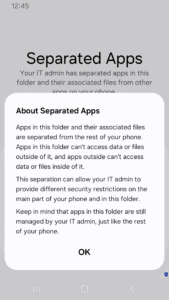
Designed for enterprises that need to protect sensitive work data, Knox Separated Apps allows IT admins to separate third-party apps from corporate apps on fully managed devices.
“"IT admins use Separated Apps to isolate apps on managed devices. This app isn’t intended for personal use."
How it works
- After an enterprise IT admin installs work apps on fully managed devices through a UEM, they can enable Separated Apps and select certain apps to install in the secure, separate area.
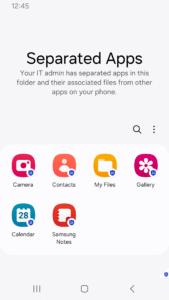
- By default, the following apps are available in the Separated Apps area.
.Google Chrome
.Microsoft Office (depending on the device model)
.Samsung Calendar
.Samsung Camera
.Samsung Gallery
.Samsung MyFiles
.Samsung Video
For more details, see the Knox SDK documentation.
Download Samsung Separated Apps 3.0.10.0
This release may come in several variants. Consult our handy FAQ to see which download is right for you.

Version:3.3.00.2
Uploaded:May 11, 2026 at 11:27PM UTC
File size:8.58 MB
Downloads:458
Version:3.2.15.4
Uploaded:February 19, 2026 at 11:58AM UTC
File size:8.53 MB
Downloads:410
Version:3.2.11.5
Uploaded:November 28, 2025 at 8:36AM UTC
File size:8.54 MB
Downloads:321
Version:3.2.10.7
Uploaded:November 13, 2025 at 9:25PM UTC
File size:8.24 MB
Downloads:19
Version:3.2.10.8
Uploaded:September 25, 2025 at 6:30AM UTC
File size:8.23 MB
Downloads:148
Version:3.0.20.35
Uploaded:September 12, 2025 at 4:52AM UTC
File size:7.14 MB
Downloads:358
Version:3.2.00.47
Uploaded:July 23, 2025 at 7:30PM UTC
File size:8.38 MB
Downloads:238
Version:3.2.00.21
Uploaded:July 10, 2025 at 5:02PM UTC
File size:8.29 MB
Downloads:245
Version:3.1.10.10
Uploaded:May 5, 2025 at 4:49PM UTC
File size:8.09 MB
Downloads:254
Version:3.1.00.52
Uploaded:March 8, 2025 at 11:20PM UTC
File size:8.07 MB
Downloads:138
Follow APK Mirror


