

 Premium
What's new in Samsung Smart Switch Mobile 3.2.04-1
Note to Galaxy S7/S7 edge owners : Smart Switch Mobile is already preloaded on your device. To access, tap [Settings] > [Backup and reset] > [Open Smart Switch] to open Smart Switch Mobile.
- Android to Galaxy transfer via USB OTG cable
- Smart Switch to support Blackberry devices
About Samsung Smart Switch Mobile 3.2.04-1
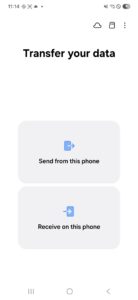
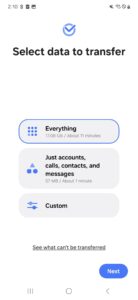
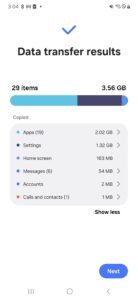
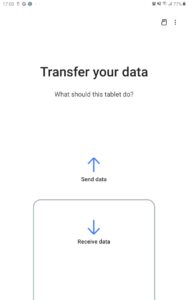
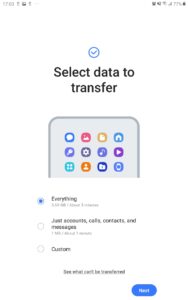
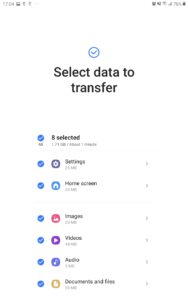
Smart Switch gives you the freedom to move your contacts, music, photos, calendar, text messages, device settings and more to your new Galaxy device. Plus, Smart Switch™ helps you find your favorite apps or suggest similar ones on Google Play™.
Who can transfer?
• Android™ owners
o Wireless device-to-device transfer
o Wired transfer from your Android device to your new Galaxy
• iOS™ owners - use the option that’s best for you:
o Wired transfer from your iOS device to your Galaxy
o Import from iCloud™
- Limited content transfer supported for iOS 9: Contacts, Calendar, Photos, and Videos
o PC/Mac transfer using iTunes™
• BlackBerry owners
o Wireless device-to-device transfer
o Wired transfer from your BlackBerry device to your Galaxy
What can be transferred?
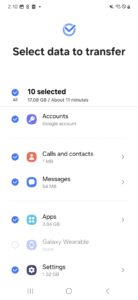
Contacts, calendar(Device content only), messages, photos, music (DRM free content only, Not supported for iCloud), videos (DRM free content only), call logs, memos, alarms, Wi-Fi settings, wallpapers, documents, app data (Galaxy devices only), home layouts (Galaxy devices only)
You can send app data and home layouts by upgrading your Galaxy device to M OS (Galaxy S6 or higher).
Note: Smart Switch scans and transfers content stored on the device and from the SD card (if used).
What is needed to transfer?
• Android transfers:
o Wireless transfers between Galaxy devices: Android 4.0 or higher
o Wired transfers between Galaxy devices: Android 4.3 or higher, charger cable, and a USB OTG cable(What is a USB OTG cable?
http://www.samsung.com/us/mobile/cell-phones-accessories/ET-R205UBEGSTA)
o Transfers from a compatible Android device to Galaxy device: Android 4.0 or higher (Mobile AP) (see list of compatible models below)
• iOS transfers:
o Wired transfer: iOS 5.0 or above, iOS device cable (lightning or 30 pin), and a USB OTG cable (What is a USB OTG cable?
http://www.samsung.com/us/mobile/cell-phones-accessories/ET-R205UBEGSTA)
o iCloud transfers: iOS 4.2.1 or higher and Apple ID
o iTunes transfers: Smart Switch PC/Mac software – Get started http://www.samsung.com/smartswitch
• BlackBerry transfers:
o Wireless transfers: BlackBerry OS 7 or 10 (Mobile AP)
o Wired transfers: BlackBerry OS 7 or 10 for transfers via USB OTG cable
Note: For more information and step-by-step directions, go to http://www.samsung.com/smartswitch
Which devices are supported?
Galaxy: Recent Galaxy mobile devices and tablets (From Galaxy S2)
Note: For Galaxy S2, old OS (GB/ICS) version can cause incompatibility. If your S2 does not work properly, please try after firmware update.
Other Android devices:
(Your device must support the USB option Media Transfer Protocol (MTP) to transfer data via a USB OTG cable.)
• HTC®: One X, X+, S, SV, V, Butterfly, Desire X, 500, EVO 4G, J, T329T, T327T, T329D, INFOBAR A02, ThunderBolt, M8
• LG®: Optimus G, L9, 4X HD, L5, L7, Nexus 4 E960, G2, G3, LUCID, isai VL, G Flex, isai, Optimus LTE/it/Vu/G/G pro/it/LIFE, PRADA phone, D858. Vu II, G4, Nexus 5
• Sony®: Xperia Z/Z1/Z2/Z3/A/A2/ZL2/UL/V/VL/SX/GX/acro HD/NX, Xperia™ AX/A/Z1f, TL, GO, E Dual, E
• Huawei™: T8951, G520-0000, C8813, Ascend, Ascend D2, A199
• Lenovo ™: A798T, A789, S720
• Motorola®: DROID RAZR, RAZR Mini, RAZR Maxx, ATRIX III, Moto G, Moto X
• PANTECH: A910, IM-A910S/K/L, Vega Secret
• Panasonic: ELUGA P/X/Power, LUMIX Phone
• Kyocera: URBANO L02/03, DIGNO M/S, BASIO
• NEC: MEDIAS X/W/ES/U, Disney Mobile on docomo
• SHARP: AQUOS ZETA/Serie/Crystal, Disney Mobile on docomo, AQUOS Phone ex/xx mini/serie/zeta/sv/sl/cl/si, NERV, PANTONE 5
• Fujitsu: ARROWS NX/A/KISS/ef/Me/V/X/X LTE, Disney Mobile on docomo, ANTEPRIMA, MEDIAS LTE, REGZA Phone
• Xiaomi: Hongmi1S, HongmiNote
• Vivo: X3T, Y15T, X5, Y11, R811
• OPPO/Honor: R815T, Honor6
• Coolpad: 86750A DazenF2
Download Samsung Smart Switch Mobile 3.2.04-1
This release may come in several variants. Consult our handy FAQ to see which download is right for you.
Known valid signatures: 9ca5 29c6.

Version:1.1.03.1
Uploaded:December 17, 2025 at 4:17AM UTC
File size:11.76 MB

Version:3.7.72.6
Uploaded:August 8, 2026 at 7:09PM UTC
File size:40.30 MB
Downloads:4,173
Version:3.7.71.16
Uploaded:June 8, 2026 at 7:17AM UTC
File size:40.89 MB
Downloads:9,350
Version:1.0.01.2
Uploaded:April 22, 2026 at 7:40PM UTC
File size:645.29 KB
Downloads:2,009
Version:3.7.69.15
Uploaded:March 6, 2026 at 9:55PM UTC
File size:39.31 MB
Downloads:15,983
Version:1.0.00.13
Uploaded:November 30, 2025 at 11:24AM UTC
File size:649.67 KB
Downloads:3,329
Version:3.7.68.6
Uploaded:November 6, 2025 at 3:40AM UTC
File size:41.66 MB
Downloads:33,503
Version:3.7.67.2
Uploaded:September 18, 2025 at 6:05AM UTC
File size:39.94 MB
Downloads:7,154
Version:3.7.66.6
Uploaded:September 12, 2025 at 4:06AM UTC
File size:39.94 MB
Downloads:1,371
Version:3.7.65.4
Uploaded:August 7, 2025 at 5:31AM UTC
File size:39.09 MB
Downloads:14,809
Version:1.0.00.12
Uploaded:July 10, 2025 at 3:05PM UTC
File size:555.84 KB
Downloads:2,166
Follow APK Mirror


