

 Premium
What's new in Sony | Monitor & Control 2.5.2
- Monitor & Control on the α7 V, α7CR and α7C II is now supported.
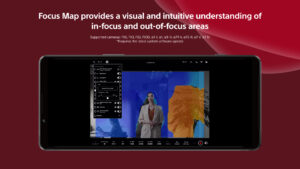
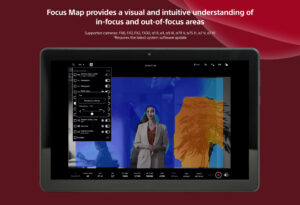
- Focus Map display is now possible even during multi-connection sessions.
- Cropping and framing is now supported during multi-connection sessions.
- The vertical layout of the monitoring screen has been improved.
- Clip playback usability has been improved.
- Usability has been improved.
About Sony | Monitor & Control 2.5.2
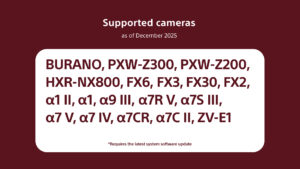
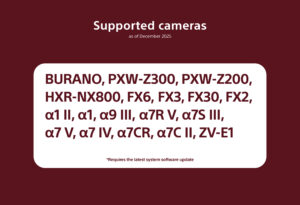
- Supported cameras (as of December 2025):
BURANO, PXW-Z200, HXR-NX800, FX6, FX3, FX2, FX30,α1Ⅱ, α1, α9Ⅲ, α7RⅤ, α7SⅢ, α7 V, α7 Ⅳ, α7CR, α7C II, ZV-E1
*Requires the latest system software.
- Please refer to the Support Page for the connection process and list of supported cameras:
www.sony.net/ccmc/help/
Premium
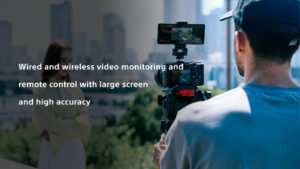
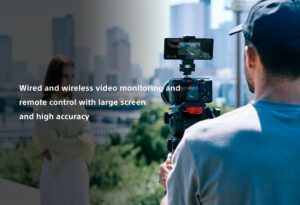
This app for video creators enables wired and wireless video monitoring, as well as high-precision exposure adjustments and focus control to be performed on the large screen of a smartphone, tablet, or Mac.
Features of Monitor & Control
- Highly flexible shooting style
It allows a smartphone, tablet, or Mac to be used as a second monitor and camera settings and operations to be performed from a distance through a wired or wireless connection.
Wired connections ensure a stable connection in places where wireless connection is unstable.
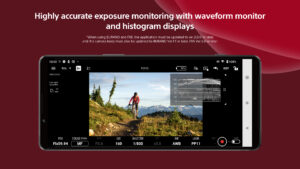
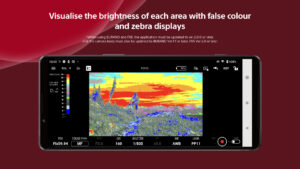
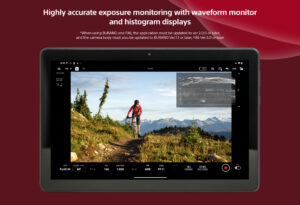
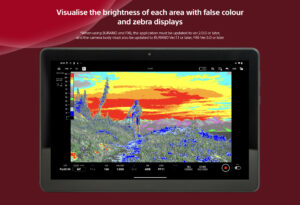
- Supports high-precision exposure monitoring
Waveform monitor/false colour/histogram/zebra displays can be checked on the large screen, supporting more accurate exposure control at the video production site.
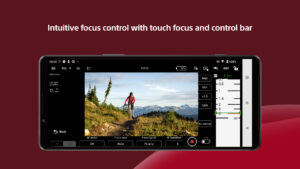
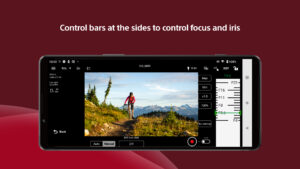
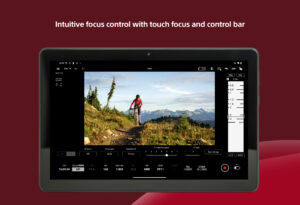
- Intuitive focusing operations
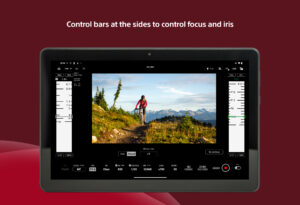
Various focus settings/operations such as touch focusing (operations) and AF sensitivity adjustment (settings) are possible, while intuitive focusing is possible through use of an operation bar on the side of the screen.
- Equipped with a wide range of colour setting functions
Operations such as Picture Profile/scene file settings and LUT switching are possible. While shooting in Log, you can apply LUT and display the image to check the final image.
- Easy-to-use operations that meet the needs of creators
It allows items that are frequently adjusted during shooting (frame rate, sensitivity, shutter speed, ND filter,* look, white balance) to be adjusted on a mobile device. Functions that facilitate shooting, such as switching between shutter speed and angle displays and the display of markers, are provided, as well as a de-squeeze display function compatible with anamorphic lenses.
*If you are using a camera without an ND filter, the ND filter item will be blank.
- Operating environment: Android OS 12 - 16
- Note
This application is not guaranteed to work on all smartphones and tablets.
 Premium

Version:2.5.2
Uploaded:December 24, 2025 at 3:48AM UTC
File size:16.84 MB
Downloads:64
Version:2.5.1
Uploaded:December 10, 2025 at 7:33AM UTC
File size:16.84 MB
Downloads:35
Version:2.5.0
Uploaded:December 10, 2025 at 4:20AM UTC
File size:16.83 MB
Downloads:10
Version:2.4.0
Uploaded:August 26, 2025 at 3:24AM UTC
File size:16.43 MB
Downloads:195
Version:2.3.1
Uploaded:April 22, 2025 at 4:03AM UTC
File size:16.09 MB
Downloads:330
Version:2.3.0 rev.18804
Uploaded:April 5, 2025 at 9:28PM UTC
File size:16.09 MB
Downloads:77
Version:2.0.0 rev.18346
Uploaded:May 28, 2024 at 4:48AM UTC
File size:35.16 MB
Downloads:571
Version:1.1.0 rev.17976
Uploaded:November 14, 2023 at 4:32AM UTC
File size:29.29 MB
Downloads:305
Version:1.0.2 rev.17962
Uploaded:October 18, 2023 at 6:34AM UTC
File size:28.79 MB
Downloads:34
Version:1.0.1 rev.17930
Uploaded:September 29, 2023 at 4:29AM UTC
File size:28.79 MB
Downloads:246


