

 Premium
What's new in Microsoft SwiftKey AI Keyboard 6.5.1.44
- We've added three new languages: Bambara, N'ko and Corsican
Fixed:
- You can now reopen the keyboard after closing it when connected to a Bluetooth keyboard
- There will no longer be lag when switching themes in the Hub
---
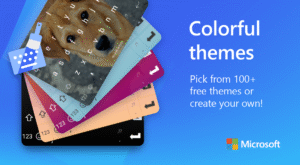
- We've now made all themes completely free!
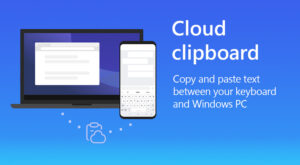
- Swipe the hamburger menu to the left of the predictions to find our newly refreshed Hub including: SwiftKey Clipboard, Shortcuts, and Incognito mode.
About Microsoft SwiftKey AI Keyboard 6.5.1.44
NEW: All themes are now completely free!
Premium
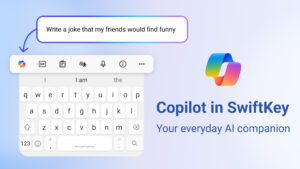
Upgrade your phone’s keyboard to SwiftKey Keyboard for free - and get more done without fussing over typos. Join over 250 million people worldwide who use SwiftKey Keyboard for hassle-free typing.
SwiftKey Keyboard uses Artificial Intelligence to automatically learn your writing style, including the emoji you love to use (if you use emoji), the words that matter to you and how you like to type. That means autocorrect and predictive text that actually works because it adapts to you.
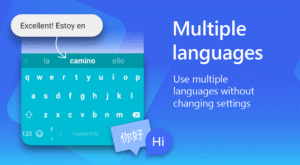
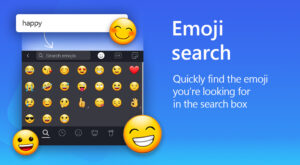
SwiftKey Keyboard caters for all typing tastes - all colors, designs and themes. Support for 100+ languages. Tapping or swipe-to-type. Tons of emoji (smileys, emoticons). No emoji. Or emoji keyboard predictions learned from how you’ve used emoji before.
- Kills your typos
- Type faster with A.I.-powered predictions
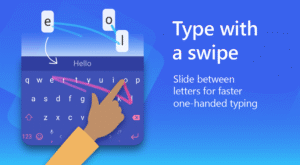
- Simply swipe-to-type with SwiftKey Flow
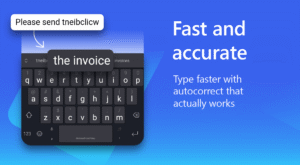
- Autocorrect that actually works
- Always learning your slang, nicknames and phrases
- 80+ colors, designs and themes
- Emoji keyboard - learns and predicts your favorite emoticons
- Bilingual autocorrect across 100+ languages
- Teach the autocorrect your quirks from your online accounts
Find out more about SwiftKey’s key features: swiftkey.com/en/keyboard/android/
Supports 100+ languages, including:
English (US, UK, AU, CA)
Spanish (ES, LA, US)
Portuguese (PT, BR)
German
Turkish
French
Arabic
Russian
Italian
Polish
See the full list of languages here: swiftkey.com/en/keyboard/android/#lb.supported-languages
SwiftKey Keyboard requests access to your SMS messages in order to improve word predictions based on what you've typed before.
Some features are only supported by certain versions of Android. Emoji is supported on Android 4.1 and above. For more information on emoji support and other FAQs, please see support.swiftkey.com/.
© Copyright TouchType Ltd 2016
Download Microsoft SwiftKey AI Keyboard 6.5.1.44
This release comes in several variants (we currently have 6). Consult our handy FAQ to see which download is right for you.

Version:9.13.12.4
Uploaded:July 22, 2026 at 5:44PM UTC
File size:24.56 MB
Downloads:417
Version:9.13.11.5
Uploaded:July 15, 2026 at 12:28AM UTC
File size:24.48 MB
Downloads:320
Version:9.13.10.6
Uploaded:July 2, 2026 at 10:08PM UTC
File size:24.46 MB
Downloads:398
Version:9.12.30.7
Uploaded:June 12, 2026 at 9:58PM UTC
File size:24.37 MB
Downloads:667
Version:9.12.29.12
Uploaded:May 18, 2026 at 7:19PM UTC
File size:24.46 MB
Downloads:776
Version:9.12.28.7
Uploaded:May 6, 2026 at 11:15PM UTC
File size:24.22 MB
Downloads:133
Version:9.12.27.4
Uploaded:April 14, 2026 at 2:29PM UTC
File size:24.26 MB
Downloads:1,085
Version:9.12.26.5
Uploaded:April 3, 2026 at 4:22PM UTC
File size:24.21 MB
Downloads:630
Version:9.12.25.5
Uploaded:March 23, 2026 at 3:26PM UTC
File size:24.05 MB
Downloads:503
Version:9.12.24.7
Uploaded:March 2, 2026 at 7:55PM UTC
File size:24.78 MB
Downloads:808
Follow APK Mirror


