

 Premium
What's new in Microsoft SwiftKey AI Keyboard 7.5.5.19
SwiftKey is now Microsoft SwiftKey. Still the same intelligent keyboard you know and love ❤️
We've added support for Emoji 12.0 which introduces an assortment of new designs - some examples include: flamingo, otter, guide dog, sloth, white heart, mixed skin tones when holding hands, and a gender inclusive couple. You'll be able to access the new emoji upon opening your SwiftKey emoji panel. Note: to see them you need a device with Android 10 (or above).
About Microsoft SwiftKey AI Keyboard 7.5.5.19
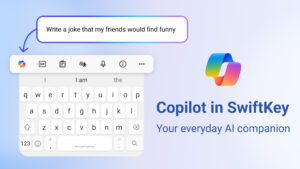
Microsoft SwiftKey is the intelligent keyboard that learns your writing style, so you can type faster.
Use your personalized keyboard to type and send emoji, GIFs and more just the way you like.
Premium
The Microsoft SwiftKey swipe keyboard is always learning and adapting to match your unique way of typing - including your slang, nicknames and emoji.
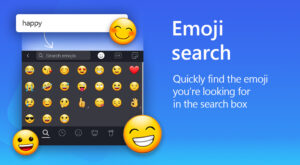
The built-in emoji keyboard has every emoji you’ll ever need and more. Microsoft SwiftKey learns your favorite emoji so you can always send your friends the right reactions.
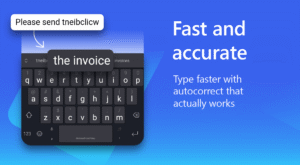
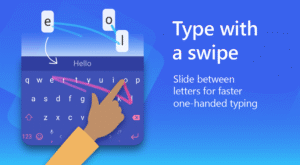
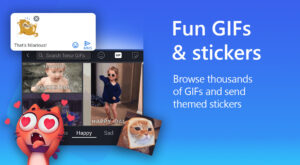
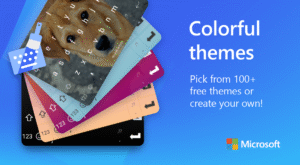
Microsoft SwiftKey caters to all typing tastes, with free designs and themes to fit any style. The custom keyboard provides autocorrect that actually works. Microsoft SwiftKey provides helpful predictions, so you can get your point across fast, without errors. Type and text any way you like, with swipe-to-type, tap-to-type, predictive emoji and a GIF keyboard.
Microsoft SwiftKey is the intelligent keyboard that learns your writing style, so you can type faster.
Use your personalized keyboard to type and send emoji, GIFs and more just the way you like.
The Microsoft SwiftKey swipe keyboard is always learning and adapting to match your unique way of typing - including your slang, nicknames and emoji.
The built-in emoji keyboard has every emoji you’ll ever need and more. Microsoft SwiftKey learns your favorite emoji so you can always send your friends the right reactions.
Microsoft SwiftKey caters to all typing tastes, with free designs and themes to fit any style. The custom keyboard provides autocorrect that actually works. Microsoft SwiftKey provides helpful predictions, so you can get your point across fast, without errors. Type and text any way you like, with swipe-to-type, tap-to-type, predictive emoji and a GIF keyboard.
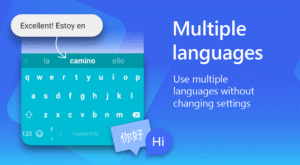
SUPPORTS 400+ LANGUAGES: English (US, UK, AU, CA)
Spanish (ES, LA, US)
Portuguese (PT, BR)
German
Turkish
French
Arabic
Russian
Italian
Polish
Download Microsoft SwiftKey AI Keyboard 7.5.5.19
This release may come in several variants. Consult our handy FAQ to see which download is right for you.

Version:9.13.10.6
Uploaded:July 2, 2026 at 10:08PM UTC
File size:24.46 MB
Downloads:56
Version:9.12.30.7
Uploaded:June 12, 2026 at 9:58PM UTC
File size:24.37 MB
Downloads:628
Version:9.12.29.12
Uploaded:May 18, 2026 at 7:19PM UTC
File size:24.46 MB
Downloads:730
Version:9.12.28.7
Uploaded:May 6, 2026 at 11:15PM UTC
File size:24.22 MB
Downloads:120
Version:9.12.27.4
Uploaded:April 14, 2026 at 2:29PM UTC
File size:24.26 MB
Downloads:1,073
Version:9.12.26.5
Uploaded:April 3, 2026 at 4:22PM UTC
File size:24.21 MB
Downloads:620
Version:9.12.25.5
Uploaded:March 23, 2026 at 3:26PM UTC
File size:24.05 MB
Downloads:493
Version:9.12.24.7
Uploaded:March 2, 2026 at 7:55PM UTC
File size:24.78 MB
Downloads:803
Version:9.12.23.9
Uploaded:February 18, 2026 at 5:21PM UTC
File size:24.08 MB
Downloads:487
Version:9.12.22.6
Uploaded:February 11, 2026 at 6:47AM UTC
File size:24.05 MB
Downloads:492
Follow APK Mirror


