

 Premium
About TP-Link Omada 3.3.2
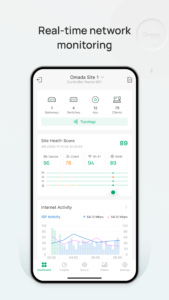
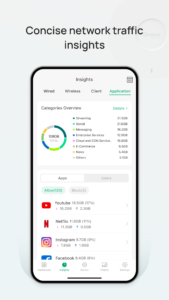
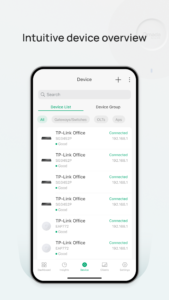
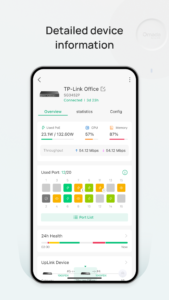
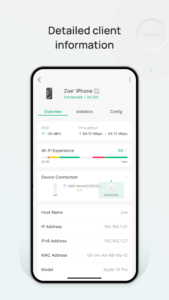
Omada app is used for configuring and managing your Omada EAPs. You can change settings, monitor the network status and manage clients, all from the convenience of a smart phone or tablet.
STANDALONE MODE
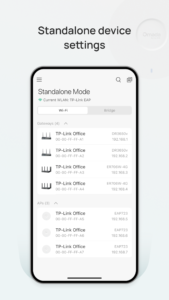
Standalone mode is designed for managing EAPs right away without having to spend time configuring a controller. Each EAP is managed separately. This mode is recommended for networks which only have a few EAPs and require only basic functions, such as home network.
CONTROLLER MODE
Controller mode works together with a software Omada Controller or a hardware Cloud Controller, and is suitable for managing multiple EAPs centrally. Controller mode allows you to configure and automatically synchronize unified wireless settings to all EAPs in the network. Compared to Standalone Mode, more configuration options are available in Controller mode.
You can manage EAPs in Controller mode in two ways: via Local Access or Cloud Access. In Local Access mode, the Omada app can manage EAPs when the Controller and your mobile device are in the same subnet; in Cloud Access mode, the Omada app can access the Controller across the internet so you can manage your EAPs wherever you are.
Compatibility List:
Controller Mode currently supports software Omada Controller v3.0.2 and hardware Cloud Controller (OC200 V1).
Standalone Mode currently supports the following models (with latest firmware):
EAP245 (EU)/(US) V1
EAP225 (EU)/(US) V3/V2/V1
EAP115 (EU)/(US) V4/V2/V1
EAP110 (EU)/(US) V4/V2/V1
EAP225-Outdoor (EU)/(US) V1
EAP110-Outdoor (EU)/(US) V3/V1
EAP115-Wall (EU) V1
EAP225-Wall (EU) V2
*The latest firmware is required and can be downloaded from www.tp-link.com/omada_compatibility_list.
More devices supported by the app are coming soon!
Download TP-Link Omada 3.3.2
This release may come in several variants. Consult our handy FAQ to see which download is right for you.

Version:5.3.17
Uploaded:August 5, 2026 at 3:03AM UTC
File size:160.79 MB
Downloads:6
Version:5.3.16
Uploaded:July 31, 2026 at 8:43AM UTC
File size:160.79 MB
Downloads:12
Version:5.3.15
Uploaded:July 31, 2026 at 1:43AM UTC
File size:160.79 MB
Downloads:2
Version:5.2.30
Uploaded:June 9, 2026 at 3:08AM UTC
File size:145.62 MB
Downloads:15
Version:5.2.28
Uploaded:June 1, 2026 at 1:45AM UTC
File size:145.62 MB
Downloads:8
Version:5.2.27
Uploaded:May 27, 2026 at 9:09AM UTC
File size:145.59 MB
Downloads:1
Version:5.2.19
Uploaded:April 17, 2026 at 11:07AM UTC
File size:143.62 MB
Downloads:11
Version:5.2.18
Uploaded:April 15, 2026 at 6:04AM UTC
File size:143.64 MB
Downloads:4
Version:5.2.16
Uploaded:April 8, 2026 at 5:08AM UTC
File size:143.62 MB
Downloads:3
Version:5.2.15
Uploaded:April 1, 2026 at 10:03AM UTC
File size:143.62 MB
Downloads:3
Follow APK Mirror


