

 Premium
What's new in Verizon Cloud 20.6.10
From version 18.2.10:
We listened to your valuable feedback. Check out what’s new and rate Verizon Cloud on the Play Store.
• Customize your Cloud photos by creating collages and adding fun stickers
• Bug fixes and performance improvements
About Verizon Cloud 20.6.10
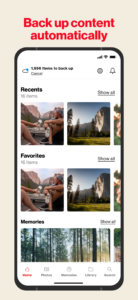
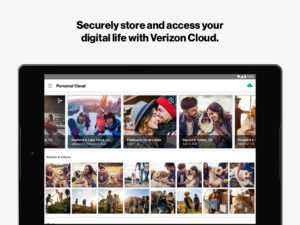
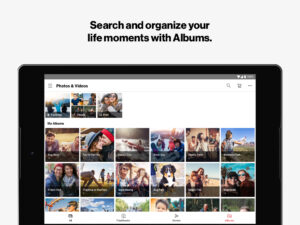
Securely back up, sync, access and share your important content across operating systems & devices – anytime, anywhere, with Verizon Cloud. All of your contacts, photos, videos, music, documents, messages and call logs – all in one safe place. Download Verizon Cloud today!
Premium
What's New in Version 20.5
Here's what's new in this release on the Play Store.
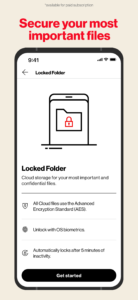
• Private Folder - Protect your sensitive and private content discreetly with a password-protected folder
• Print Photobook Easily from Story Creation - Simple and easy way to print favorite photos from Stories as paper Photo books
• Backend updates, bug fixes and performance improvements
Premium features allow you to:
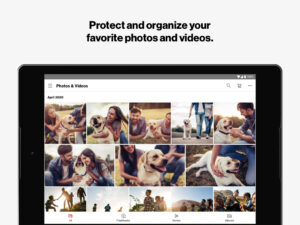
• BACK UP your photos, videos, contacts and more to a secure cloud storage
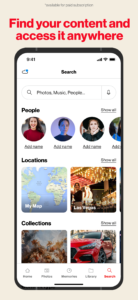
• SYNC & ACCESS across devices – Backup, sync and access your content when you need it, from your smartphone, tablet or computer
• EASILY MANAGE your Verizon Cloud account and storage plan
• ORDER PHOTO PRINTS & GIFTS using your favorite photos in app
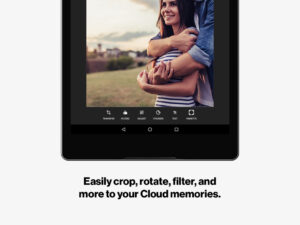
• CREATE CUSTOM PHOTO COLLAGES & ADD STICKERS TO PHOTOS – Do even more with your photos by creating collages, adding fun stickers and editing your photos directly inside the app
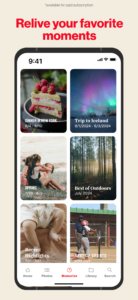
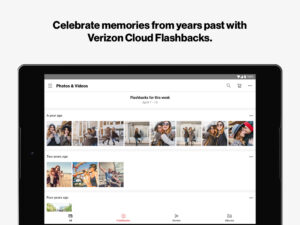
• EXPLORE FLASHBACKS – Relive your memories from past years with Cloud’s weekly Flashback photo feature
• DISCOVER VIDEO STORIES – Using the photos and videos right from your Cloud, easily create custom movies using unique filters and music
• CAST TO YOUR TV – Share your pictures, videos and music with family and friends on the big screen
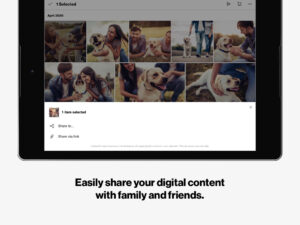
• SHARE select media content from your Cloud using your favorite native apps
Get started with a premium Verizon Cloud account today to securely back up, access & share photos, videos, contacts & more!
The Verizon Cloud app can be downloaded and used on any smartphone or tablet running Android software. Go to www.vzw.com/cloud for the complete list.
New Verizon subscribers: Download and install the Verizon Cloud app on your Android Smartphone for a 30-day premium trial of 500GB or 2TB of storage. You will automatically be billed the applicable monthly recurring charge once the trial ends. You can opt out of the trial through the Verizon Cloud app at any time during the 30-day period and enjoy free 'Contacts Only' support.
* Data charges apply.
View the complete Terms & Conditions at: www.verizonwireless.com/support/cloud-legal/

Download Verizon Cloud 20.6.10
This release may come in several variants. Consult our handy FAQ to see which download is right for you.

Version:26.7.12
Uploaded:July 30, 2026 at 2:47PM UTC
File size:47.24 MB
Downloads:5
Version:26.7.10
Uploaded:July 14, 2026 at 3:27PM UTC
File size:47.23 MB
Downloads:11
Version:26.6.9
Uploaded:June 8, 2026 at 3:19PM UTC
File size:47.35 MB
Downloads:6
Version:26.5.10
Uploaded:May 27, 2026 at 1:24AM UTC
File size:47.08 MB
Downloads:2

Version:24.7.10
Uploaded:July 9, 2024 at 3:14PM UTC
File size:58.24 MB
Downloads:141
Version:24.6.12
Uploaded:June 14, 2024 at 2:14PM UTC
File size:59.79 MB
Downloads:13
Version:24.6.11
Uploaded:June 10, 2024 at 2:58PM UTC
File size:59.79 MB
Downloads:12
Version:24.5.17
Uploaded:May 16, 2024 at 4:14PM UTC
File size:59.30 MB
Downloads:16
Version:24.4.10
Uploaded:April 22, 2024 at 3:36PM UTC
File size:58.58 MB
Downloads:13
Version:24.3.11
Uploaded:March 27, 2024 at 5:26PM UTC
File size:59.46 MB
Downloads:24
Follow APK Mirror


