

 Premium
What's new in StandBy Mode: Clock & Widgets 2.0.26.525
BETA
• Quick Launch can now work without the persistent notification.
About StandBy Mode: Clock & Widgets 2.0.26.525
Your phone is already on your desk or nightstand. Turn it into a smart display while charging
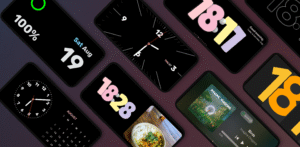
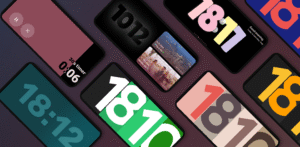
The #1 app for Android inspired by Apple's iOS StandBy feature. Turn your phone into a beautiful always-on display (AOD) with 100+ clock faces, smart widgets, and customizable screens.
Premium
StandBy Mode transforms your Android into a modern StandBy screen with a beautiful bedside clock, desk clock, widgets, and music controls. Everything runs locally on your device with no data collection.
Key features:
* Smart StandBy Screen on Charge
Auto launch when you plug in, with optional landscape-only mode. Set it once and enjoy a reliable charging screen every day.
* 100+ Customizable Clocks
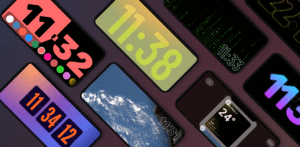
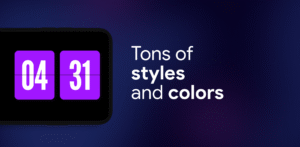
Choose from Flip Clock, Neon, Matrix, Big Crop, Radial, Segmented, Analog + Digital, and an easy-to-read Day Clock. Create hundreds of clock layouts by customizing colors, fonts, and much more for your home office or bedside table.
* Weather Clock & Forecast
Add real-time weather to elegant clock faces with fullscreen, edge-to-edge, or minimalist designs.
* Spaces
Create separate profiles for different scenarios: Home, Work, Focus and quickly switch between them quickly.
* Widgets in Duo & Quad Mode
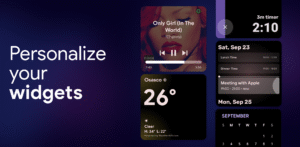
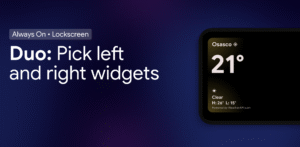
Place 2 or 4 panels side by side: clocks, calendar, music player, weather, timers, or any third-party widget. Resize, rearrange, and build your perfect dashboard.
* Universal Music Player + Lyrics
Control Spotify, YouTube Music, Apple Music and more from your StandBy screen. See lyrics in real time for hands-free listening.
* Vibes Radio for Focus
Lo-fi, ambient, and study radio with aesthetic visuals to help you focus and relax. Premium visuals support custom YouTube backgrounds.
* Smart Photo Frame
Turn your device into a digital photo frame. Face-aware auto-cropping keeps people centered and your memories looking great.
* Productivity Tools
Fullscreen timer and stopwatch, calendar integration, and on-screen notifications to stay on track while you work or study.
* OLED Burn-in Protection + Night Mode
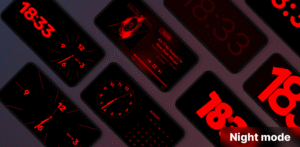
Advanced pixel shifting helps protect OLED displays during long sessions. Night Mode dims and applies a red tint for comfortable bedtime viewing.
Designed with Material 3 for smooth performance and a modern look, StandBy Mode is ideal for a phone dock, charger stand, desk setup, or bedside table.
Privacy policy: zetabitapps.com/privacy-policy
Support: support@zetabitapps.com
Download StandBy Mode: Clock & Widgets 2.0.26.525
This release comes in several variants (we currently have 3). Consult our handy FAQ to see which download is right for you.

Version:2.1.27.566
Uploaded:September 18, 2026 at 3:07AM UTC
File size:29.36 MB
Downloads:73
Version:2.1.26.565
Uploaded:September 16, 2026 at 5:10AM UTC
File size:29.39 MB
Downloads:38
Version:2.1.24.563
Uploaded:September 16, 2026 at 12:51AM UTC
File size:29.39 MB
Downloads:6
Version:2.1.23.562
Uploaded:September 8, 2026 at 12:31AM UTC
File size:29.26 MB
Downloads:116
Version:2.1.22.561
Uploaded:August 29, 2026 at 2:59AM UTC
File size:29.27 MB
Downloads:291

Version:2.1.21.560
Uploaded:August 21, 2026 at 12:38AM UTC
File size:29.15 MB
Downloads:124
Version:2.1.20.559
Uploaded:August 19, 2026 at 2:26AM UTC
File size:26.76 MB
Downloads:32
Version:2.1.19.558
Uploaded:August 11, 2026 at 3:54AM UTC
File size:26.62 MB
Downloads:249
Version:2.1.18.557
Uploaded:August 5, 2026 at 9:47PM UTC
File size:16.84 MB
Downloads:85
Version:2.1.17.556
Uploaded:August 4, 2026 at 1:23AM UTC
File size:26.52 MB
Downloads:40
Follow APK Mirror


