

 Premium
What's new in StandBy Mode: Clock & Widgets 2.0.6.505
FIXES & IMPROVEMENTS
• Live battery percentage icon in the status bar while charging
• Precise charging speed in notification (e.g. 28.58%)
• Bug fixes and performance improvements
About StandBy Mode: Clock & Widgets 2.0.6.505
Your phone is already on your desk. Make it work for you.
StandBy Mode turns your Android into a smart display that activates automatically while charging. Beautiful clocks, real-time widgets, music with lyrics, lo-fi radio - all running locally on your device, with zero data collection.
🎵 Universal Player with Lyrics
Control Spotify, YouTube Music, Apple Music and more directly from your screen. See lyrics in real time without touching your phone.
🕹️ Vibes Radio
Built-in lo-fi, ambient and study radios with aesthetic visuals. Premium users can link any YouTube video to create a custom background vibe.
📷 Smart Photo Frame
Turn your device into a digital photo frame. AI auto-detects faces to keep your memories perfectly cropped and centered.
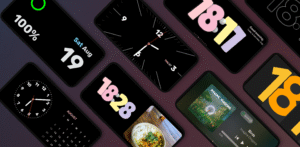
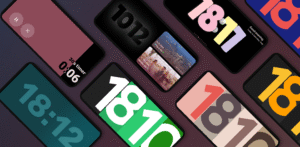
🕰️ 30+ Customizable Clocks
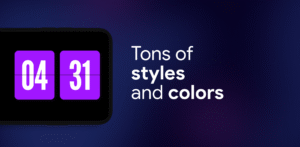
Flip Clock, Neon, Matrix, Big Crop, Radial Inverter, Day Clock (senior-friendly), Segmented, Analog + Digital combo — with hundreds of layout combinations.
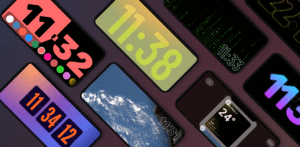
🌤️ Weather Clocks
Real-time weather integrated into elegant clock displays. Fullscreen, edge-to-edge, or minimalist layouts.
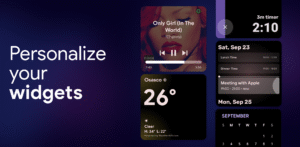
📅 Duo & Quad Mode
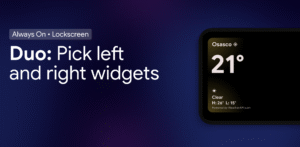
Place two or four widgets side by side: clocks, calendars, music players, or any third-party widget. Resize and rearrange freely.
🛠️ Productivity Tools
Fullscreen Timer & Stopwatch, Calendar integration, and on-screen notification display.
🔥 Built for OLED
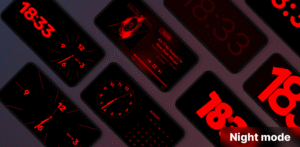
Advanced chessboard pixel shifting protects your screen during long sessions. Night Mode dims brightness and tints red for bedtime use.
🔋 Smart Launch
Auto-starts when you plug in. Optional landscape-only mode. Set it and forget it.
🧩 Material 3 Design
Built natively with Material Design 3 for smooth performance and modern aesthetics. Frequently updated based on user feedback.
Whether at your desk, nightstand, or docked at work — StandBy Mode makes your idle screen useful and beautiful.
Privacy policy: zetabitapps.com/privacy-policy
Feedback or feature requests: support@zetabitapps.com
Download StandBy Mode: Clock & Widgets 2.0.6.505
This release comes in several variants (we currently have 3). Consult our handy FAQ to see which download is right for you.

Version:2.1.27.566
Uploaded:September 18, 2026 at 3:07AM UTC
File size:29.36 MB
Downloads:49
Version:2.1.26.565
Uploaded:September 16, 2026 at 5:10AM UTC
File size:29.39 MB
Downloads:37
Version:2.1.24.563
Uploaded:September 16, 2026 at 12:51AM UTC
File size:29.39 MB
Downloads:6
Version:2.1.23.562
Uploaded:September 8, 2026 at 12:31AM UTC
File size:29.26 MB
Downloads:116
Version:2.1.22.561
Uploaded:August 29, 2026 at 2:59AM UTC
File size:29.27 MB
Downloads:278

Version:2.1.21.560
Uploaded:August 21, 2026 at 12:38AM UTC
File size:29.15 MB
Downloads:124
Version:2.1.20.559
Uploaded:August 19, 2026 at 2:26AM UTC
File size:26.76 MB
Downloads:32
Version:2.1.19.558
Uploaded:August 11, 2026 at 3:54AM UTC
File size:26.62 MB
Downloads:249
Version:2.1.18.557
Uploaded:August 5, 2026 at 9:47PM UTC
File size:16.84 MB
Downloads:85
Version:2.1.17.556
Uploaded:August 4, 2026 at 1:23AM UTC
File size:26.52 MB
Downloads:40
Follow APK Mirror


