

 Premium
What's new in Live Transcribe & Notification 3.0.313045562
• Resize the typing area for longer responses.
About Live Transcribe & Notification 3.0.313045562
Live Transcribe is an accessibility app designed for the Deaf and hard of hearing and usable by anyone. Using Google's state-of-the-art automatic speech recognition technology, Live Transcribe performs real-time transcription of speech and sound to text on your screen, so you can more easily participate in conversations going on in the world around you. You can also keep the conversation going by typing your response on the screen.
Premium
On Pixel 3 and up, these additional steps are required to use Live Transcribe:
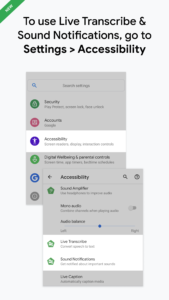
1. Open your device's Settings app.
2. Tap "Accessibility", then tap "Live Transcribe".
3. Tap "Use service", then accept the permissions.
4. An Accessibility button should now appear at the bottom right corner of your screen, next to the Home button. Tap the Accessibility button or use gesture (support.google.com/accessibility/android/answer/7650693) to start Live Transcribe.
Real-time transcription:
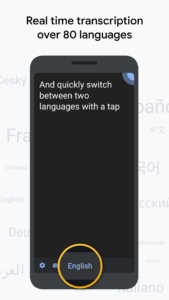
• Supports transcription in over 70 languages and dialects.
• Supports quick-switching between 2 languages.
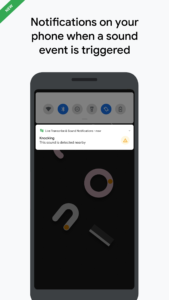
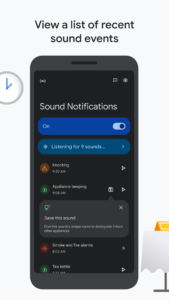
• Displays non-speech sound so that you know if someone is knocking on your door or a dog is barking.
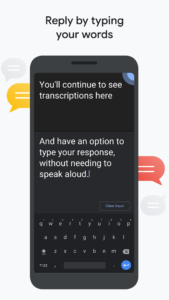
• Reply without speaking by typing your responses within the app.
Referring back to transcription:
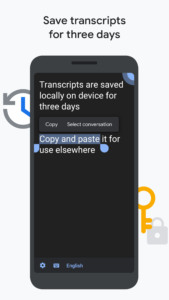
• You can save a transcript up to 3 days which stays secure on your device. (By default, transcriptions are not saved.)
• Touch and hold the transcript to copy & paste.
For more accurate transcription:
• Use an external microphones found in wired headsets, Bluetooth headsets, and USB mics for better audio reception.
• Check the loudness and noise indicator to find out if your environment is suitable for transcription.
Requirements:
• Android 5.0 (Lollipop) and up.
Live Transcribe was made in collaboration with Gallaudet University, the premier Deaf and hard of hearing university in the US.
Join the Google Accessible community (groups.google.com/forum/#!forum/accessible) to provide feedback and receive product updates.Visit link: g.co/disabilitysupport to connect with an expert on the Disability Support team.
Permissions Notice
Microphone: Live Transcribe needs microphone access to transcribe the speech around you. The audio is not stored after the transcript is processed.
Download Live Transcribe & Notification 3.0.313045562
This release comes in several variants (we currently have 6). Consult our handy FAQ to see which download is right for you.
Known valid signatures: 16e7 c8da.

Version:8.7.880674799
Uploaded:July 10, 2026 at 7:27PM UTC
File size:22.24 MB
Downloads:591
Version:8.6.843073560
Uploaded:December 15, 2025 at 7:02PM UTC
File size:22.50 MB
Downloads:409
Version:8.5.789198657
Uploaded:December 9, 2025 at 5:26AM UTC
File size:20.99 MB
Downloads:535
Version:8.4.773573318
Uploaded:December 6, 2025 at 3:29PM UTC
File size:21.11 MB
Downloads:388
Version:8.4.767524975
Uploaded:June 19, 2025 at 3:15PM UTC
File size:21.11 MB
Downloads:304
Version:8.2.717788270
Uploaded:May 10, 2025 at 12:00AM UTC
File size:25.18 MB
Downloads:483
Version:8.3.739810924
Uploaded:March 26, 2025 at 1:55PM UTC
File size:28.17 MB
Downloads:493
Version:8.2.715824714
Uploaded:January 22, 2025 at 12:31AM UTC
File size:25.18 MB
Downloads:184
Version:8.1.687867638
Uploaded:October 23, 2024 at 4:46PM UTC
File size:26.82 MB
Downloads:402
Version:8.0.664481345
Uploaded:August 23, 2024 at 1:01AM UTC
File size:26.77 MB
Downloads:422
Follow APK Mirror


