

 Premium
What's new in eLabels - manage email labels 2.2.1
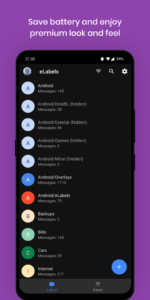
* Dark theme is now free for everyone
* Updated supported label colors list
* Fixed removing label colors (transparent)
* Crashes and App freeze fixes
About eLabels - manage email labels 2.2.1
Revolutionize your Gmail experience with eLabels, the ultimate inbox organizer tailor-made for Gmail users. Simplify label management, declutter your Gmail inbox, and effortlessly stay on top of your messages without the hassle of constantly opening the Gmail app.
Key Features:
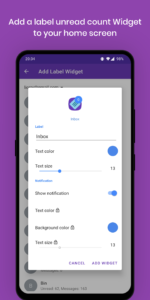
🏠 Home Screen Widgets: Monitor unread emails at a glance with customizable widgets for each Gmail label, right from your home screen.
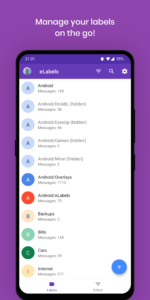
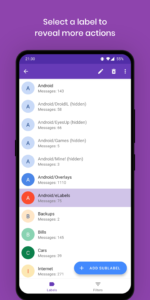
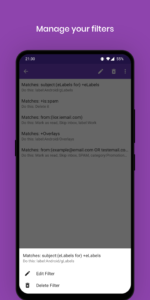
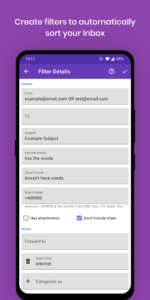
📂 Label & Filter Management: Organize and prioritize your Gmail emails with ease. Create, rename, or delete labels, and automate email sorting with filters.
🔍 Unread Count Badges: Customize badges for your Gmail labels to instantly see the unread count.
🚀 Efficient Email Handling: Quickly access your Gmail Inbox, Drafts, and Starred folders for seamless navigation.
What You Can Do:
✉️ Create, Rename, Delete Labels: Tailor your Gmail inbox organization effortlessly by managing labels.
🔄 Filter Automation: Set up rules to automatically sort Gmail emails into specific labels.
🎨 Label Customization (Pro): Personalize label text, background color, and listing visibility for a customized Gmail experience.
📊 Label Overview: Stay informed with total message count and unread message statistics for your Gmail labels.
📥 Quick Access: Swiftly navigate to crucial Gmail folders with one-tap access.
Requirements:
📧 Gmail Exclusive: Exclusively designed for Gmail users.
📱 Gmail App Required: Ensure seamless integration by having the official Gmail app installed on your device.
Transform your Gmail experience with eLabels – your ultimate tool for efficient Gmail management. Download now to declutter, organize, and prioritize your Gmail inbox effortlessly.
Privacy:
- eLabels has successfully passed Google's verification process. Your Gmail data will remain private on your device.
- Required permissions will be used only to read Gmail labels and filters data. Your Gmail emails or any other information will not be read or saved.
Download eLabels - manage email labels 2.2.1
This release may come in several variants. Consult our handy FAQ to see which download is right for you.

Version:2.2.2
Uploaded:September 19, 2024 at 12:00AM UTC
File size:10.79 MB
Downloads:1
Version:2.2.1
Uploaded:March 16, 2024 at 9:55AM UTC
File size:5.84 MB
Downloads:25
Version:2.2
Uploaded:March 15, 2024 at 2:13PM UTC
File size:5.78 MB
Downloads:11
Version:2.1.6
Uploaded:January 6, 2024 at 4:00PM UTC
File size:5.64 MB
Downloads:22
Version:2.1.5
Uploaded:February 27, 2023 at 12:34PM UTC
File size:5.51 MB
Downloads:13
Version:2.1.2
Uploaded:January 5, 2023 at 10:01AM UTC
File size:5.49 MB
Downloads:17
Version:2.1
Uploaded:January 2, 2023 at 9:26AM UTC
File size:5.44 MB
Downloads:25
Version:2.0.4
Uploaded:November 1, 2022 at 6:19PM UTC
File size:5.20 MB
Downloads:22
Version:2.0.3
Uploaded:November 1, 2022 at 7:39AM UTC
File size:5.20 MB
Downloads:22
Version:2.0.1
Uploaded:April 20, 2022 at 7:10PM UTC
File size:5.32 MB
Downloads:38
Follow APK Mirror


