

 Premium
What's new in Image to Text Converter - OCR 2.62
Squashed bugs, tightened screws, swept up under the hood. Nothing you'll notice, which is exactly the point.
About Image to Text Converter - OCR 2.62
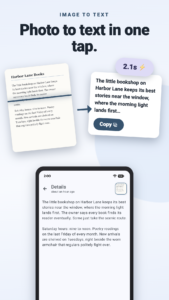
Turn any image to text in seconds. ocrX is an image to text converter for Android: snap a photo, grab a screenshot, or pull a picture from your gallery, and it reads every word with 99%+ accuracy, ready to copy, edit, and share.
Premium
Copy text from images
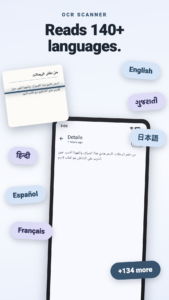
The everyday job, done fast. Extract text from images with cloud OCR that reads 140+ languages and detects the right one on its own.
• Take a photo or pick one from your gallery
• Copy the whole result with one tap
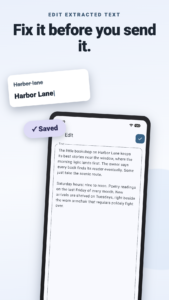
• Edit the extracted text in the app before you paste it anywhere
Screenshot to text
A recipe in someone's story, an address in a chat, an error message you need to search. If it's on your screen, it's yours.
• Reads screenshots as cleanly as photos
• Doubles as a jpg to text and photo to text converter for anything already saved on your phone
• Receipts, book pages, whiteboards, business cards, street signs: if you can photograph it, ocrX can read it
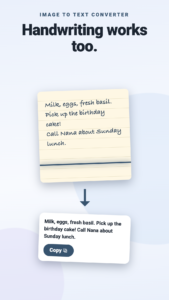
Handwriting to text
Lecture notes, a recipe card in your grandmother's looping cursive, the whiteboard after a meeting. Handwriting OCR turns pen and ink into words you can actually use.
• Reads handwritten notes as well as print
• Same automatic language detection as printed text
Image to Word, PDF, or wherever it needs to go
Extracted text is only useful once it leaves the app, so leaving is easy.
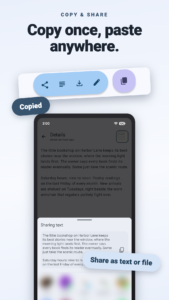
• Copy and paste straight into Word, Docs, email, anything
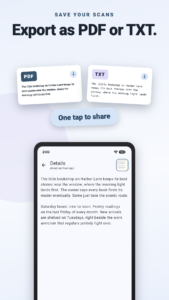
• Export as a PDF or TXT file
• Share as plain text or as a file
Scan to text, saved for later
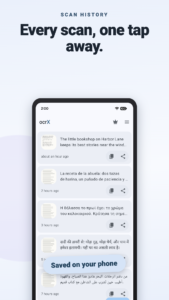
ocrX is a text scanner with a memory. Every image to text conversion lands in your history, so last month's receipt is still around when the expense report is due.
• Scan history saved on your phone
• Find old scans without redoing them
An OCR scanner that looks the part
A fresh Material You redesign keeps ocrX in step with the rest of your phone.
• Dynamic colors that match your wallpaper
• Dark mode for late-night scanning
• A guided tour walks you through your first scan
Free to start, faster with Premium
• The free version does everything above, supported by ads
• Premium adds unlimited scans, removes the ads, and speeds up image to text extraction
Stop retyping what your camera already captured. Download ocrX and turn your next picture to text before your coffee cools.
Download Image to Text Converter - OCR 2.62
This release comes in several variants (we currently have 3). Consult our handy FAQ to see which download is right for you.

Version:2.62
Uploaded:September 16, 2026 at 4:27PM UTC
File size:19.63 MB
Downloads:5
Version:2.61
Uploaded:September 15, 2026 at 3:52PM UTC
File size:20.73 MB
Downloads:9
Version:2.6
Uploaded:August 26, 2026 at 3:40PM UTC
File size:11.02 MB
Downloads:8
Version:2.55
Uploaded:August 6, 2026 at 7:04PM UTC
File size:21.19 MB
Downloads:18
Version:2.54
Uploaded:December 16, 2025 at 1:39PM UTC
File size:20.80 MB
Downloads:67
Version:2.52
Uploaded:November 17, 2025 at 2:41PM UTC
File size:17.44 MB
Downloads:26
Version:2.51
Uploaded:October 28, 2025 at 9:51PM UTC
File size:17.28 MB
Downloads:13
Version:2.5
Uploaded:July 29, 2025 at 9:06PM UTC
File size:19.46 MB
Downloads:50
Version:2.42
Uploaded:April 21, 2025 at 12:00AM UTC
File size:18.91 MB
Downloads:21
Version:2.20
Uploaded:April 23, 2024 at 7:06AM UTC
File size:50.58 MB
Downloads:295
Follow APK Mirror


