

 Premium
Download Adobe Acrobat Reader: Edit PDF 20.9.0 APK
Version: 20.9.0.15841 (1920915841)
Languages: 83
Package: com.adobe.reader
Downloads: 1,043
Supports installation on external storage.
Target: Android 10 (Q, API 29)
nodpi

What's new in Adobe Acrobat Reader: Edit PDF 20.9.0
20.9
NEW:
• Quickly copy text, send emails, call phone numbers, and visit URLs recognized in the scans.
• Easily create folders to organize all your scans.
IMPROVED:
• Performance and stability.
About Adobe Acrobat Reader: Edit PDF 20.9.0
Adobe Acrobat Reader is the most reliable, free global standard document management system available. View, edit, sign, and annotate PDF documents by working directly on the text.
Premium
Adobe Acrobat Reader is the free global standard for reliably viewing, signing, and commenting on PDF documents.
VIEW PDFs
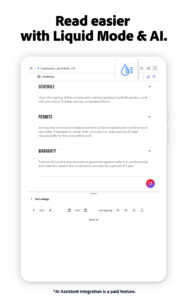
• Quickly open and view PDF documents.
• Search, scroll, and zoom in and out.
• Choose Single Page or Continuous scroll mode.
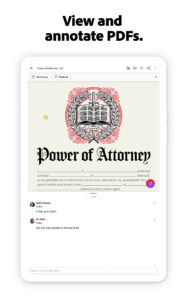
ANNOTATE PDFs
• Comment on PDFs directly using sticky notes and drawing tools.
• Annotate documents easily with highlights and markup texts.
• View and respond to activity in the comments list.
WORK WITH OTHERS AND SHARE PDFs
• Access shared documents quickly. Simply view, review, sign and send.
• Collaborate with others by adding your comments to shared PDFs.
• Receive activity notifications for files you’ve shared.
• Track pending actions for documents shared with you.
• Sharing PDFs is made effortless. Create links you can send by email.
WORK WITH SCANNED DOCUMENTS
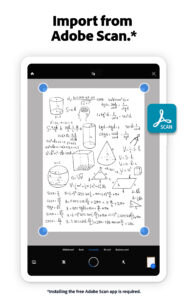
• Access scanned PDFs that you’ve captured using the free Adobe Scan app.
• Upload and sign documents. Open your scans in Acrobat Reader to fill, sign, review, and share.
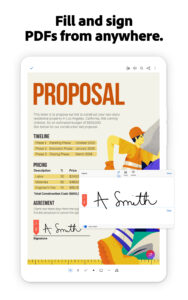
FILL AND SIGN FORMS
• Easily fill out and sign PDF forms and other documents by typing text into fields.
• PDF form filler feature lets you use your finger or stylus to add an e-signature to any document.
STORE AND PRINT FILES
• Sign in to your free Adobe Document Cloud account to store and access files across devices.
• Star files to keep important documents at your fingertips.
• Connect to your Dropbox account and access other storage providers including Google Drive.
• Print documents directly from your device.
CONNECT TO GOOGLE DRIVE
• Access PDFs and other files stored on your Google Drive with ease.
• Create, view, edit, combine, compress, export, share, and star Google Drive files directly in Acrobat Reader.
IN-APP PURCHASE
Subscribe for even more PDF power. Subscriptions work across mobile and web.
• Organize and edit PDFs.
• Create PDF files from documents or images.
• Export PDFs to Microsoft Word, Excel, or PowerPoint.
• Compress PDFs to reduce file size.
• Combine files into one PDF.
• Protect PDFs with Password.
Adobe Acrobat Reader is a free PDF creator and document editor allows you to easily convert JPG files to PDF format and create and sign fillable PDF forms. Add your e-signature to shared documents and send them to colleagues for fast, efficient and paperless collaboration.
Adobe Acrobat Reader is a Microsoft Intune supported partner app and accommodates multiple identities.
Terms & Conditions: Your use of this application is governed by the Adobe General Terms of Use
www.adobe.com/go/terms_en and the Adobe Privacy Policy www.adobe.com/go/privacy_policy_en
Do Not Sell My Information: www.adobe.com/privacy/ca-rights.html






Adobe Acrobat Reader: Edit PDF 20.9.0 Play Store trailer
Adobe Acrobat Reader: Edit PDF 20.9.0 variants
This release comes in several variants (we currently have 2). Consult our handy FAQ to see which download is right for you.

Version:21.4.1(1921417706) for Android 5.0+ (Lollipop, API 21)
Uploaded:May 6, 2021 at 12:27PM UTC
File size:225.62 MB
Downloads:2,675
Version:21.4.0(1921417702) for Android 5.0+ (Lollipop, API 21)
Uploaded:April 26, 2021 at 5:18PM UTC
File size:225.62 MB
Downloads:753
Version:21.3.0(1921317414) for Android 5.0+ (Lollipop, API 21)
Uploaded:March 25, 2021 at 11:52AM UTC
File size:225.96 MB
Downloads:1,449

Version:21.2.0(1921217204) for Android 5.0+ (Lollipop, API 21)
Uploaded:February 26, 2021 at 11:38AM UTC
File size:227.94 MB
Downloads:1,338
Version:21.1.0(1921116863) for Android 5.0+ (Lollipop, API 21)
Uploaded:February 1, 2021 at 1:16PM UTC
File size:223.95 MB
Downloads:1,314
Version:20.10.1(1921016347) for Android 5.0+ (Lollipop, API 21)
Uploaded:December 16, 2020 at 4:00PM UTC
File size:222.47 MB
Downloads:2,336
Version:20.10.0(1921016340) for Android 5.0+ (Lollipop, API 21)
Uploaded:December 9, 2020 at 2:40PM UTC
File size:222.47 MB
Downloads:639
Version:20.9.1(1920915848) for Android 5.0+ (Lollipop, API 21)
Uploaded:November 9, 2020 at 2:01PM UTC
File size:221.94 MB
Downloads:1,670
Version:20.9.0(1920915841) for Android 5.0+ (Lollipop, API 21)
Uploaded:October 27, 2020 at 3:05PM UTC
File size:221.94 MB
Downloads:1,043
Version:20.8.0(1920815341) for Android 5.0+ (Lollipop, API 21)
Uploaded:September 25, 2020 at 7:28AM UTC
File size:219.39 MB
Downloads:1,948

Version:26.10.0
Uploaded:October 29, 2026 at 8:53AM UTC
File size:91.07 MB
Downloads:83
Version:26.10.0.51146
Uploaded:October 29, 2026 at 4:36AM UTC
File size:94.78 MB
Downloads:15
Version:26.10.0.51102
Uploaded:October 27, 2026 at 2:17PM UTC
File size:94.77 MB
Downloads:42
Version:26.10.0.50924
Uploaded:October 25, 2026 at 5:07PM UTC
File size:94.39 MB
Downloads:69
Version:26.10.0.50639
Uploaded:October 17, 2026 at 6:38AM UTC
File size:92.79 MB
Downloads:206
Version:26.9.2
Uploaded:October 16, 2026 at 9:16AM UTC
File size:88.86 MB
Downloads:297
Version:26.10.0.50258
Uploaded:October 9, 2026 at 7:11PM UTC
File size:92.10 MB
Downloads:220
Version:26.9.1.49960
Uploaded:October 4, 2026 at 3:53PM UTC
File size:91.47 MB
Downloads:133
Version:26.9.1
Uploaded:October 3, 2026 at 7:45AM UTC
File size:87.79 MB
Downloads:420
Version:26.9.1.49938
Uploaded:October 2, 2026 at 7:40PM UTC
File size:91.43 MB
Downloads:29


