Android firewall without VPN.
Privacy-first, local-only, powered by Shizuku / local ADB daemon / Root.
English · Türkçe · Deutsch · Italiano · Português · Čeština · Русский · العربية · हिन्दी · 中文 · 日本語




Android 11+ and one of these backends:
- Shizuku (forks are supported)
- LibADB: pairs over Wireless Debugging, no computer needed
- Root
- No VPN: no packet interception, no persistent tunnel.
- Per-app control: blocks networking per app, including work-profile and clone copies.
- Private: offline-first, no analytics, no telemetry.
- Quick access: Quick Settings tile, widget and floating button.
- Automation: controllable through broadcasts from adb, Tasker, MacroDroid and similar.
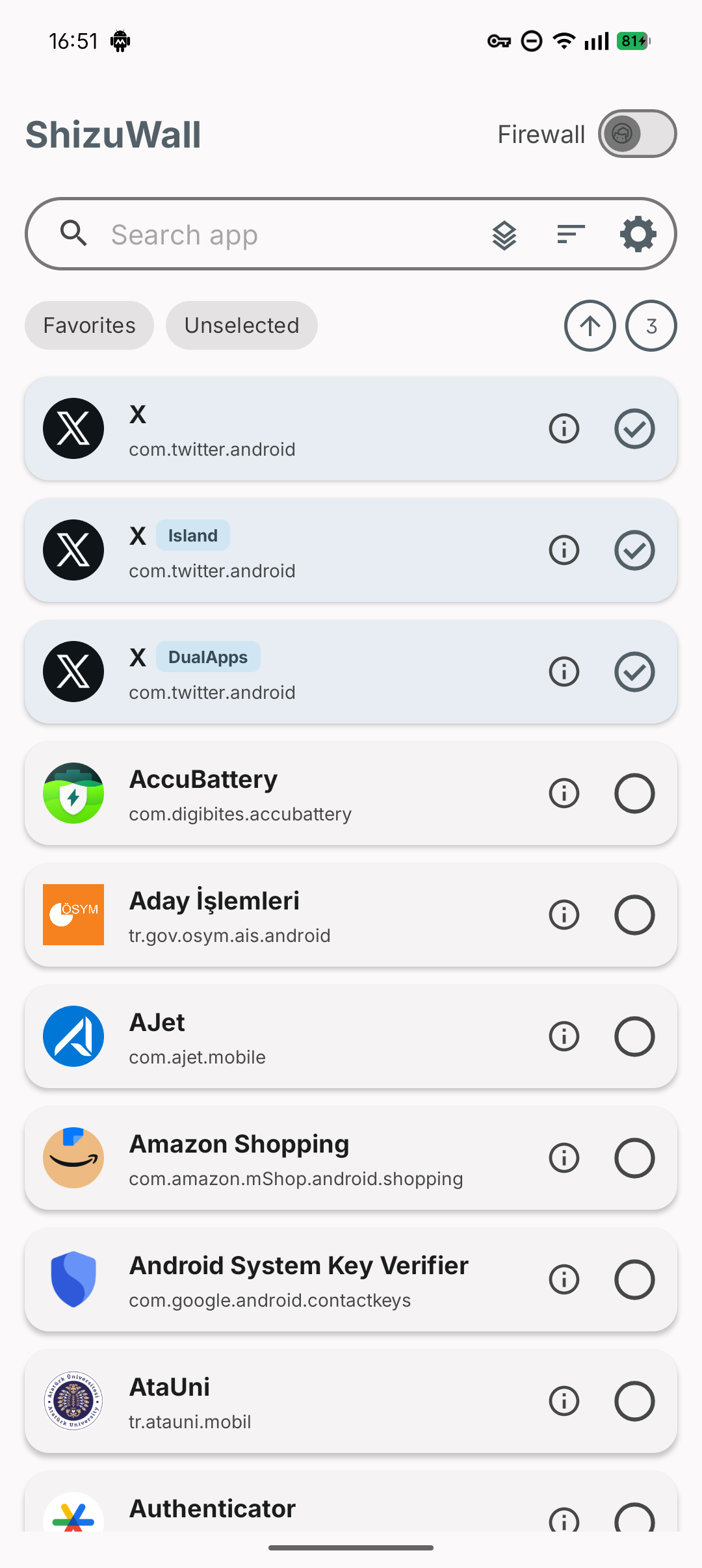
ShizuWall drives Android's connectivity chain 3, a platform mechanism that controls network access per package:
<div class="highlight highlight-source-shell notranslate position-relative overflow-auto" dir="auto" data-snippet-clipboard-copy-content="cmd connectivity set-chain3-enabled true # firewall on
cmd connectivity set-package-networking-enabled false # block
cmd connectivity set-package-networking-enabled true # unblock
cmd connectivity set-chain3-enabled false # firewall off">
cmd connectivity set-chain3-enabled true # firewall on cmd connectivity set-package-networking-enabled false <package.name> # block cmd connectivity set-package-networking-enabled true <package.name> # unblock cmd connectivity set-chain3-enabled false # firewall off
Android clears these rules on reboot.
Every broadcast needs an active backend. apps is a CSV list of app keys: a bare package name targets user 0, a prefixed one such as 150:com.example.app targets the copy in that work profile or clone space.
Firewall: shizuwall.CONTROL
| Extra |
Type |
|
state |
boolean, required |
true = block, false = unblock |
apps |
string, optional |
Apps to block or unblock. Without it the broadcast toggles the whole firewall. |
# Firewall on (state false turns it off) adb shell am broadcast -a shizuwall.CONTROL -n com.arslan.shizuwall/.receivers.FirewallControlReceiver --ez state true # Block an app and its work-profile copy (state false unblocks them) adb shell am broadcast -a shizuwall.CONTROL -n com.arslan.shizuwall/.receivers.FirewallControlReceiver --ez state true --es apps "com.example.app,150:com.example.app"
With apps, the selection in the app follows: state true selects the apps and turns the firewall on if it was off, state false unselects them and leaves the firewall on. In whitelist mode apps addresses the allow list, so the two states are reversed.
New app: shizuwall.APP_INSTALLED
Reports a newly installed app, so the new-app policy and notification apply to it as if ShizuWall had detected the install itself. ShizuWall only sees installs in its own profile, so this is how to cover the others.
adb shell am broadcast -a shizuwall.APP_INSTALLED -n com.arslan.shizuwall/.receivers.AppInstalledReceiver --es apps "com.example.newapp"
No rule is applied while the firewall is off. Apps without the INTERNET permission are ignored.
Profile: shizuwall.PROFILE
Activates a saved profile: its app selection, firewall mode, per-app modes and Show system apps setting.
| Extra |
Type |
|
profile |
string |
Profile name, as shown in the profiles sheet. |
profile_id |
string |
Internal id; checked first and unaffected by renames. The profile's Automation dialog shows the ready-made command. |
force_enable |
boolean, optional |
Turn the firewall on after switching even if it was off. |
One of profile or profile_id is required. If neither matches, nothing changes and a toast reports it.
adb shell am broadcast -a shizuwall.PROFILE -n com.arslan.shizuwall/.receivers.ProfileControlReceiver --es profile "Work"
ShizuWall is provided "as is", without warranty. It relies on advanced system permissions, and the developer is not responsible for system instability, data loss or side effects of blocked networking. Always verify which apps you block.
Official sources are Google Play, F-Droid and this repository only. APKs from anywhere else are unaffiliated and used at your own risk. ShizuWall has no official website.
INTERNET is requested only for wireless debugging pairing (LibADB).
GPLv3. The bundled tracker signature data is licensed separately under ODbL v1.0, see TRACKER_DATA_LICENSE.md.
- Shizuku: privileged command execution.
- LibADB: wireless debugging and daemon connection.
- Exodus Privacy: tracker signature database. ShizuWall bundles a trimmed copy and never contacts their API.


 Premium
&logo=github&logoColor=white&style=flat-square)
&style=flat-square)

-839192?style=flat-square&logo=android&logoColor=white)





