

 Premium
What's new in Font Manager 2.0.1
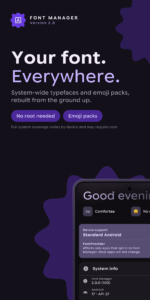
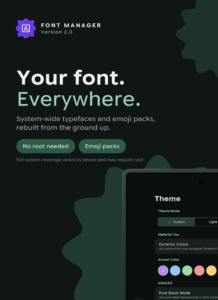
Font Manager 2.0 is a ground-up rebuild.
- No root required: fonts work in any app that supports FontProvider, and on Samsung you can apply them from Settings. Root unlocks wider theming
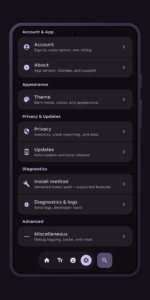
- Polished interface, adapted to all screens
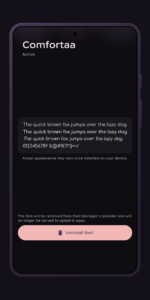
- Put your original font back whenever you want
- Rooted installs roll back on their own if a step fails
2.0.1 fixes a crash on launch, repairs settings carried over from 1.18.4, and fixes emoji and rooted installs on some phones.
About Font Manager 2.0.1
Your phone has one system font. Font Manager lets you change it, and tells you up front how far that change reaches on your device.
Premium
Browse over 200 typefaces and see any of them rendered on your own screen before you commit. Previewing works on every device, whatever your install options turn out to be. Nothing is permanent either: you can put your original font back at any time.
WILL IT WORK ON MY PHONE?
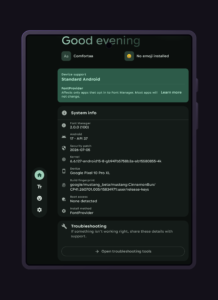
Font Manager works that out before you install anything and tells you plainly, so you are never guessing.
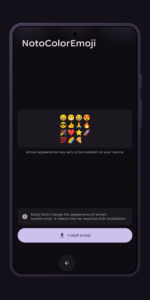
• Rooted - the deepest option. Font Manager replaces the system font itself, so your launcher, Settings, notifications and every app that draws with the system font all change together. Installs are staged and verified before they are applied, and rolled back automatically if a step fails. If a system update overwrites your font, a background check puts it back. Emoji packs work here.
• Samsung, Android 15 and earlier - Font Manager hands the font to Samsung's own Font style feature and you apply it from Settings. Changes the default font across the system, no root needed.
• Every other device - your font registers with Android's built-in font system, so apps that ask Android for a font pick it up. System UI stays as it is.
One limit you should know before installing: an app that ships its own typeface inside itself keeps using it. That is true on all three, root included.
(Samsung's Android 16 update only accepts fonts signed by Samsung's own partners, so newer Galaxy phones fall into the third case.)
EMOJI PACKS
Install a complete emoji set the same way you install a typeface. Rooted devices for now.
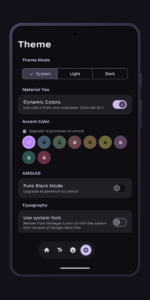
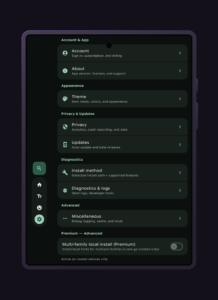
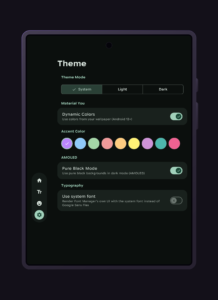
Version 2.0 is a ground-up rebuild: new install engine, new interface in Material 3 Expressive, color that follows your wallpaper, and layouts that open out on tablets instead of stretching.
PREMIUM
Optional, and every font in the catalog is free either way. Premium lifts the daily download limit, downloads at full speed, removes ads, adds nine accent colors and a pure-black AMOLED theme, and unlocks family targeting: send a font to the serif or monospace family instead of your default, or on a rooted device assign several local fonts to several families in one pass.
Download Font Manager 2.0.1
This release comes in several variants (we currently have 3). Consult our handy FAQ to see which download is right for you.

Version:2.1.2
Uploaded:September 20, 2026 at 1:03AM UTC
File size:18.38 MB
Downloads:9
Version:2.0.1
Uploaded:July 30, 2026 at 10:17PM UTC
File size:18.40 MB
Downloads:61
Version:2.0.0
Uploaded:July 27, 2026 at 6:18AM UTC
File size:18.52 MB
Downloads:45
Version:1.18.4
Uploaded:October 25, 2024 at 12:00AM UTC
File size:18.47 MB
Downloads:17
Follow APK Mirror


