

 Premium
About Classic Big Keyboard 7.8.1
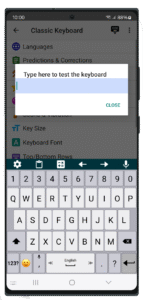
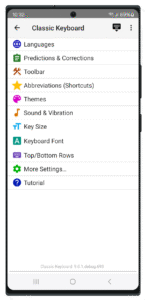
• Adjust the size of the keys and their font.
• Change the typing sound and vibration.
• Customize dictionaries, predictions, auto corrections, define shortcuts to your own phrases and more.
• Customize your typing preferences.
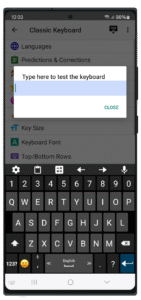
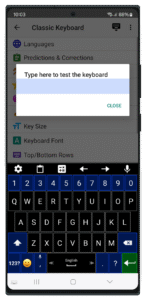
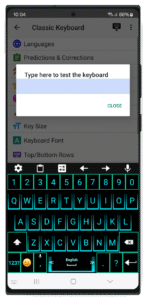
• Customize the look of the keyboard and the information displayed on it.
• Select your favorite theme from many themes which are unique to the Classic Keyboard.
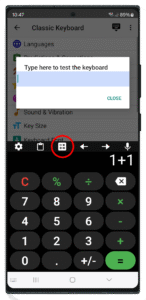
• Select your favorite top and bottom rows of the keyboard.
• "Swipe typing" by dragging your fingers across keys to type.
• Voice typing by translating your speech to text.
• Define your favorite "gestures" for making predefined actions by swiping your fingers on the keyboard (Ex. swipe spacebar up to open a popup utility keyboard).
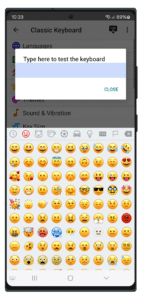
• The newest Emojis are built in the keyboard and are continuously updated.
Tips:
• Swipe the spacebar from side to side for switching between languages.
• Long press the enter key to open the keyboard settings.
• Long press or double click the shift key for "caps lock".
• Long press the emoji button to open a textual emojis popup.
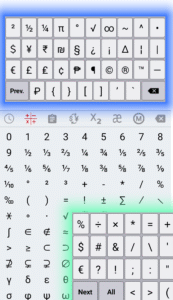
• Show the hidden symbols which are typed by long pressing on the keys (enable in Settings → Themes → Show hidden symbols).
Download Classic Big Keyboard 7.8.1
This release may come in several variants. Consult our handy FAQ to see which download is right for you.

Version:10.1
Uploaded:July 16, 2026 at 5:01PM UTC
File size:34.86 MB
Downloads:33
Version:10.0
Uploaded:June 15, 2026 at 9:39PM UTC
File size:34.24 MB
Downloads:49
Version:9.9
Uploaded:April 1, 2026 at 4:56AM UTC
File size:23.12 MB
Downloads:64
Version:9.8
Uploaded:March 1, 2026 at 3:38PM UTC
File size:34.32 MB
Downloads:115
Version:9.7
Uploaded:October 2, 2025 at 6:39PM UTC
File size:77.30 MB
Downloads:77
Version:7.8.1
Uploaded:November 23, 2023 at 6:25PM UTC
File size:37.42 MB
Downloads:138
Follow APK Mirror


