

 Premium
What's new in EZWrite 1.8.1.0
[New Features]
Users can now create online quizzes in EZWrite by entering a topic, number of questions, and difficulty.
EZWrite 6 can now recognize Rich Text Format (RTF) when importing EZWrite files.
Users can now customize the toolbox by adding or removing tools for easier access.
Users can now switch between Corporate and Education modes.
A new pen mode automatically converts your handwriting into text as you write.
About EZWrite 1.8.1.0
Whiteboard anywhere with EZWrite 6.
The new EZWrite 6 for Android turns your mobile device into a powerful digital whiteboard, giving you convenient ways to take notes, brainstorm ideas, or just doodle.
Enable cloud whiteboarding and use it with EZWrite on the BenQ Board to join classes or meetings, allowing you to engage and share your ideas without having to leave your seat.
With EZWrite 6, you can:
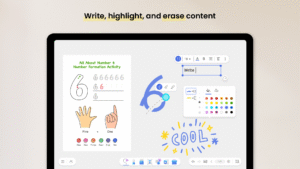
- Write, highlight, and erase content
- Import images, PDFs, URLs, and YouTube videos
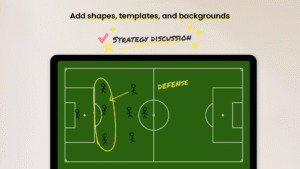
- Add shapes, templates, and backgrounds
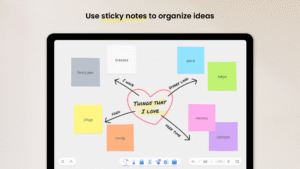
- Use sticky notes to organize ideas
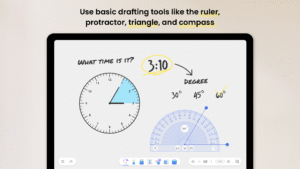
- Use basic drafting tools like the ruler, protractor, triangle, and compass
- Join BenQ Board cloud whiteboarding sessions
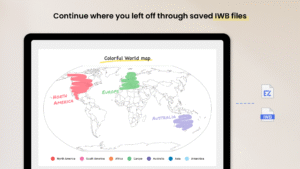
- Continue where you left off through saved IWB files
For questions and feedback, contact us at support.benq.com.


 Premium

Version:1.8.1.0
Uploaded:May 5, 2026 at 2:43AM UTC
File size:85.89 MB
Downloads:60
Version:1.7.4.0
Uploaded:January 15, 2026 at 12:00AM UTC
File size:85.82 MB
Downloads:14
Version:1.7.3.0
Uploaded:January 12, 2026 at 1:24AM UTC
File size:85.82 MB
Downloads:40
Version:1.6.7.0
Uploaded:November 13, 2025 at 9:38AM UTC
File size:93.92 MB
Downloads:24
Version:1.6.5.0
Uploaded:September 23, 2025 at 4:44AM UTC
File size:93.90 MB
Downloads:92
Version:1.6.1.0
Uploaded:September 5, 2025 at 2:18PM UTC
File size:93.90 MB
Downloads:238


