

 Premium
What's new in Lockwatch — Thief Catcher 8.6.0
- Lockwatch now supports a new 20-second video capture mode with sound.
- UI refresh: we’ve modernised the interface, brought more settings together in one place, and added a dedicated Help page.
About Lockwatch — Thief Catcher 8.6.0
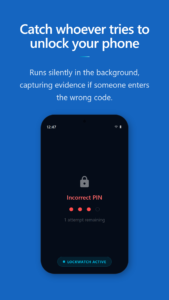
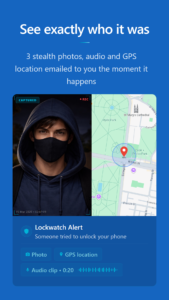
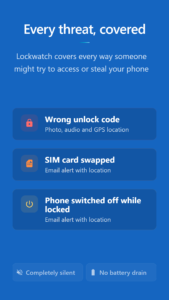
Lockwatch secretly takes a photo using your front camera when someone enters an incorrect unlock code on your phone. It emails you the photo along with their GPS location, without them knowing. It also alerts you when a SIM card is swapped or the phone is switched off while still locked.
Premium
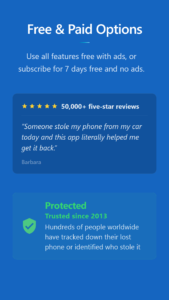
The app has helped recover hundreds of lost and stolen phones, and has been featured in TV and online news stories.
Lockwatch uses Android's built-in lock screen and runs only when an incorrect unlock attempt occurs, so it won't drain your battery.
FREE & PAID OPTIONS
Choose how you want to use Lockwatch:
• Start a subscription and get a free 7-day trial, then continue with an ad-free experience. You can cancel anytime.
• Or use all features for free from the start by watching ads.
FEATURES
Both the free ad-supported tier and the subscription include all features:
• Secretly takes a photo using the front camera and emails it to you along with their GPS location, without them knowing
• Sends you an email when a SIM card is swapped, including the location and new SIM details (phone number, network provider, where available)
• Sends you an email when the phone is switched back on after being turned off while locked, hopefully revealing their hideout
• Multiple photos per attempt, each a few seconds apart, so you get a clear view of their face. All photos are included in the email
• Records a 20-second audio clip of what's happening around the phone, included in the email
• If there is no Wi-Fi or mobile data, everything is saved to your phone and emailed when a connection becomes available
HELP
For help, visit: bloketech.com/lockwatch/help
NOTES
• Lockwatch only triggers if at least four digits are entered incorrectly, as Android requires a minimum PIN or pattern length of four. If the correct code is entered within 10 seconds, the alert is cancelled, so a simple mistype won't send an email.
• This app uses the Device Administrator permission to monitor screen unlock attempts. When activating Lockwatch, Android will warn that it may "erase all the phone's data". Android shows this warning for all Device Administrator apps. Lockwatch contains no code to wipe your phone.
Download Lockwatch — Thief Catcher 8.6.0
This release comes in several variants (we currently have 3). Consult our handy FAQ to see which download is right for you.

Version:9.2.0
Uploaded:June 21, 2026 at 4:55AM UTC
File size:4.62 MB
Downloads:51
Version:9.1.0
Uploaded:June 11, 2026 at 2:24AM UTC
File size:4.61 MB
Downloads:11
Version:9.0.0
Uploaded:June 3, 2026 at 11:47PM UTC
File size:4.71 MB
Downloads:7
Version:8.8.1
Uploaded:May 22, 2026 at 4:30AM UTC
File size:7.94 MB
Downloads:13
Version:8.7.0
Uploaded:May 7, 2026 at 5:34AM UTC
File size:7.82 MB
Downloads:7
Version:8.6.0
Uploaded:May 1, 2026 at 12:13AM UTC
File size:7.62 MB
Downloads:10
Version:8.5.1
Uploaded:April 24, 2026 at 11:42PM UTC
File size:7.58 MB
Downloads:5
Version:8.4.1
Uploaded:April 6, 2026 at 9:30PM UTC
File size:7.47 MB
Downloads:7
Version:8.4.0
Uploaded:April 4, 2026 at 2:08AM UTC
File size:7.47 MB
Downloads:12
Version:8.3.2
Uploaded:April 1, 2026 at 11:05AM UTC
File size:7.44 MB
Downloads:7
Follow APK Mirror


