

 Premium
What's new in Box 7.1.515
This update adds major improvements:
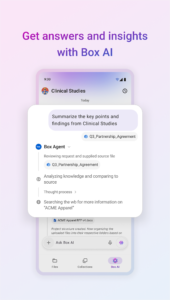
- AI Home is now on mobile, letting users search files, ask questions, and select sources from Box (including Hubs), device files, or newly captured media. Available for Enterprise Plus and Enterprise Advanced customers.
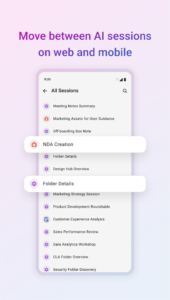
- Persistent AI sessions sync across web and mobile. Sessions are saved and searchable, so your work is available to revisit even while on the go.
- Bug fixes and performance improvements.
About Box 7.1.515
Take your content anywhere with Box, the leader in Intelligent Content Management. Seamlessly capture, scan, access, create, edit, annotate, and share your most important content—all secured with enterprise-grade protection.
Premium
Winner of PC Magazine's Editors' Choice Award: "There are plenty of excellent file-syncing storage services, but, on Android, the Box app takes the cake."
With Box, you can:
* Use Box AI: ask questions, summarize documents, and automate workflows
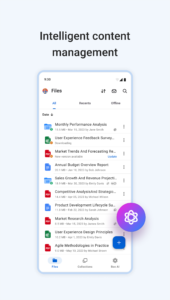
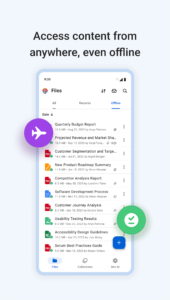
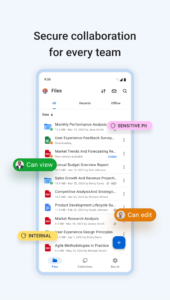
* Manage files: upload, view, and search hundreds of file types with offline access
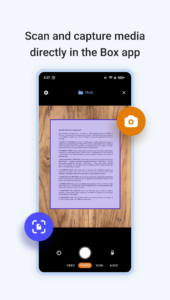
* Capture content: scan documents with OCR, take photos/videos, and record audio
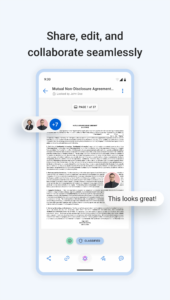
* Collaborate: share files, co-edit Box Notes, annotate documents, and transcribe handwriting
* Secure data: protect files with enterprise encryption and compliance controls
Use Box AI on mobile:
* Access powerful AI tools directly within the app to ask questions, summarize documents, and extract insights instantly
* Switch between AI agents, clear chat history, and give feedback on AI responses to optimize your experience
* View source citations to verify answers and use formatting options for clearer, structured responses
* Access Box AI on your mobile device with Business, Business Plus, or any of the Enterprise plans
Manage and quickly locate files:
* Upload and view hundreds of file types including PDFs, Microsoft Office, and Google Workspace documents, and more
* Create Box Notes for ideas, to-do lists, and real-time project coordination
* Work offline with seamless access to files and folders
* Search instantly by file name and content type
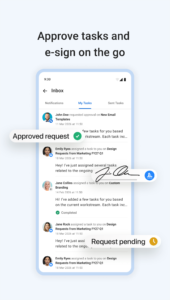
* Edit, e-sign, annotate your work
Scan and capture:
* Scan documents with OCR to convert files into searchable PDFs
* Capture, edit, and enhance photos directly from your device
* Record audio and video with pause/resume controls before uploading
Collaborate and share:
* Share files with teammates or external collaborators securely with one click
* Work together in real time with Box Notes
* Annotate documents with typed or drawn feedback
* Seamlessly content to partner app integrations
Secure your files and protect privacy:
* Prevent leaks across company and personal devices
* Enterprise-level security, compliance, and file encryption
* Choose flexible EMM options for device or app-level control
Download Box 7.1.515
This release may come in several variants. Consult our handy FAQ to see which download is right for you.

Version:7.5.625
Uploaded:September 29, 2026 at 9:44AM UTC
File size:140.20 MB
Downloads:33
Version:7.4.649
Uploaded:September 8, 2026 at 10:24AM UTC
File size:138.93 MB
Downloads:48
Version:7.3.757
Uploaded:August 6, 2026 at 8:38PM UTC
File size:140.08 MB
Downloads:104
Version:7.2.645
Uploaded:July 16, 2026 at 4:31PM UTC
File size:138.17 MB
Downloads:38
Version:7.1.515
Uploaded:June 25, 2026 at 9:49AM UTC
File size:137.32 MB
Downloads:22
Version:7.1.513
Uploaded:June 8, 2026 at 7:12AM UTC
File size:136.92 MB
Downloads:26
Version:6.63.589
Uploaded:May 26, 2026 at 7:18AM UTC
File size:137.21 MB
Downloads:31
Version:6.62.554
Uploaded:May 4, 2026 at 8:19AM UTC
File size:138.03 MB
Downloads:34
Version:6.61.565
Uploaded:April 9, 2026 at 7:18PM UTC
File size:137.74 MB
Downloads:40
Version:6.60.544
Uploaded:March 31, 2026 at 6:16PM UTC
File size:137.44 MB
Downloads:23
Follow APK Mirror


