












AdvertisementRemove ads, dark theme, and more with  Premium
Premium
A multi-platform proxy client based on ClashMeta. Simple to use, open source and ad-free.
English · 简体中文




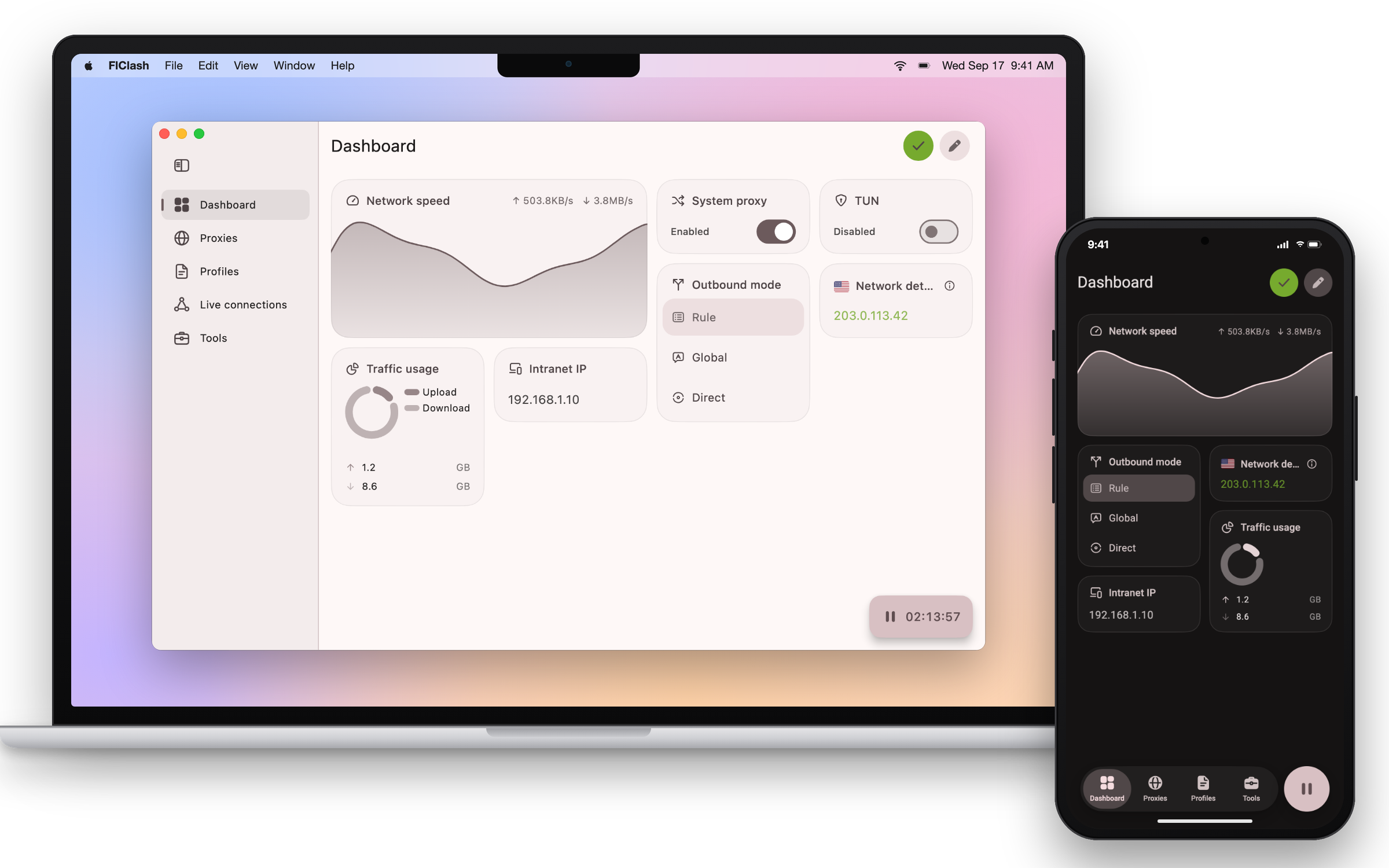
- One app for Android, Windows, macOS and Linux, with x64 and ARM64 builds on the desktop.
- mihomo (Clash.Meta) core with rule routing, proxy groups, latency tests, system proxy and TUN mode.
- Profiles from a subscription link or a file, with a built-in editor, override scripts, and custom rules, proxies and proxy groups.
- Live views of connections, requests, DNS queries and logs.
- Material You design with dynamic color, light and dark themes, and layouts that adapt from phones to desktops.
- Backup and restore through WebDAV or a local file.
- Platform touches: a Quick Settings tile, per-app proxy and Android TV support on Android; a tray menu and global hotkeys on the desktop.
- Open source and ad-free, licensed under GPL-3.0.
Get the latest build from GitHub Releases, or open the website, which picks the right file for your device.
| Platform | Packages | Notes |
|---|---|---|
| Android | APK for arm64-v8a, armeabi-v7a and x86_64 |
Most phones use arm64-v8a. Also on the F-Droid repository below. |
| Windows 10 and later | Installer (.exe) or portable .zip, for x64 and ARM64 |
Pick ARM64 on Snapdragon and other ARM laptops. |
| macOS 12 and later | DMG for Apple Silicon and Intel | Also on Homebrew. |
| Linux | .deb, .rpm and AppImage, for x64 and ARM64 |
See the tray note below. |


Homebrew
brew tap chen08209/tap brew install --cask flclash
Linux tray icon
The .deb package installs its own dependencies. With the AppImage or the .rpm, install the AyatanaAppIndicator library so the tray icon can show:
sudo apt-get install libayatana-appindicator3-1 # Debian and Ubuntu sudo dnf install libayatana-appindicator-gtk3 # Fedora
Import a profile from a link. Opening a link in this form imports the subscription into FlClash. The clashmeta:// and flclash:// schemes work the same way.
<div class="snippet-clipboard-content notranslate position-relative overflow-auto" data-snippet-clipboard-copy-content="clash://install-config?url=">
clash://install-config?url= 


