

 Premium
What's new in File Manager 3.8.2
- Bug fixes and performance improvements.
3.6.8
- 'Copy again' and 'Return to source folder' are available after pasting.
- Added a toggle for video player gestures.
3.6.5
- Temporarily highlight new files with a dot after file operations
3.5.0
- Slideshow
2.8.0
- Target Android 11 : To read and write to files in shared storage using this app, you need to have the all files access permission on devices that runs Android 11 or higher.
About File Manager 3.8.2
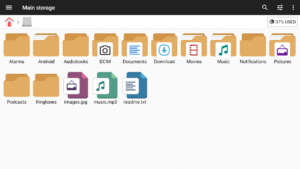
File Manager + is an easy and powerful file explorer for Android devices. It’s free, fast and full-featured. Because of its simple UI, it’s extremely easy to use. You can easily manage storages on your device, NAS(Network-attached storage), and cloud storages. What’s more, you can find how many files & apps you have on your device at a glance immediately after opening the app.
Premium
It supports every file management action (open, search, navigate directory, copy and paste, cut, delete, rename, compress, decompress, transfer, download, bookmark, and organize) for various file formats including media and apk.
Major locations and functions of File Manager Plus are as following:
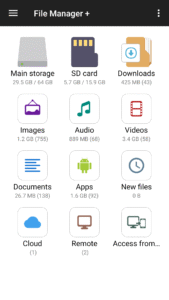
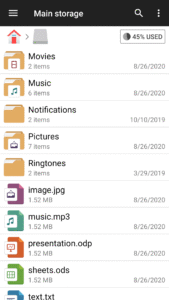
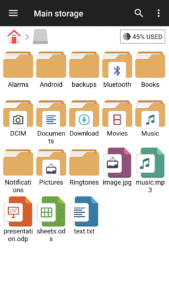
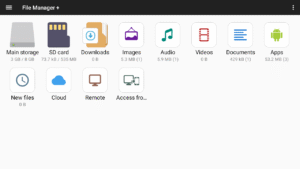
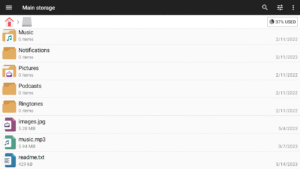
• Main Storage / SD card / USB OTG : You can manage all files and folders on both your internal storage and external storage.
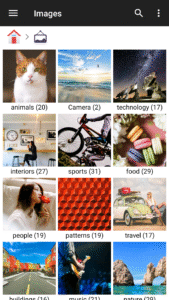
• Downloads / New files / Images / Audio / Videos / Documents : Your files and folders are automatically sorted by their types and characteristics so that you can easily find what you are looking for.
• Apps : You can see and manage all applications installed on your local device.
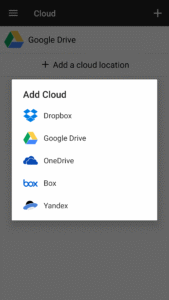
• Cloud / Remote : You can access your cloud storage and also remote/shared storage like NAS and FTP server. (Cloud storage: Google Drive™, OneDrive, Dropbox, Box, and Yandex)
• Access from PC : You can access your android device storage from PC using FTP(File Transfer Protocol).
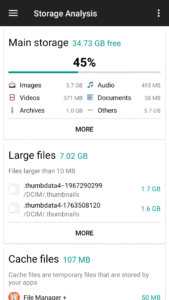
• Storage analysis : You can analyze local storages to clean up useless files. You can find out which files and apps take up the most space.
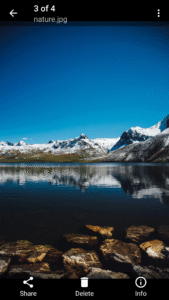
• Internal image viewer / Internal music player/ Internal text editor : You can choose to use built-in utilities for faster and better performance.
• Archive management : You can compress and decompress archive files.
- Supported compression archives : zip
- Supported decompression archives : zip, gz, xz, tar
• Supported devices : Android TV, phone and tablet.

 Premium

Version:3.8.2
Uploaded:July 2, 2026 at 6:51AM UTC
File size:22.69 MB
Downloads:9,089
Version:3.7.8
Uploaded:July 2, 2026 at 6:51AM UTC
File size:22.68 MB
Downloads:129
Version:3.7.4
Uploaded:May 19, 2026 at 6:22AM UTC
File size:22.68 MB
Downloads:2,572
Version:3.7.3
Uploaded:May 19, 2026 at 6:22AM UTC
File size:22.67 MB
Downloads:210
Version:3.7.2
Uploaded:March 24, 2026 at 5:58PM UTC
File size:22.06 MB
Downloads:3,375
Version:3.7.0
Uploaded:March 12, 2026 at 7:43AM UTC
File size:21.70 MB
Downloads:936
Version:3.6.9
Uploaded:February 28, 2026 at 7:01PM UTC
File size:21.61 MB
Downloads:743
Version:3.6.8
Uploaded:February 18, 2026 at 5:21PM UTC
File size:21.61 MB
Downloads:813
Version:3.6.7
Uploaded:December 25, 2025 at 8:11AM UTC
File size:21.55 MB
Downloads:2,913
Version:3.6.5
Uploaded:December 12, 2025 at 9:41PM UTC
File size:21.55 MB
Downloads:960


