

 Premium
What's new in Android Auto 2.0.6427
• Android Auto now works with any car! Use it directly on your phone screen
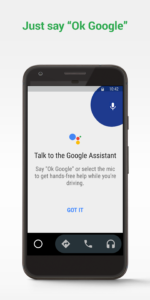
• Just say “Ok Google” to use voice commands, don’t need to touch the screen first
• Android Auto on your phone screen can start automatically when connecting to your car's Bluetooth
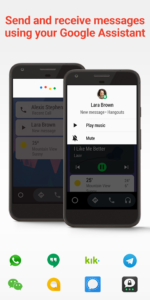
• Send a customized reply message with a single tap
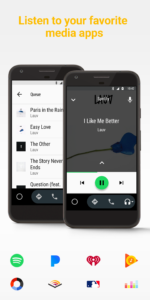
• Scroll through song lists more easily with the new letter jump feature
About Android Auto 2.0.6427
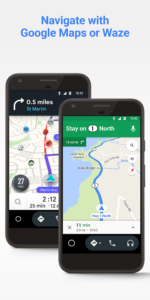
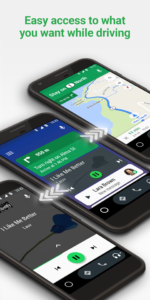
Android Auto now works with any car! You can connect your phone to a compatible car display, or put your phone in a dock and use Android Auto directly from your phone screen. With a simplified interface, large buttons, and powerful voice actions, Android Auto is designed to make it easier to use apps from your phone while you’re on the road. Navigate with Google Maps, listen to playlists or podcasts from your favorite apps, send messages via voice, and more.
To use Android Auto, you’ll need a phone running Android 5.0 or higher (Lollipop, Marshmallow or Nougat) and an active data connection. You may also need to update some of your existing apps, such as Google Maps, Google Play Music, or Google Search.
To find out if your car display supports Android Auto and how to enable it, check your owner’s manual or contact your car’s manufacturer. Once enabled, connect your phone with a high quality USB cable to your car to launch Android Auto.
Learn more about Android Auto at www.android.com/auto/
Check out apps for Android Auto at g.co/androidauto
For support and known issues: support.google.com/androidauto/
Android Auto 2.0.6427 Play Store trailer
Download Android Auto 2.0.6427
This release comes in several variants (we currently have 4). Consult our handy FAQ to see which download is right for you.
Known valid signatures: 58e1 9ca9 a60b.

Version:18.2.6646
Uploaded:November 18, 2026 at 9:11AM UTC
File size:34.14 MB
Downloads:3,364
Version:18.0.6642
Uploaded:November 16, 2026 at 6:48PM UTC
File size:33.61 MB
Downloads:13,472
Version:18.2.1646
Uploaded:November 12, 2026 at 11:10AM UTC
File size:34.11 MB
Downloads:5,313
Version:18.1.6644
Uploaded:November 12, 2026 at 11:10AM UTC
File size:33.70 MB
Downloads:9,225
Version:17.9.6640
Uploaded:November 6, 2026 at 3:47AM UTC
File size:33.49 MB
Downloads:16,282
Version:18.1.1643
Uploaded:October 25, 2026 at 2:52AM UTC
File size:33.53 MB
Downloads:6,733

Version:17.8.6638
Uploaded:October 13, 2026 at 4:44PM UTC
File size:33.32 MB
Downloads:10,884
Version:18.0.1642
Uploaded:October 13, 2026 at 8:37AM UTC
File size:33.62 MB
Downloads:5,189

Version:17.7.6636
Uploaded:October 13, 2026 at 8:37AM UTC
File size:33.42 MB
Downloads:17,401
Version:17.9.1640
Uploaded:October 2, 2026 at 3:31AM UTC
File size:33.46 MB
Downloads:5,979
Follow APK Mirror


