

 Premium
What's new in Digital Compass 20.8
Version 20.8
• Relocated map button
• Enhanced map styling
• Minor bug fixes
About Digital Compass 20.8
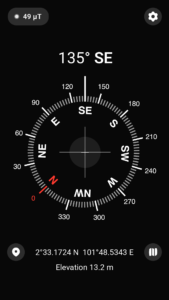
Digital Compass helps you understand your direction and surroundings using the sensors in your phone. Check your heading, switch between magnetic north and true north, view your coordinates, and open your position on a map through a clear compass interface.
Premium
Whether you are travelling, hiking, checking the orientation of a room, or learning about navigation, Digital Compass provides the essential information without hiding it behind complicated controls.
Compass and direction
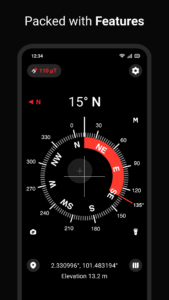
• View your bearing, azimuth, degrees, and cardinal direction.
• Switch between magnetic north and true north.
• Use localized or standard direction labels.
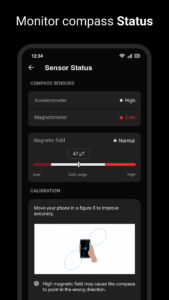
• Monitor compass accuracy and recalibrate when needed.
• Check magnetic-field strength for possible nearby interference.
Location and map
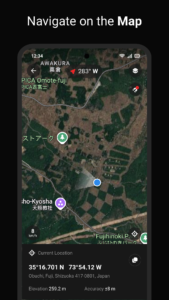
Use your current location to view latitude, longitude, address, and altitude. Open the map to understand your position and surrounding area while keeping access to essential compass information.
True-north calculations use your location to account for magnetic declination. Location accuracy and availability depend on your device, permissions, and surrounding conditions.
Additional tools
• Qibla direction – Enable an optional marker showing the direction of the Kaaba based on your current location.
• Slope and level – Check the tilt of your device and measure slope angles.
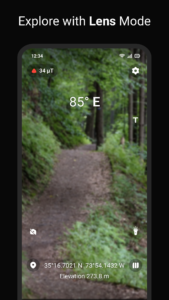
• AR compass – Display compass information over the camera preview.
• Flashlight – Use your device light in dark surroundings.
• Custom settings – Adjust compass behavior, direction labels, and display options.
Useful for everyday activities
This free Compass app can help with hiking, camping, travel, outdoor navigation, checking room orientation, locating true north, reading GPS coordinates, and learning how bearings and Earth’s magnetic field work.
It can also provide useful directional guidance for Qibla, home orientation, educational activities, and situations where a simple heading or location reference is needed.
Tips for better compass accuracy
Phone compasses are affected by nearby magnetic fields. Keep your device away from magnets, magnetic phone cases, metal objects, batteries, speakers, and electronic equipment while taking a reading.
If the accuracy indicator becomes low, move away from possible interference and follow the in-app calibration guidance. Holding the device level can also improve the stability of the displayed direction.
Device requirements
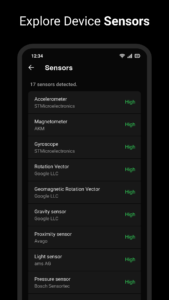
Compass readings require a magnetometer and accelerometer. Devices without the required sensors cannot provide a reliable heading. Location-based features require location permission and may be affected by GPS availability.
This smart Compass is designed to provide a practical combination of compass heading, true north, GPS coordinates, altitude, maps, magnetic-field information, and optional direction tools in one app.
 Premium

Version:20.8
Uploaded:September 26, 2026 at 5:39PM UTC
File size:9.95 MB
Downloads:5
Version:20.6
Uploaded:August 24, 2026 at 9:49PM UTC
File size:13.75 MB
Downloads:24
Version:20.5
Uploaded:August 23, 2026 at 7:39PM UTC
File size:13.60 MB
Downloads:10
Version:20.3
Uploaded:August 17, 2026 at 9:22PM UTC
File size:13.74 MB
Downloads:9
Version:20.2
Uploaded:August 16, 2026 at 9:54AM UTC
File size:13.74 MB
Downloads:4
Version:20.1
Uploaded:August 15, 2026 at 5:54AM UTC
File size:13.74 MB
Downloads:3
Version:20.0
Uploaded:August 12, 2026 at 10:15PM UTC
File size:13.74 MB
Downloads:2
Version:18.3
Uploaded:April 29, 2026 at 12:00AM UTC
File size:13.62 MB
Downloads:5

Version:13.5
Uploaded:July 10, 2024 at 7:53PM UTC
File size:7.76 MB
Downloads:90
Version:13.2
Uploaded:June 25, 2024 at 9:53AM UTC
File size:7.75 MB
Downloads:25


