

 Premium
Download Night Light / Desk Clock 38.0 APK
Target: Android 16 (API 36)
What's new in Night Light / Desk Clock 38.0
* Revamped layout.
* Loads of new options and styles.
* Foldable support.
* Screensaver support.
* Premium collection of styles.
About Night Light / Desk Clock 38.0
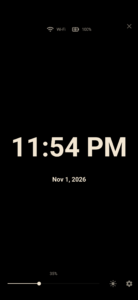
A simple night light when you need a little light. A clear desk clock when you want to leave your phone on the bedside table.
Premium
Night Light / Desk Clock keeps the familiar full-screen clock, with brightness you can adjust and light or dark colours to suit the room. Tap the screen to show or hide the controls; they also tuck away when you leave the clock alone. Your layout stays in place, with a subtle change in scale. In landscape, keep the brightness slider at the bottom or move it to either side.
YOUR CLOCK, YOUR COLOURS
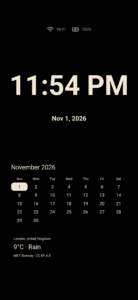
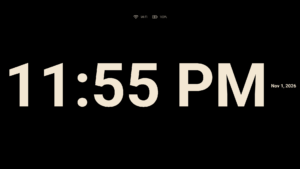
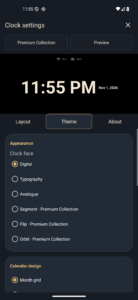
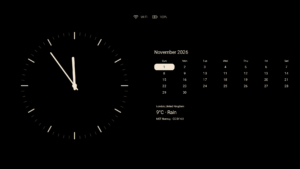
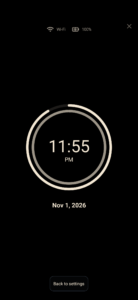
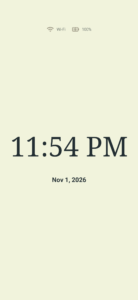
Choose a digital, typography or analogue clock. Set background, text, icon and highlight colours separately for light and dark modes. See your changes in the settings preview, or open a full-screen preview on smaller displays. Optional screen burn-in movement shifts the clock and its information periodically.
A DESK CLOCK FOR PHONES AND FOLDABLES
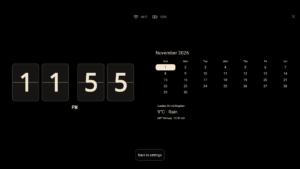
Use landscape mode for a wider desk view. On supported foldables, half-open laptop posture keeps the clock and its controls on the upright upper screen. Open the device fully to keep the clock on one side and the calendar on the other. Add weather for a town you choose, battery level and a small connection-status row. Fold detection depends on your device reporting its hinge position; ordinary responsive layouts remain available.
Calendar and weather start switched off. Enable either to see it in every view, or keep both off for a simple clock. Choose compact weather for fewer details. Layouts adapt to the available screen space, with scrolling for information that needs more room.
ANDROID SCREENSAVER
Use the clock as a proper Android screensaver, with its own brightness setting. Availability and charging activation depend on your device's Android screensaver settings.
OPTIONAL EXTRAS
Show app icons with small notification counts if you want a discreet reminder that something is waiting. Keep them small in the status row, or place them underneath the clock. Silent notifications and background controls are left out. Notification access is optional; the clock does not read or show message text. Weather is optional too, with forecasts from MET Norway for your chosen town. No device location permission is needed. Calendars display dates, not personal events.
PREMIUM COLLECTION
The original clock, night light, colour customisation, Month calendar and screensaver stay free. One optional purchase adds Segment, Flip and Orbit clock faces, plus Week and Date calendar designs. Try your setup in a full-screen preview before deciding. No subscription.
Privacy policy: www.leedroid.co.uk/privacy-policy.html


Version:38.0
Uploaded:November 2, 2026 at 2:33PM UTC
File size:1.62 MB
Downloads:7

Version:16.0
Uploaded:October 31, 2025 at 12:00AM UTC
File size:912.28 KB
Downloads:30
Version:15.0
Uploaded:August 20, 2024 at 8:43PM UTC
File size:979.89 KB
Downloads:95
Version:14.0
Uploaded:July 4, 2023 at 4:42PM UTC
File size:979.92 KB
Downloads:73
Version:13.0
Uploaded:March 28, 2023 at 10:31PM UTC
File size:979.78 KB
Downloads:80


