

 Premium
What's new in Mevo Studio 4.1
- New: Network Configuration - we’ve expanded and improved our network configuration process to allow users the option to add Access Point and camera access passwords, and manage saved networks.
- New: Face Based Continuous Auto Focus (Mevo Core Only) - this feature is intended for use at the desk. The camera will track and maintain focus based on the location of a single face in the frame.
About Mevo Studio 4.1
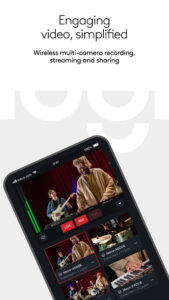
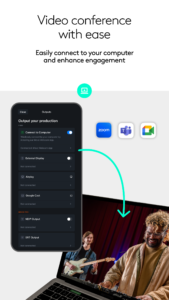
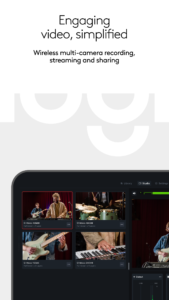
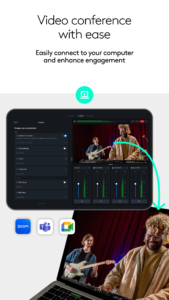
Mevo enables live streaming with ease. With Mevo Studio, you can wirelessly connect multiple sources including Mevo Start and Mevo Core cameras, Mevo Go*, NDI* enabled devices, and UVC/webcams.* Easily switch sources, record in 1080p HD and live stream to multiple platforms like YouTube and Facebook and many others.
Premium
Wirelessly switch between multiple cameras:
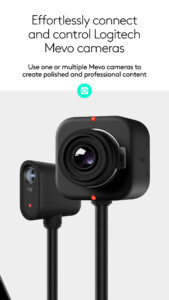
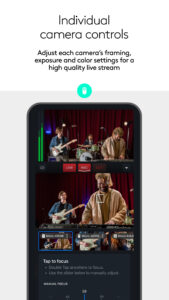
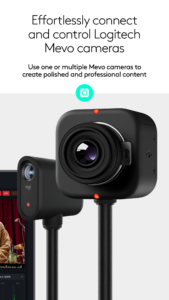
Wirelessly control multiple Mevo cameras at the same time and switch between them—live. Pan, zoom, and crop each camera view as needed for editing on the fly.
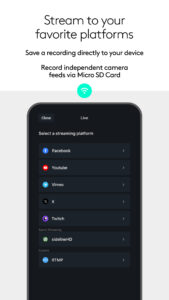
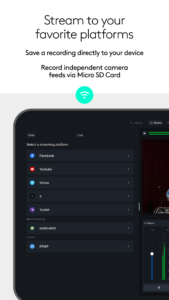
Instantly stream to your favorite platforms:
Stream instantly, With a few taps, to popular platforms like YouTube, Twitter, Twitch and more. Subscribe to Mevo Pro to multistream.*
Record in HD:
Record your program output locally to your phone in full HD. Also record each individual camera feed directly to their local microSD card.
Add visual Media:
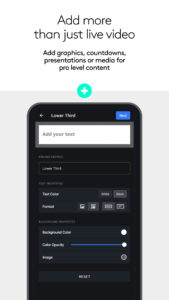
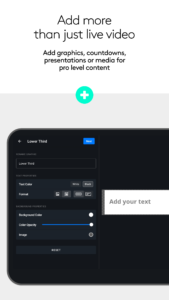
Add custom graphics including lower thirds, corner bugs, countdowns, and presentations, plus full screen images and media* to elevate your production value.
Create Custom Scenes:
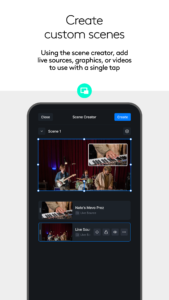
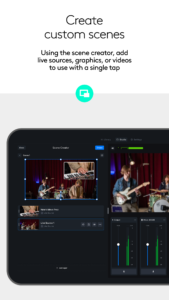
Using the Scene creator, add live sources, graphics, or videos to use with a single tap.
Auto-Director:
Toggle auto-director and the app will live switch the show for you.
Audio Mixer:
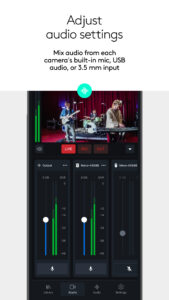
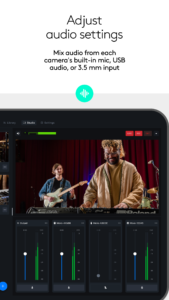
Independently mix audio sources for the perfect sound.
Image Control:
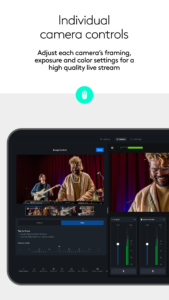
Adjust each Mevo camera’s exposure and color settings for a high quality live stream.
Get more from Mevo with the Mevo Pro Subscription, including:
Multistream: Powered by Streamlabs, stream to multiple destinations while only needing the bandwidth of a single stream.
Mevo Go: You can share the camera, screen or audio of any mobile device directly to Mevo Studio.
NDI: Connect 3rd party cameras, camera or encoders that are NDI HX enabled or output Mevo Studio to an existing NDI workflow you may already be using.
Media: play videos, commercials or highlights to take your content to the next level.
Compatible with Mevo Core, Mevo Start, Mevo Plus, first-generation Mevo, and Mevo Go app.
Additional support:
Visit help.mevo.com
Annotation:
*Requires Mevo Pro subscription
Download Mevo Studio 4.1
This release may come in several variants. Consult our handy FAQ to see which download is right for you.

Version:4.1.4
Uploaded:July 1, 2026 at 8:59AM UTC
File size:141.44 MB
Downloads:1
Version:4.1.3
Uploaded:June 25, 2026 at 2:29PM UTC
File size:141.20 MB
Downloads:0
Version:4.1.2
Uploaded:June 8, 2026 at 8:14AM UTC
File size:133.04 MB
Downloads:4
Version:4.1.1
Uploaded:May 21, 2026 at 2:13PM UTC
File size:133.01 MB
Downloads:7
Version:4.1
Uploaded:May 12, 2026 at 5:42PM UTC
File size:133.06 MB
Downloads:3
Version:4.0.6
Uploaded:April 27, 2026 at 7:17AM UTC
File size:132.63 MB
Downloads:3
Version:4.0.5
Uploaded:April 6, 2026 at 12:46PM UTC
File size:132.63 MB
Downloads:8
Version:4.0.4
Uploaded:March 19, 2026 at 1:56PM UTC
File size:132.57 MB
Downloads:12
Version:4.0.3
Uploaded:March 11, 2026 at 8:33AM UTC
File size:132.55 MB
Downloads:22
Version:4.0.2
Uploaded:March 1, 2026 at 4:02PM UTC
File size:132.56 MB
Downloads:4
Follow APK Mirror


