

 Premium
What's new in Microsoft OneDrive 5.18 (September Beta 1)
Hey everyone!
We’re back with another big update that we could really use your help in testing. We’re rolling out an update that will include a highly requested feature for our business customers: Camera Upload. We would really appreciate your help and feedback on this feature, so here are some tips for how to get started!
• Go to Me -> Settings -> Camera Upload -> Auto Upload Account
• You should see a new Account Switcher option to pick which account you want to upload to
• If you want to upload your photos to your Business account, tap the switch account buttons and read the confirmation dialogs to confirm. NOTE: This will backup your entire camera roll to your Business account so please be sure this is OK before turning this feature on.
• Check out the new “Photos” tab under Me for your Business account and watch your photos get uploaded!
Please leave us comments below for any feedback and do note that you will need an Office 365 account in order to make this work.
Thanks for helping us test, and thank you for using OneDrive!
About Microsoft OneDrive 5.18 (September Beta 1)
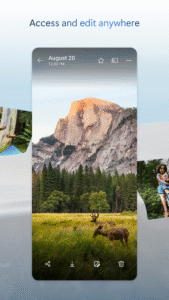
Do more wherever you go with Microsoft OneDrive. Get to and share your documents, photos, and other files from your Android device, computer (PC or Mac), and any other devices you use. Use the Office mobile apps to stay productive and work together, no matter where you are. The OneDrive app for Android lets you easily work with your personal and work files when you’re on the go.
• Quickly open and save OneDrive files in Office apps like Word, Excel, PowerPoint, and OneNote.
• Easily find photos thanks to automatic tagging.
• Get notifications when a shared document is edited.
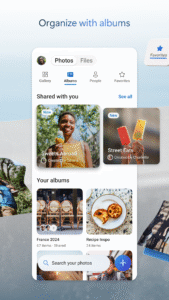
• Share albums of your favorite photos and videos.
• Access your most important files offline.
Notes:
For you to sign in to OneDrive for Business, your organization needs to have a qualifying SharePoint Online or Office 365 business subscription plan. You cannot sign in with an account from an on-premises directory. Camera upload, search, sort, and the ability to add OneDrive for Business accounts are available only on devices running Android 4.0 or later.
This app is provided by Microsoft. Data provided through the use of this store and this app may be accessible to Microsoft and transferred to, stored, and processed in the United States or any other country where Microsoft or its affiliates maintain facilities.
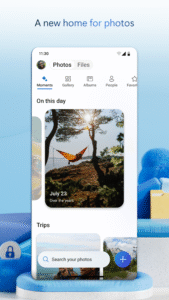
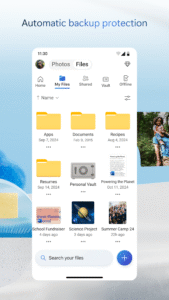
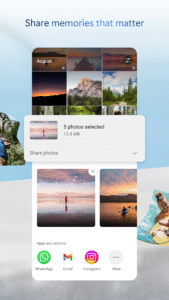

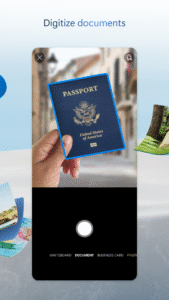
Microsoft OneDrive 5.18 (September Beta 1) Play Store trailer
Download Microsoft OneDrive 5.18 (September Beta 1)
This release may come in several variants. Consult our handy FAQ to see which download is right for you.

Version:7.63
Uploaded:September 14, 2026 at 3:43PM UTC
File size:101.56 MB
Downloads:339
Version:7.65 (Beta 27)
Uploaded:September 13, 2026 at 3:25PM UTC
File size:101.68 MB
Downloads:122
Version:7.65 (Beta 24)
Uploaded:September 10, 2026 at 11:15PM UTC
File size:101.44 MB
Downloads:60
Version:7.62.1
Uploaded:September 10, 2026 at 11:15PM UTC
File size:101.34 MB
Downloads:300
Version:7.61
Uploaded:August 16, 2026 at 9:14AM UTC
File size:101.03 MB
Downloads:262
Version:7.61 (Beta 2)
Uploaded:August 9, 2026 at 4:41PM UTC
File size:103.63 MB
Downloads:90
Version:7.61 (Beta 1)
Uploaded:August 5, 2026 at 4:32PM UTC
File size:103.63 MB
Downloads:64
Version:7.60
Uploaded:July 31, 2026 at 6:14PM UTC
File size:100.46 MB
Downloads:266
Version:7.60 (Beta 2)
Uploaded:July 28, 2026 at 7:41AM UTC
File size:103.06 MB
Downloads:60
Version:7.59
Uploaded:July 21, 2026 at 8:52AM UTC
File size:99.28 MB
Downloads:204
Follow APK Mirror


