

 Premium
What's new in Microsoft OneNote: Save Notes 16.0.20625.20070
• Bug fixes and performance improvements.
About Microsoft OneNote: Save Notes 16.0.20625.20070
Supercharge your work with OneNote. Organize your thoughts and easily search through ideas, simplifying planning important moments with voice notes, and generate an AI transcription. Access secure daily notes on your phone that can sync across all smart devices and share easily.
Premium
Start your week off strong by organizing your work tasks on Monday. Turn your task organizer into action points with AI transcription summaries. Take smart voice notes with AI studying tools and capture every detail with voice-to-text. Transcription tools make it easy to review content later or access AI studying.
Lock notes behind security features that keep your work safe. Save memos or writing ideas to reference whenever. Search your notes recorder quickly for streamlined AI studying. Share private notes with enterprise-level security.
Easily reference discussions with audio recordings and voice-to-text transcriptions. Create meeting summaries from voice notes. Smart search through notes and create talking points for the follow-up, all in one place.
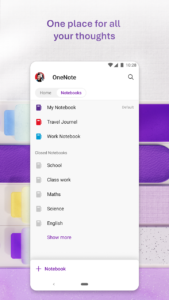
Take smart notes, organize note-taking, and collaborate on creative ideas and writing - all with Microsoft OneNote.
ONENOTE APP FEATURES:
AI-POWERED COPILOT NOTEBOOKS & TASK ORGANIZER
• Make sense of your voice notes with AI chat memos
• Summarize meetings, classes, and discussions and turn them into shareable docs
• Listen to AI audio overviews, created directly from the notes you take
AI TRANSCRIPTION WITH HOMEPAGE AND QUICK CAPTURE
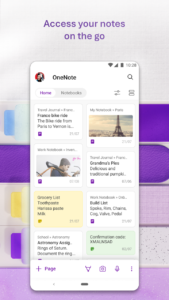
• Streamlined memos: Find notes from your connected accounts in one place. Now with Samsung Notes integration.
• Capture smart voice notes in ink. Use the pen & write down your to-do list in a task organizer
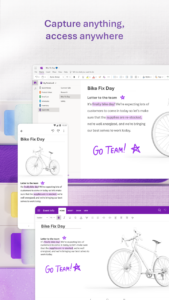
• Write smart notes, draw & clip things from the web to add to your writing notebook
SCAN PICTURES & EXTRACT TEXT FROM MEMOS
• Note-Taking Scanner: Scan documents or pictures to extract writing
• Apply different filters to change colors, add ink, crop images & more
SECURE VOICE NOTES & AUDIO TRANSCRIPTION
• Voice-to-text smart notes: Take accurate voice notes with voice dictation
• Generate transcriptions from audio files
• Dictate smart notes in 27 languages (note some languages are in preview) & use Auto-Punctuation to automatically format your writing
NOTE-TAKING THAT HELPS YOU ACHIEVE
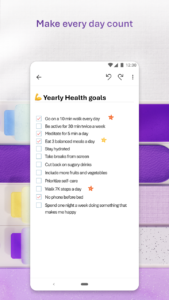
• Task organizer features help you organize your writing using to-do lists, follow-up items, and marks for what’s important with custom labels
COLLABORATE WRITING & SHARE SMART NOTES
• Write notes, brainstorm projects, & draw attention to important points
BETTER TOGETHER WITH MICROSOFT 365
• OneNote works great with your favorite apps, such as Excel or Word, to help do more
Write notes, save ideas & keep up with your to-do list with Microsoft OneNote.
You can find answers to frequently asked questions about OneNote for Android at aka.ms/OnenoteAndroidFAQ
APP REQUIREMENTS:
• Requires Android OS 9.0 or later.
• A free Microsoft account is required to use OneNote.
• OneNote opens existing notebooks created in Microsoft OneNote 2010 format or later.
• To sync your notes to OneDrive for Business, sign in with your organization’s Office 365 or SharePoint account.
This app is provided either by Microsoft or a third-party app publisher and is subject to a separate privacy statement and terms and conditions. Data provided through the use of this store and this app may be accessible to Microsoft or the third-party app publisher, as applicable, and transferred to, stored and processed in the United States or any other country where Microsoft or the app publisher and their affiliates or service providers maintain facilities.
Please refer to Microsoft’s End User License Agreement (EULA) for Terms of Service for OneNote on Android. By installing the app, you agree to these terms and conditions: support.office.com/legal?llcc=en-us&aid=OneNoteForAndroidLicenseTerms.htm. Microsoft’s privacy statement is available at privacy.microsoft.com/en-us/privacystatement
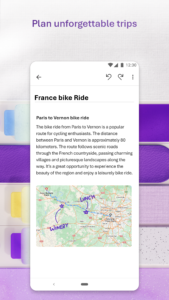
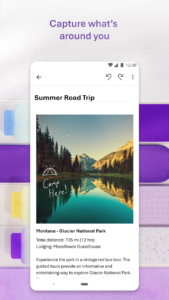 Premium

Version:16.0.20625.20070
Uploaded:November 19, 2026 at 7:08PM UTC
File size:109.56 MB
Downloads:68
Version:16.0.20625.20018
Uploaded:November 6, 2026 at 9:55PM UTC
File size:217.97 MB
Downloads:54
Version:16.0.20430.20038
Uploaded:October 17, 2026 at 4:08PM UTC
File size:105.68 MB
Downloads:713
Version:16.0.20326.20114
Uploaded:September 9, 2026 at 7:22AM UTC
File size:110.69 MB
Downloads:111
Version:16.0.20326.20108
Uploaded:September 9, 2026 at 7:22AM UTC
File size:104.90 MB
Downloads:363
Version:16.0.20228.20214
Uploaded:August 27, 2026 at 11:36AM UTC
File size:104.23 MB
Downloads:252
Version:16.0.20326.20058
Uploaded:August 22, 2026 at 12:38AM UTC
File size:110.63 MB
Downloads:67
Version:16.0.20228.20128
Uploaded:August 10, 2026 at 5:32PM UTC
File size:104.23 MB
Downloads:306

Version:16.0.20131.20126
Uploaded:July 17, 2026 at 5:34PM UTC
File size:101.77 MB
Downloads:389
Version:16.0.20131.20080
Uploaded:June 27, 2026 at 6:40AM UTC
File size:205.19 MB
Downloads:94


