

 Premium
What's new in Microsoft OneNote: Save Notes 16.0.11901.20184
• We’ve refreshed the app with a new icon, a modern toolbar, and list actions.
• Long press a page and then drag it across the list to position it where you want.
• Bug fixes and performance improvements.
About Microsoft OneNote: Save Notes 16.0.11901.20184
Take notes from class to study or save notes from a business meeting with Microsoft OneNote. Organize your thoughts, discoveries, and ideas and simplify planning important moments in your life with your digital notepad.
Premium
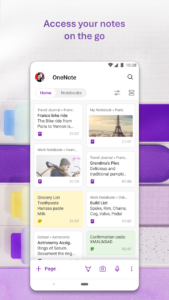
Collaborate with teams and share notes together. Organize lists and notes for every purpose, from shopping lists to notebooks. Microsoft OneNote lets you take notes on your phone and sync them across all your devices.
Plan a big event, seize a moment of inspiration to create something new, and track your list of errands that are too important to forget.
Take notes, write memos and make a digital sketchbook right on your phone. Capture pictures and add images to your notes. Save ideas and sync notes across your devices at home, in the office, or on the go.
Take notes, share ideas and collaborate when you download Microsoft OneNote today.
Organize Notes & Lists
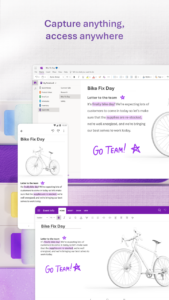
• Write notes, draw and clip things from the web to get your thoughts down into your notebook.
• Use OneNote’s flexible canvas to place content anywhere you want.
• Scan documents and business cards straight into OneNote.
• Save pictures and images to your notes.
Notes & List Maker
• School notes
• Presentation notes
• Memos
• Journals
• Meeting notes
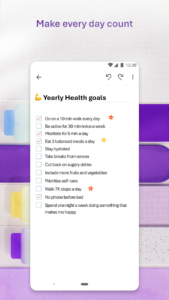
• Checklists
• And more.
Take Notes & Achieve More
• OneNote is a digital notebook that brings 3-ring binders to the digital era.
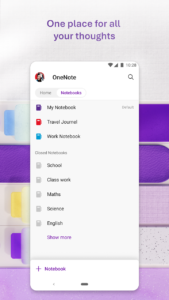
• Organize notes with sections and pages to separate by theme at school, home or work.
• Organize notes using to-do lists, follow up items, marks for what’s important and custom labels.
• Use OneNote as a notebook or journal.
Save Ideas At The Speed of Light
• OneNote syncs your notes across all devices and lets multiple people work on the content together, at the same time.
• Use the notepad to save your thoughts whenever something crosses your mind.
• Notepad badge hovers on screen and lets you quickly write your thoughts down any time.
• Sticky notes are helpful for quick memos.
Collaborate and Share Notes
• Take meeting notes, brainstorm projects, draw attention to important points and organize key resources.
• Collaborate in real time to stay in sync and on the same page.
• Take notes and save ideas across your favorite devices, no matter what device your team likes to use.
• Take notes during classes or meetings, mixing in text, voice, ink and web clippings.
• Search your notes with a fast and powerful search function
Better Together With Microsoft Office
• OneNote is part of the Office family and works great with your favorite apps, such as Excel or Word, to help you do more.
Write notes, save ideas and keep up with your to-do list with Microsoft OneNote.
You can find answers to frequently asked questions about OneNote for Android at aka.ms/OnenoteAndroidFAQ
Requirements:
• Requires Android OS 5.0 or later.
• A free Microsoft account is required to use OneNote.
• OneNote opens existing notebooks created in Microsoft OneNote 2010 format or later.
• To sync your notes to OneDrive for Business, sign in with your organization’s Office 365 or SharePoint account.
This app is provided either by Microsoft or a third-party app publisher and is subject to a separate privacy statement and terms and conditions. Data provided through the use of this store and this app may be accessible to Microsoft or the third-party app publisher, as applicable, and transferred to, stored and processed in the United States or any other country where Microsoft or the app publisher and their affiliates or service providers maintain facilities.
Please refer to Microsoft’s End User License Agreement (EULA) for Terms of Service for OneNote on Android. By installing the app, you agree to these terms and conditions: support.office.com/legal?llcc=en-us&aid=OneNoteForAndroidLicenseTerms.htm. Microsoft’s privacy statement is available at privacy.microsoft.com/en-us/privacystatement.
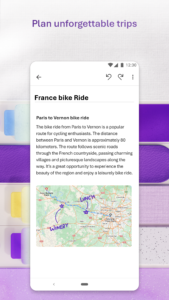
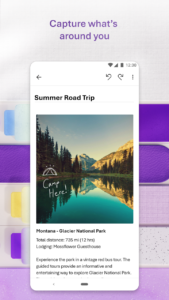
Microsoft OneNote: Save Notes 16.0.11901.20184 Play Store screenshots (6)
Screenshots from version 16.0.20430.20038
Download Microsoft OneNote: Save Notes 16.0.11901.20184
This release comes in several variants (we currently have 2). Consult our handy FAQ to see which download is right for you.
Known valid signatures: 7dc8 464f.

Version:16.0.20430.20038
Uploaded:September 11, 2026 at 5:36PM UTC
File size:111.35 MB
Downloads:32
Version:16.0.20326.20114
Uploaded:September 9, 2026 at 7:22AM UTC
File size:110.69 MB
Downloads:105
Version:16.0.20326.20108
Uploaded:September 9, 2026 at 7:22AM UTC
File size:104.90 MB
Downloads:116
Version:16.0.20228.20214
Uploaded:August 27, 2026 at 11:36AM UTC
File size:104.23 MB
Downloads:233
Version:16.0.20326.20058
Uploaded:August 22, 2026 at 12:38AM UTC
File size:110.63 MB
Downloads:65
Version:16.0.20228.20128
Uploaded:August 10, 2026 at 5:32PM UTC
File size:104.23 MB
Downloads:292

Version:16.0.20131.20126
Uploaded:July 17, 2026 at 5:34PM UTC
File size:101.77 MB
Downloads:375
Version:16.0.20131.20080
Uploaded:June 27, 2026 at 6:40AM UTC
File size:205.19 MB
Downloads:93
Version:16.0.20026.20090
Uploaded:June 12, 2026 at 10:29PM UTC
File size:101.08 MB
Downloads:495
Version:16.0.19929.20122
Uploaded:May 5, 2026 at 4:45PM UTC
File size:100.57 MB
Downloads:442
Follow APK Mirror


