

 Premium
What's new in Lynx Launcher 1.4.5 1025
- Added monochrome icon for launcher
- Removed workaround for forced Edge-To-Edge display
- Fixed bright navigation icons on light manager screen
- Fixed bright contact actions in search view for dark display elements
- Reduced threshold to add an item to a folder on the desktop (creating /adding to folders should be easier)
- Added better consideration of system gesture areas for screen navigation
About Lynx Launcher 1.4.5 1025
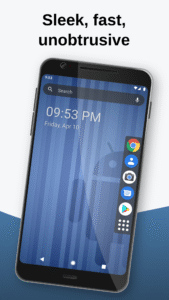
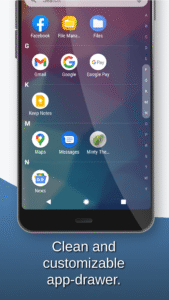
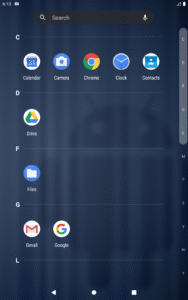
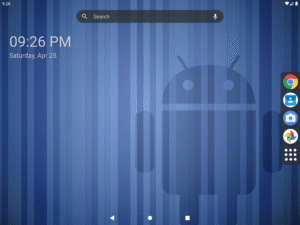
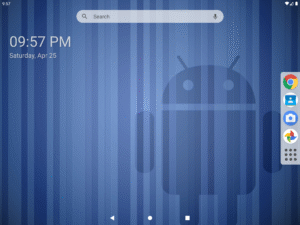
Lynx Launcher is a customizable replacement for your home screen 📲 that provides a focused, clean and unobtrusive user interface.
Inspired by the Gnome Desktop Environment™ for Linux, Lynx Launcher offers all functionalities of a modern home screen without being too complex or distracting.
Features:
🔶 No distractions or superfluous functions
All available functions are carefully chosen to not clutter the launcher with unnecessary distractions and provide a clean look. You can also hide Applications you cannot uninstall but don't want to see.
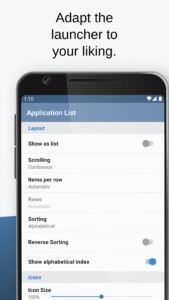
🛠️ Customization options
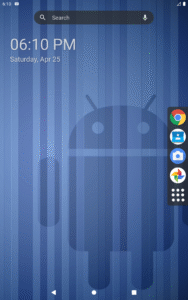
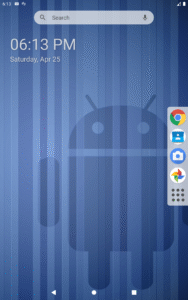
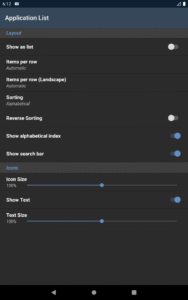
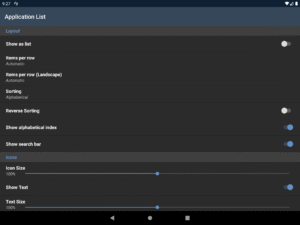
Change the position of the dock, text size, desktop grids, search bar visibility, notification dots(*) and more.
👆 Fast navigation and gestures
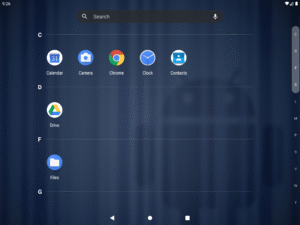
Applications, favorites, search and desktop are all reachable with just a single swipe. Want to open a shortcut, setting, app or see a contact using a gesture? No problem!
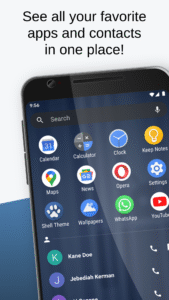
💚 See your favorite applications and contacts at one place
The favorites screen will show you all your favorite applications and contacts for easy and fast access.
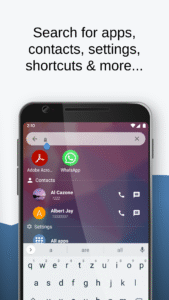
🔍 Extended search functionality
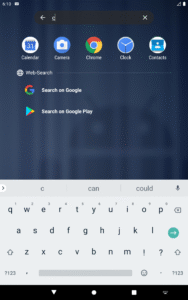
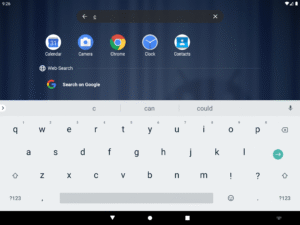
The in-app search function allows you to search for apps, contacts, shortcuts, settings and can be used as a calculator or to start an online search using a search engine of your choice.
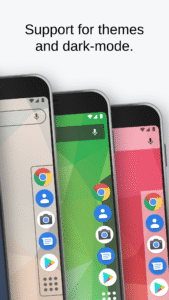
🎨 Theming for launcher and icons
You can use your favorite icon theme from Google Play, change the shape of the adaptive icons(*) or even change the whole theme of the Launcher.
🌙 Dark mode support
Choose whether Lynx Launcher should use a dark or a light theme or when the dark theme should be used. You can also change the dark mode individually for parts of the app.
Lynx Launcher is being actively developed. Take a look at the roadmap to see what features will be added in the future: https://www.lynxlauncher.de/roadmap.html
Community and Support:
❓ FAQ: www.lynxlauncher.de/faq.html
💬 Discord: www.lynxlauncher.de/discord.html
* Some features are only available with the Pro-Version.
Note: This application may require access to the Accessibility Service to open the notifications shade or to lock the screen of the phone.
Download Lynx Launcher 1.4.5 1025
This release may come in several variants. Consult our handy FAQ to see which download is right for you.

Version:1.4.9 0826
Uploaded:September 1, 2026 at 9:26AM UTC
File size:2.92 MB
Downloads:85
Version:1.4.8 0426
Uploaded:May 22, 2026 at 5:08PM UTC
File size:2.92 MB
Downloads:300
Version:1.4.7 1225
Uploaded:January 4, 2026 at 3:56PM UTC
File size:4.19 MB
Downloads:489
Version:1.4.5 1025
Uploaded:October 16, 2025 at 6:45PM UTC
File size:4.19 MB
Downloads:218
Version:1.4.3-0525
Uploaded:June 4, 2025 at 4:23PM UTC
File size:5.08 MB
Downloads:228
Version:1.4.2.5-1024
Uploaded:October 11, 2024 at 12:00AM UTC
File size:5.00 MB
Downloads:42
Version:1.4.0.8-0224
Uploaded:February 18, 2024 at 12:46PM UTC
File size:4.47 MB
Downloads:1,629
Version:1.4.0.7-1223
Uploaded:December 18, 2023 at 9:01PM UTC
File size:4.47 MB
Downloads:157
Version:1.4.0.4-1023
Uploaded:October 3, 2023 at 9:44PM UTC
File size:4.47 MB
Downloads:139
Version:1.4.0.2-0923
Uploaded:September 19, 2023 at 5:49AM UTC
File size:4.47 MB
Downloads:242
Follow APK Mirror


