

 Premium
What's new in Notewise - AI Notes, PDF, Docs 4.1.3
Meet Notewise 4.1
A more complete note-taking system for every way you study and work.
- Chat with Audio in Real Time: Ask questions as a meeting unfolds, stay present
- Interactive Tabs: Turn notes into flashcards, podcasts & quizzes
- Canvas Toolbar: Place it on the left or right side
- Sidebar: Add, review and rearrange sources & Interactive Tabs
- Richer Notes: Add images to Text & Audio Notes with auto-save
- More Sources: Create notes from website links or add links as sources
About Notewise - AI Notes, PDF, Docs 4.1.3
Google Play Best App winner. 8M+ downloads. Trusted by millions worldwide.
Premium
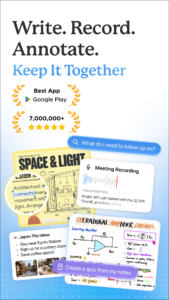
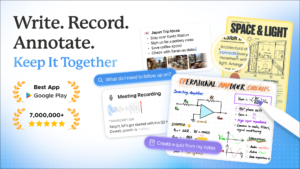
Your meetings, lectures, ideas, and research don’t arrive in one format. Notewise brings together what you write, record, draw, read, and save — so you can capture it once, find it again, ask about it, and build on it.
Notewise is an AI note-taking app for Android phones and tablets with handwritten notes, audio recording and transcription, meeting notes, PDF annotation, documents, web sources, AI search, and chat.
■ CAPTURE EVERYTHING IN ONE NOTE
• Write, type, or handwrite notes
• Sketch ideas and diagrams on a freeform canvas
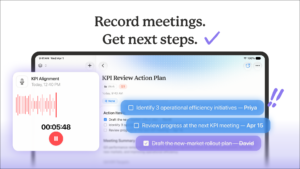
• Record meetings, lectures, conversations, and voice notes
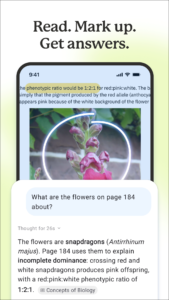
• Import 25+ file formats, including PDFs, documents, slides, and images
• Add website links and web research
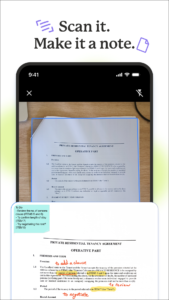
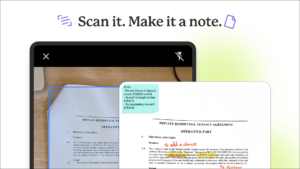
• Scan paper notes and whiteboards
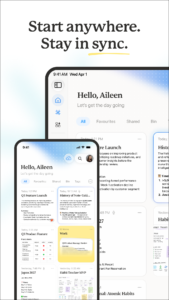
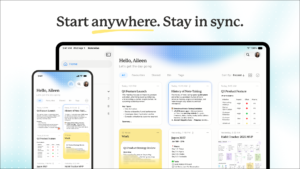
Start anywhere. Keep notes, recordings, files, and ideas together as your thinking grows.
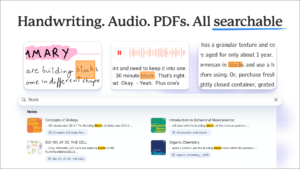
■ SEARCH & ASK ACROSS YOUR NOTES
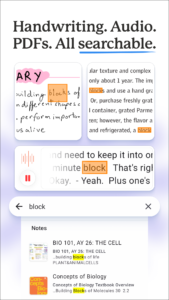
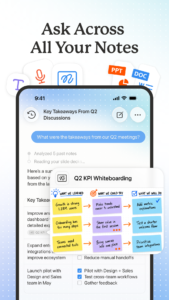
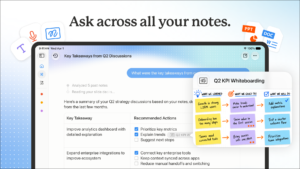
Search handwriting, text, audio transcripts, PDFs, documents, images, and web sources. Convert handwriting to text and find what matters without remembering where you saved it.
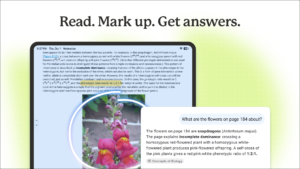
Ask Notewise AI about the note you’re in or across all your notes. Search the web for more context. Answers can cite the notes, recordings, files, and sources they came from.
Search less. Pick up where you left off and keep thinking.
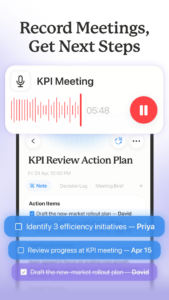
■ RECORD, TRANSCRIBE & ASK IN REAL TIME
Stay present in meetings, lectures, interviews, and conversations instead of trying to write down every word.
• Automatic transcription in 20+ languages
• Turn recordings into meeting notes, key points, decisions, and next steps
• Ask questions while a meeting or lecture is still happening
• Ask across past recordings later
• Keep audio, transcripts, PDFs, and documents together
Meeting notes become more than transcripts. Lecture notes stay useful long after class ends.
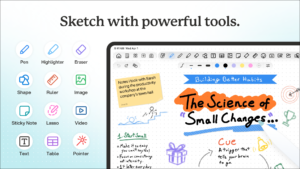
■ WRITE, DRAW & ANNOTATE FREELY
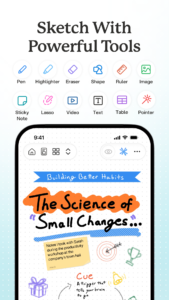
Handwrite a page. Draw a diagram. Work through a problem. Annotate a PDF.
Choose from 30+ brushes and tools, including pencil, oil paint, watercolor, highlighter, lasso, tape, shapes, tables, rulers, sticky notes, and more. Start from 20+ templates, from Cornell notes to meeting notes.
■ TURN NOTES INTO FLASHCARDS, QUIZZES & PODCASTS
Good notes don’t all look the same. Turn study notes, meeting notes, lecture notes, or research into AI notes, summaries, flashcards, quizzes, podcasts, and more.
Summarize a recording. Ask questions about a PDF. Search handwriting. Review with flashcards. Test yourself with quizzes. Listen as a podcast. Find connections across notes.
Sometimes you want AI. Sometimes you just want a blank page. Notewise gives you both.
■ FOR WORK, STUDY & RESEARCH
Use Notewise for meeting notes, lecture recording, class notes, digital note taking, voice notes, transcription, PDF annotation, research papers, websites, brainstorming, and search across everything you save.
Whether you’re building a company, preparing for an exam, researching your next idea, or trying to remember what matters, Notewise gives your thinking one place to grow.
■ SWITCHING FROM ANOTHER NOTE APP?
Looking for a Goodnotes, Notability, or Evernote alternative on Android — or an AI meeting notes app like Otter or Granola? Notewise brings handwriting, PDFs, meeting transcription, research, and AI notes into one place.
■ PRIVACY FIRST
Notewise is built by a small, independent team. We don’t sell your data or show ads. Your notes are encrypted, secure, and under your control.
■ TRY NOTEWISE FREE
Start with 10 free canvas notes and import your own slides and documents. Explore Notewise with a 7-day free trial, while core features remain free.
Good notes aren’t just captured. They’re easy to find, come back to, and build on.
Write. Record. Draw. Remember.
Download Notewise - AI Notes, PDF, Docs 4.1.3
This release comes in several variants (we currently have 3). Consult our handy FAQ to see which download is right for you.

Version:4.1.3
Uploaded:October 4, 2026 at 5:07PM UTC
File size:233.24 MB
Downloads:76
Version:4.1.2
Uploaded:October 3, 2026 at 9:49AM UTC
File size:233.47 MB
Downloads:30
Version:4.1.1
Uploaded:October 1, 2026 at 6:59PM UTC
File size:246.17 MB
Downloads:33
Version:4.1.0
Uploaded:September 30, 2026 at 7:41PM UTC
File size:246.41 MB
Downloads:29
Version:4.0.13
Uploaded:September 23, 2026 at 7:18PM UTC
File size:241.87 MB
Downloads:185
Version:4.0.10
Uploaded:September 19, 2026 at 5:44PM UTC
File size:241.73 MB
Downloads:86
Version:4.0.9
Uploaded:September 16, 2026 at 3:40PM UTC
File size:241.76 MB
Downloads:236
Version:4.0.8
Uploaded:September 9, 2026 at 1:15PM UTC
File size:229.19 MB
Downloads:33
Version:4.0.7
Uploaded:September 8, 2026 at 3:36PM UTC
File size:229.61 MB
Downloads:26
Version:4.0.6
Uploaded:September 6, 2026 at 4:08PM UTC
File size:241.29 MB
Downloads:45
Follow APK Mirror


