

 Premium
About Polycam: 3D Model Maker 4.0.7
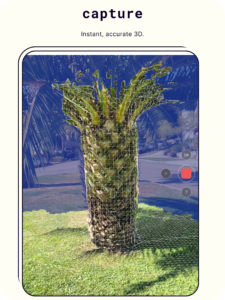
Polycam turns photos from your phone into measurable 3D models of sites, buildings, equipment and parts before you leave the site. No return trip needed.
Premium
HOW IT WORKS
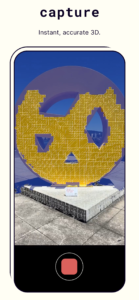
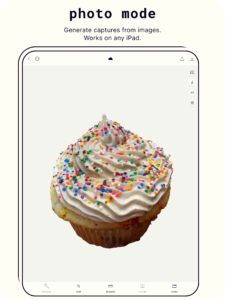
Take photos with your phone: walk around what you want to capture, taking photos from every side and a few different heights. Your phone becomes a 3D camera.
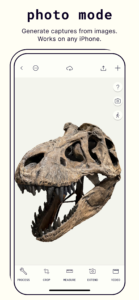
Polycam builds a 3D model: our photogrammetry software finds the same points across your photos and works out where each one sits in 3D.
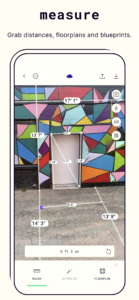
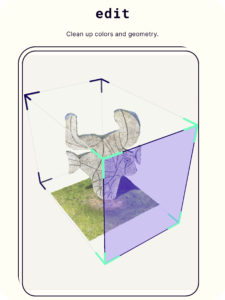
Measure the model: distances and angles between any two points, in the units you work in. Confirm a clearance, a pipe run or a part’s length without a return trip to site.
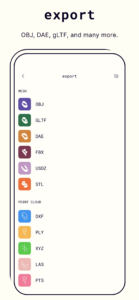
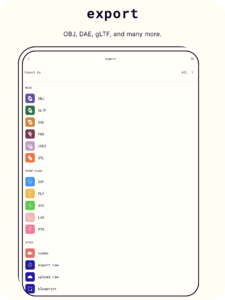
Export: tap the download arrow and choose a file type. glTF, OBJ, FBX, DAE and STL for CAD, 3D modeling software and 3D printing. Larger files take a little longer to prepare.
Share: send a link and anyone can open the 3D model in a web browser, no app needed. Use a private link when a scan shouldn't be public. Open your scans from any computer on Polycam Web.
WHAT YOU WALK AWAY WITH
As-builts and site documentation: building interiors and exteriors documented in one visit.
Equipment documentation: plants, piping and machinery for maintenance and inspection.
Progress records: repeat scans of the same site to track construction over time.
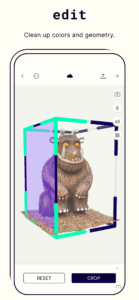
Measurements: taken directly on the 3D model, which can be referenced back at the office or with distributed teams.
3D models and mesh exports — .gltf on Free; .obj, .fbx, .dae and .stl on Basic, ready for CAD and 3D modeling software.
WHO ITS FOR
Architecture: existing conditions before design starts
Construction: site documentation and progress tracking
Facility Management: maintenance records.
Manufacturing and fabrication: product development and plant maintenance.
Insurance: records of damaged spaces and equipment.
Those looking for a: 3D scanner and model maker, room planner, or measurement app for site work.
WORK FROM ONE GROUND TRUTH
Share any 3D model by link so clients and teammates can view it in a browser. Open your scans from any computer on Polycam Web.
AVAILABLE PLANS
Free
Up to 150 photos per scan
Measure with the ruler tool and rescale to real-world size
Share scans by public link
Export glTF
Basic (paid monthly or annual subscription)
Up to 300 photos per scan for larger, more detailed captures
Export OBJ, FBX, DAE and STL
Share scans by private link
DEVICE REQUIREMENTS
At least 3.5 GB of RAM
64-bit architecture
A high-resolution camera with good color accuracy
Not an Imagination Tech PowerVR GE8320 GPU
Not supported: Devices with MediaTek Helio A22, P22, G25, P35, G35, P90 or P95, the MediaTek MT6761 or MT6580, or the MediaTek Dimensity 1200
Examples: Samsung Galaxy S20 and newer, Google Pixel 6 and newer
FAQ
What is Polycam? A 3D scanner app and 3D model maker that uses photogrammetry to turn photos into measurable 3D models.
Do I need a LiDAR scanner? No. Polycam on Android uses your phone's camera, so any supported phone works as a 3D scanner.
What can I 3D scan? Objects, parts, equipment, trenches.
Can I use it as a 3D room scanner? Object Mode can capture interiors, but it gives the best results on objects and equipment.
Is Polycam a 3D modeling app? Polycam creates the 3D model for you. Export OBJ, FBX or DAE on Basic to keep working in your 3D modeling software.
Can I 3D print my scans? Yes. Export STL on Basic and send it to your slicer.
Is there a free plan? Yes. Free includes 3D scanning, measuring, link sharing and glTF export. Basic adds more photos per scan and more file types.
How long does processing take? Small captures are ready in a few minutes; larger ones take longer.
Capture once. Measure forever.
Privacy Policy: poly.cam/privacy_policy.pdf
Terms of Use: poly.cam/terms_and_conditions.pdf
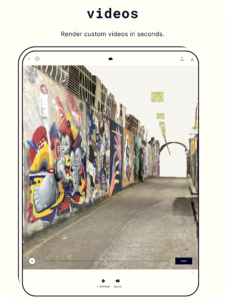
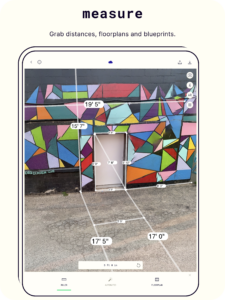
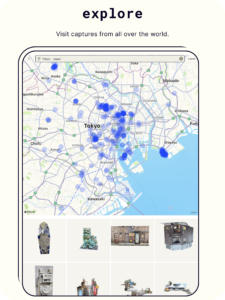
Download Polycam: 3D Model Maker 4.0.7
This release may come in several variants. Consult our handy FAQ to see which download is right for you.

Version:4.0.7
Uploaded:October 20, 2026 at 12:22AM UTC
File size:71.04 MB
Downloads:5
Version:4.0.6
Uploaded:October 13, 2026 at 8:12PM UTC
File size:70.76 MB
Downloads:24
Version:4.0.5
Uploaded:October 12, 2026 at 10:07PM UTC
File size:70.76 MB
Downloads:7
Version:4.0.4
Uploaded:October 6, 2026 at 7:17PM UTC
File size:70.69 MB
Downloads:19
Version:4.0.3
Uploaded:September 29, 2026 at 5:41PM UTC
File size:70.41 MB
Downloads:21
Version:4.0.2
Uploaded:September 14, 2026 at 10:09PM UTC
File size:71.51 MB
Downloads:60
Version:4.0.1
Uploaded:September 8, 2026 at 9:23PM UTC
File size:71.44 MB
Downloads:28
Version:4.0.0
Uploaded:September 2, 2026 at 1:41AM UTC
File size:68.12 MB
Downloads:35
Version:3.0.13
Uploaded:August 25, 2026 at 7:43AM UTC
File size:67.74 MB
Downloads:30
Version:3.0.12
Uploaded:August 19, 2026 at 1:44AM UTC
File size:66.66 MB
Downloads:22
Follow APK Mirror


