

 Premium
About Simple Keyboard 6.6
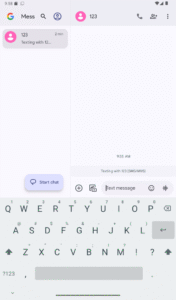
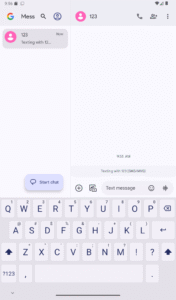
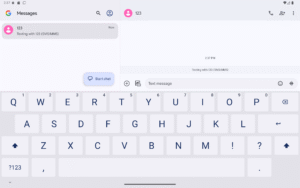
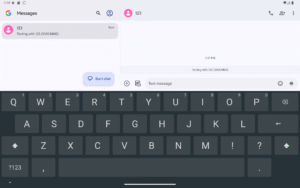
This keyboard is created for those who only need a keyboard and nothing more.
To enable the keyboard:
* Open "Simple Keyboard" from your launcher
* Enable the Simple Keyboard (default system warning about tracking will be shown)
* Switch to Simple Keyboard from current Input Method (differs between keyboards, usually long-press space)
* To edit Simple Keyboard settings long-press "," or open system Settings, Languages & Input, Simple Keyboard.
* You can enable/disable all the input methods in Settings, Languages & Input, Manage Keyboards (differs between phones)
Features:
* Small size (<1MB)
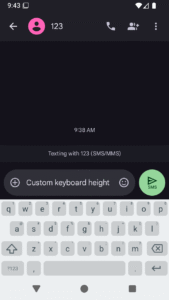
* Adjustable keyboard height for more screen space
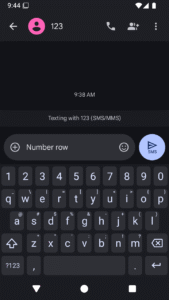
* Number row
* Swipe space to move pointer
* Delete swipe
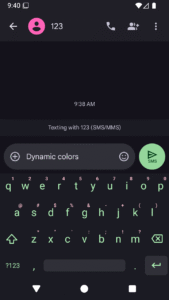
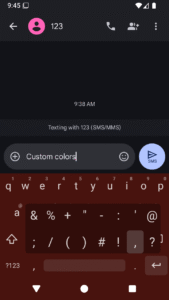
* Custom theme colors
* Minimal permissions (only Vibrate)
* Ads-free
Features it doesn't have and probably will never have:
* Emojis
* GIFs
* Spell checker
* Swipe typing
Application is open-source (link in the bottom of store page). Licensed under Apache License Version 2.

 Premium

Version:6.6
Uploaded:August 20, 2026 at 4:47AM UTC
File size:610.25 KB
Downloads:149
Version:6.5
Uploaded:July 24, 2026 at 12:08PM UTC
File size:606.15 KB
Downloads:95
Version:6.4
Uploaded:May 23, 2026 at 6:09AM UTC
File size:605.57 KB
Downloads:215
Version:6.3
Uploaded:January 30, 2026 at 6:36AM UTC
File size:605.27 KB
Downloads:300
Version:6.1
Uploaded:December 29, 2025 at 6:40AM UTC
File size:587.70 KB
Downloads:216
Version:6.0
Uploaded:December 22, 2025 at 6:49AM UTC
File size:579.89 KB
Downloads:92
Version:5.41
Uploaded:December 21, 2025 at 1:25AM UTC
File size:827.32 KB
Downloads:387

Version:4.6
Uploaded:March 4, 2021 at 1:58PM UTC
File size:875.39 KB
Downloads:559


