

 Premium
Download Miro: your visual workspace 3.25.30241056 APK
Supports installation on external storage.
Target: Android 15 (API 35)
120, 160, 213, 240, 320, 480, 640dpi

What's new in Miro: your visual workspace 3.25.30241056
Bug-fixing and improving is part of our collaborative DNA. You just get to reap the benefits.
About Miro: your visual workspace 3.25.30241056
🚀 Miro is a visual workspace for innovation that enables distributed teams of any size to dream, design, and build the future together. With the magic of Miro's Intelligent Canvas™, visualizing concepts, ideas, and solutions as a team can happen anywhere — no dry-erase markers needed. Sync, flow, and feel the connection of working side by side with your team — even in remote, distributed, or hybrid work environments.
Premium
Miro’s whiteboard app for tablet and mobile gives you the tools to collaborate with boards that put projects and context all in one place.
👥 Our customers love using Miro’s online whiteboard to:
• Run online meetings and team workshops
• Brainstorm new ideas and designs on a limitless whiteboard
• Edit, annotate and mark up documents and PDFs
• Take digital notes with a stylus (and reduce paper use!)
• Easily collect resources, photos, docs, links, and references
• Plan and manage agile workflows and scrum rituals
• Create user journeys, map processes, and develop personas
• Teach online classes, replacing the classroom blackboard with an online whiteboard
• Create a vision board of ideas and inspiration
Miro allows you to create anytime, anywhere. With over 200+ pre-made templates, a drag-and-drop interface, and no limit on collaborators, working on our whiteboard is fast and fun.
📱With Miro’s mobile app, you can:
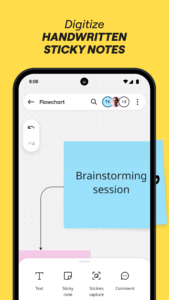
• Scan paper post-it notes and convert them into editable digital notes
• Create, view, and edit all your boards
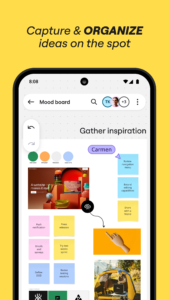
• Capture and organize your ideas on the go
• Share boards publicly or invite team members to edit
• Upload images, pictures, docs, spreadsheets, and more
• Share boards and invite team members to edit
• Review, add and resolve comments
📝 On tablets, you can also use Miro to:
• Draw concepts and sketch new design ideas with a stylus
• Convert pencil or stylus drawings into shapes, notes, and diagrams
• Set up your tablet as the second screen with Zoom or Microsoft Teams
• Create Mind Maps to visualize your ideas
• Use Lasso to select and move sketches, drawings, or text anywhere on the whiteboard
• Use Highlighter to capture the attention of your team during a meeting
Get in touch:
If you enjoy using Miro for collaboration, please leave us a review. If something’s not working right or if you have a question or comment, get in touch with us using this form: help.miro.com/hc/en-us/requests/new?referer=store
Miro: your visual workspace 3.25.30241056 Play Store screenshots (6)
Screenshots from version 3.25.30241377




Miro: your visual workspace 3.25.30241056 Play Store trailer

Version:3.25.30241377
Uploaded:September 14, 2026 at 7:55PM UTC
File size:39.58 MB
Downloads:13
Version:3.25.30241359
Uploaded:August 31, 2026 at 3:40PM UTC
File size:39.45 MB
Downloads:15
Version:3.25.30241334
Uploaded:August 14, 2026 at 6:33PM UTC
File size:39.43 MB
Downloads:9
Version:3.25.30241310
Uploaded:August 4, 2026 at 9:23AM UTC
File size:39.36 MB
Downloads:12
Version:3.25.30241300
Uploaded:July 27, 2026 at 10:49AM UTC
File size:39.35 MB
Downloads:14
Version:3.25.30241296
Uploaded:July 23, 2026 at 11:18AM UTC
File size:39.33 MB
Downloads:10
Version:3.25.30241265
Uploaded:July 8, 2026 at 9:03AM UTC
File size:39.30 MB
Downloads:15
Version:3.25.30241211
Uploaded:June 25, 2026 at 8:42AM UTC
File size:39.27 MB
Downloads:18
Version:3.25.30241200
Uploaded:June 8, 2026 at 8:50AM UTC
File size:39.27 MB
Downloads:8
Version:3.25.30241160
Uploaded:May 12, 2026 at 12:49PM UTC
File size:39.25 MB
Downloads:27


