

 Premium
About Remote Mouse 5.104
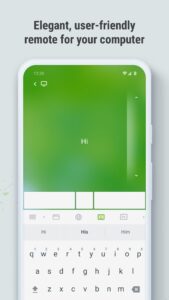
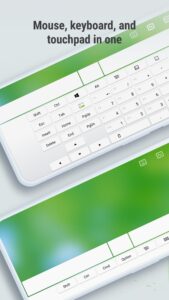
Remote Mouse™ transforms your mobile phone or tablet into an easy-to-use remote control for your computer. It mimics the functions of a wireless mouse, keyboard, and touchpad, and also offers various specialized control panels such as Media Remote, Application Switcher, Cross-device clipboard, and Web Browsing Remote, which enable you to perform specific operations more efficiently. The small features, designed for one-handed use or intuitive operations, will delight you.
Premium
As it was featured on CNET, Mashable, and Product Hunt, Remote Mouse is considered one of the most sophisticated and user-friendly computer remote apps. It has been used by over 20 million users worldwide.
Whether you're watching a movie online, giving a presentation, or shutting down your computer with one click, nothing can be more convenient than having a mobile phone remote at your fingertips.
Mouse
• Fully simulated mouse function
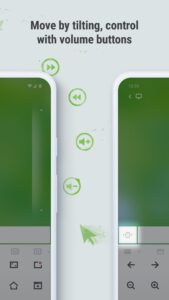
• Gyro mouse that allows you to move the mouse cursor with a gyro sensor
• Left-handed mode
Keyboard
• Integrated with system and third-party keyboards, supports typing in various languages
• Remotely typing by voice if the soft keyboard supports voice recognition
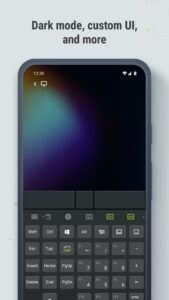
• Supports sending various shortcuts
• Displays different keypads for Mac or PC
Touchpad
• Simulates the Apple Magic Trackpad and supports multi-touch gestures
Specialty Control Panels
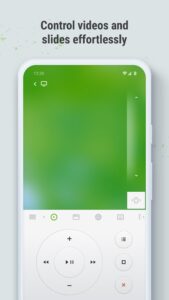
• Media Remote: Supports iTunes, VLC, Windows Media Player, Keynote, PowerPoint, and Windows Photo Viewer, and will support more
• Web Remote: Supports Chrome, Firefox, and Opera
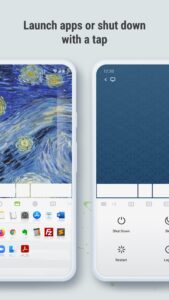
• Application Switcher: quickly launch and switch between programs
• Power Options: Supports remotely shutting down, sleeping, restarting, and logging off
Other Features
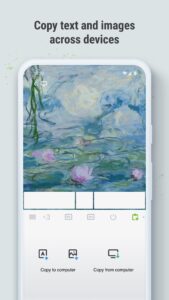
• Cross-device clipboard
• Use the physical volume buttons on the mobile device for remote control
• Set a password for the connection
• Customizable wallpaper
Connection Method
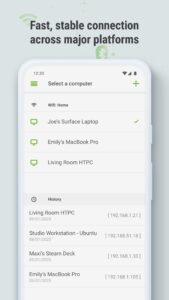
• Auto connect
• Connect via IP address or QR code
• Connect via history
Operating Environment
• Compatible with Windows, Mac OSX, and Linux
• Works under Wi-Fi or Bluetooth
To Get Started
1. Visit www.remotemouse.net on your computer and download the Remote Mouse computer helper.
2. Install and run the computer server.
3. Connect your mobile device to the same Wi-Fi or Bluetooth as your computer.
If you're a macOS user, you may need to grant access to Remote Mouse. You can refer to this video (youtu.be/8LJbtv42i44) for guidance.
Remote Mouse 5.104 Play Store trailer
Download Remote Mouse 5.104
This release may come in several variants. Consult our handy FAQ to see which download is right for you.

Version:5.315
Uploaded:August 10, 2026 at 10:18PM UTC
File size:38.76 MB
Downloads:62
Version:5.314
Uploaded:August 5, 2026 at 7:00AM UTC
File size:39.09 MB
Downloads:22
Version:5.313
Uploaded:June 27, 2026 at 2:11PM UTC
File size:39.09 MB
Downloads:105
Version:5.312
Uploaded:June 12, 2026 at 11:31AM UTC
File size:42.08 MB
Downloads:47
Version:5.311
Uploaded:June 10, 2026 at 10:52PM UTC
File size:42.08 MB
Downloads:19
Version:5.307
Uploaded:June 1, 2026 at 6:59PM UTC
File size:42.13 MB
Downloads:32
Version:5.306
Uploaded:May 26, 2026 at 6:13PM UTC
File size:42.12 MB
Downloads:28
Version:5.305
Uploaded:April 5, 2026 at 12:15PM UTC
File size:41.99 MB
Downloads:204
Version:5.304
Uploaded:March 26, 2026 at 6:04PM UTC
File size:42.88 MB
Downloads:41
Version:5.303
Uploaded:March 24, 2026 at 2:49PM UTC
File size:41.47 MB
Downloads:12
Follow APK Mirror


