

 Premium
What's new in LocalCast: Cast & Mirror to TV 2026.1121.1
Lots of improvements! Detailed changelog: Settings → About → Changelog or localcast.app/changelog
About LocalCast: Cast & Mirror to TV 2026.1121.1
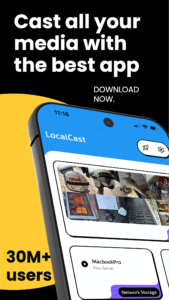
LocalCast is a casting app for Android that sends videos, music and photos from your phone, a website, your NAS, a cloud drive or an IPTV playlist to Chromecast, Roku, Fire TV, Apple TV, Samsung, LG and other smart TVs, DLNA devices and 200+ receivers. No ads, no account. Made in Germany since 2013, trusted by more than 50 million downloads.
Premium
CAST FROM ANY WEBSITE
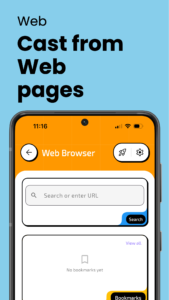
The built-in browser detects playable video on any page and shows a cast button. Movies, series, sports streams, news — tap and watch on your TV. Bookmarks and history included.
CAST YOUR OWN FILES
Videos, photos and music from your phone: MP4, MKV, AVI, MOV, WEBM, HEVC, MP3, FLAC and more. When your TV cannot play a format, LocalCast transcodes it on the phone — no converting, no copying.
CAST FROM NAS, CLOUD AND NETWORK
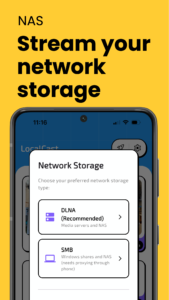
SMB/CIFS shares (NAS, Windows, Mac), FTP, WebDAV, DLNA/UPnP media servers and Plex. Google Drive, Dropbox, OneDrive and other cloud storage through the system file picker.
IPTV AND LIVE TV
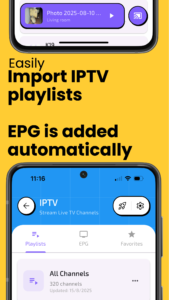
Load M3U playlists, browse channels with the EPG guide and cast live TV to any screen.
SCREEN MIRRORING
Mirror your phone screen to Chromecast, Roku, Fire TV and DLNA TVs in HD — for presentations, video calls, games or anything without a cast button.
SUBTITLES THAT JUST WORK
SRT, ASS, SSA and VTT files, embedded MKV subtitles and automatic OpenSubtitles search. Styled, positioned and synced — including on Chromecast.
REMOTE CONTROL, QUEUE AND PLAYLISTS
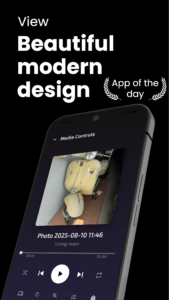
Play, pause, seek, volume and skip from your phone. Line up episodes, loop, shuffle, photo slideshows, sleep timer, casting to several devices.
WORKS WITH YOUR DEVICES
• Chromecast — all generations, Chromecast with Google TV, Chromecast Audio
• Roku — players, sticks and Roku TVs
• Amazon Fire TV and Fire TV Stick
• Apple TV and AirPlay receivers
• Smart TVs — Samsung, LG, Sony, Philips, Vizio, Hisense, TCL, Panasonic, Sharp, Toshiba
• Android TV, Google TV, NVIDIA Shield, Mi Box
• Xbox One, Xbox Series X|S, PlayStation and any browser via the lcast.cc web receiver
• Sonos, Google Home and other DLNA speakers
• Any DLNA/UPnP device — 200+ in total
HOW TO CONNECT
1. Connect your phone and TV to the same Wi-Fi
2. Open LocalCast — your TV appears automatically
3. Pick a video, photo or song and tap Cast
No account, no setup wizard.
PRICING, HONESTLY
LocalCast is free to download and has no ads. Browsing your files, NAS, cloud storage, IPTV playlists and the web is free. Casting to your TV is LocalCast Pro: start with a free trial, then choose a weekly or yearly subscription or buy Lifetime once and never pay again. Prices are shown in your local currency. Cancel a subscription anytime in your store settings.
QUESTIONS?
Help and troubleshooting: localcast.app/faq
Changelog: localcast.app/changelog
Privacy Policy: localcast.app/privacy



Version:2026.1024.1
Uploaded:October 24, 2026 at 7:25PM UTC
File size:18.67 MB
Premium
Version:2026.1121.1
Uploaded:November 21, 2026 at 8:13AM UTC
File size:40.26 MB
Downloads:6
Version:2026.1112.2
Uploaded:November 12, 2026 at 2:00PM UTC
File size:40.57 MB
Downloads:15
Version:2026.1109.1
Uploaded:November 10, 2026 at 8:55AM UTC
File size:40.34 MB
Downloads:8
Version:2026.1107.1
Uploaded:November 7, 2026 at 6:01PM UTC
File size:40.34 MB
Downloads:15
Version:2026.1106.1
Uploaded:November 6, 2026 at 9:01PM UTC
File size:40.34 MB
Downloads:17
Version:2026.1105.1
Uploaded:November 5, 2026 at 10:05AM UTC
File size:40.19 MB
Downloads:5
Version:2026.1103.2
Uploaded:November 2, 2026 at 1:56PM UTC
File size:40.12 MB
Downloads:9
Version:2026.1101.1
Uploaded:November 1, 2026 at 1:11PM UTC
File size:39.66 MB
Downloads:5
Version:2026.1031.1
Uploaded:October 31, 2026 at 11:16AM UTC
File size:40.16 MB
Downloads:13
Version:2026.1029.1
Uploaded:October 29, 2026 at 11:08AM UTC
File size:39.70 MB
Downloads:14


