

 Premium
What's new in Developer Options 5.0.0
One-click access to Developer Options
Tips for Developer Options being disabled has been significantly improved; enable it in two quick steps.
About Developer Options 5.0.0
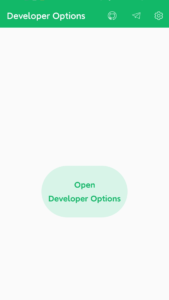
It can be used to open the Developer Options directly, You don't need to click multiple times in the settings anymore. and It can be used to view newest open projects.
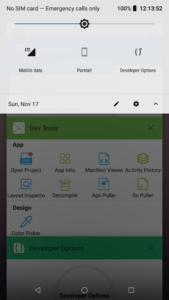
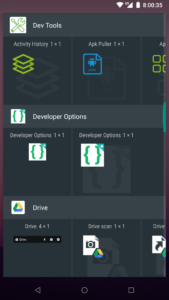
Open fastest! You can open the Developer Options from quick settings menu, launcher, shortcut, or widget quickly, support Android 4.0 to the latest Android version.
1. Support open via android quick settings menu
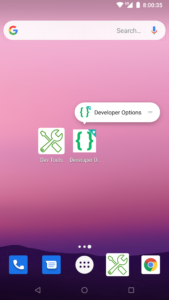
2. Support open via android shortcut by long press the icon
3. Support open via android widget
It is available for Samsung, HuaWei, XiaoMi, HTC, Oppo, Vivo, OnePlus, Pixel and others.
It is available for Android 4.0 and above, include Android 10, Android Pie, Android Oreo, Android Nougat, Android Marshmallow, Android Lollipop MR1, Android Lollipop, Android KitKat, Android Jelly Bean MR2, Android Jelly Bean MR1, Android Jelly Bean, Android Ice Cream Sandwich MR1, Android Ice Cream Sandwich.
If it doesn't work on your phone, please email trinea.cn@gmail.com, thank you.
Welcome to follow our Facebook Page: www.facebook.com/Dev-Tools-917225741954586/
Download Developer Options 5.0.0
This release may come in several variants. Consult our handy FAQ to see which download is right for you.

Version:6.1.0
Uploaded:September 23, 2026 at 7:30PM UTC
File size:6.05 MB
Downloads:40
Version:6.0.0
Uploaded:September 21, 2026 at 5:19PM UTC
File size:6.05 MB
Downloads:28

Version:5.0.0
Uploaded:May 7, 2026 at 7:24AM UTC
File size:5.19 MB
Downloads:604
Version:4.2.0
Uploaded:August 22, 2025 at 12:00AM UTC
File size:5.04 MB
Downloads:68
Version:4.0.0
Uploaded:September 3, 2024 at 6:48AM UTC
File size:3.70 MB
Downloads:1,735
Version:3.3.0
Uploaded:June 29, 2023 at 4:07AM UTC
File size:3.41 MB
Downloads:1,113
Version:3.2.0
Uploaded:July 17, 2022 at 7:44PM UTC
File size:2.26 MB
Downloads:749

Version:3.1.0
Uploaded:November 16, 2019 at 2:27AM UTC
File size:2.98 MB
Downloads:172
Follow APK Mirror


