

 Premium
What's new in Customer App - Zoho Assist 1.48
With this update, the Customer App is now fully compatible with Android 16, ensuring a smooth and stable remote experience.
Additionally, your support team can now remotely view and control Zebra enterprise devices directly through the Zoho Assist Customer App, making it faster and easier to diagnose and resolve issues without being on-site.
About Customer App - Zoho Assist 1.48
Get high-quality remote support for your mobile device with the Zoho Assist – Customer app. Technicians can securely access your device to troubleshoot issues in real time. Whether it's remote support or unattended access, the app ensures a smooth support experience—anytime, anywhere.
Premium
Disclaimer:
This app uses the Device Administrator permission on your device in order to facilitate remote control and screen sharing. Please contact assist@zohomobile.com for further clarification.
To report a scam or suspicious activity, visit our www.zoho.com/assist/report-a-scam.html page.
To join a Remote Support session
Step 1: Download and install the Zoho Assist – Customer app from the Play Store.
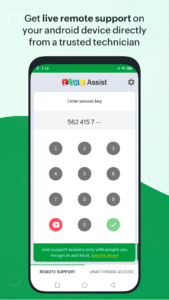
Step 2: Join the session by either opening the invitation link sent by the technician via email, or entering the session key provided by the technician directly in the app.
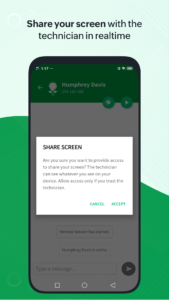
Step 3: After granting consent, the technician will securely access your device to provide support. You can end the session at any time by simply tapping the back button.
Unattended access
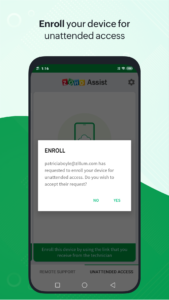
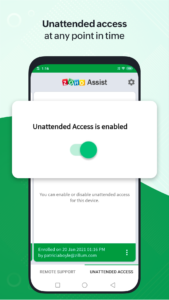
You can easily enroll your Android device for unattended access by your trusted technician at any time. Simply click the deployment link shared by your technician to grant them seamless access without any further action required on your part. You can also enable or disable unattended access whenever needed.
Features
- Share your screen securely with the technician.
- Get remote assistance with full device control.
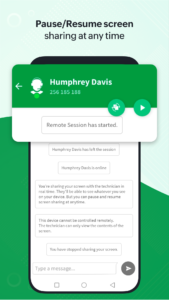
- Pause or resume screen sharing and access anytime.
- Send and receive files in any format during the session.
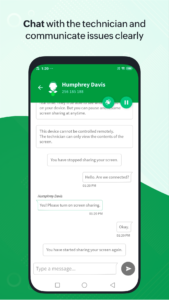
- Chat instantly with the technician within the app.
 Premium

Version:1.48
Uploaded:September 8, 2026 at 10:25AM UTC
File size:21.68 MB
Downloads:6
Version:1.47
Uploaded:August 27, 2026 at 6:23AM UTC
File size:21.51 MB
Downloads:3
Version:1.46.1
Uploaded:July 23, 2026 at 6:32AM UTC
File size:21.35 MB
Downloads:5
Version:1.46
Uploaded:June 26, 2026 at 7:49AM UTC
File size:21.34 MB
Downloads:5
Version:1.45.1
Uploaded:June 9, 2026 at 9:34AM UTC
File size:24.68 MB
Downloads:4
Version:1.45
Uploaded:June 8, 2026 at 6:29AM UTC
File size:24.69 MB
Downloads:7
Version:1.44.2
Uploaded:April 22, 2026 at 6:00AM UTC
File size:24.67 MB
Downloads:17
Version:1.44.1
Uploaded:April 18, 2026 at 3:20AM UTC
File size:24.67 MB
Downloads:1
Version:1.37.2
Uploaded:June 8, 2024 at 1:35PM UTC
File size:29.17 MB
Downloads:706
Version:1.37.1
Uploaded:May 4, 2024 at 1:26PM UTC
File size:29.17 MB
Downloads:27


