

 Premium
What's new in Android Accessibility Suite 7.3.0.235852336
WHAT'S NEW
Below are a few of the new features in version 7.2. Read the app description above for more details.
Select to Speak:
• Point the camera at images or text
• Multi-task while reading
TalkBack:
• In continuous reading mode, swipe to fast-forward or rewind
• Improved navigation by "Controls"
Switch Access:
• Improved text editing
• Redesigned menus
• Performance improvements
About Android Accessibility Suite 7.3.0.235852336
Android Accessibility Suite is a collection of accessibility services that help you use your Android device eyes-free or with a switch device.
Premium
Android Accessibility Suite includes:
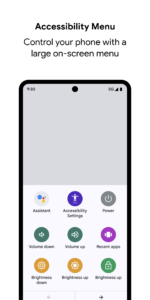
• Accessibility Menu: Use this large on-screen menu to control gestures, hardware buttons, navigation, and more.
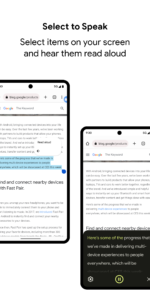
• Select to Speak: Select something on your screen or point your camera at pictures or text to hear it read or described aloud.
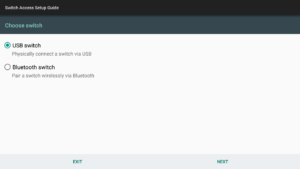
• Switch Access: Interact with your Android device using one or more switches or a keyboard instead of the touch screen.
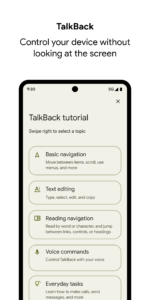
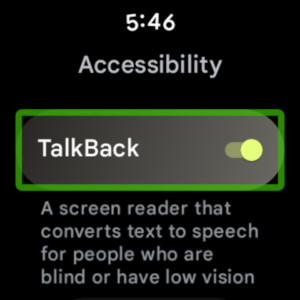
• TalkBack screen reader: Get spoken, audible, and vibration feedback as you use your device.
NEW IN ACCESSIBILITY SUITE 7.2
Android Accessibility Suite version 7.2 includes the following new features:
New in Select to Speak:
• Point the camera at text to hear it read aloud.
• Multi-task while Select-to-Speak is reading. For example, scroll down or open a different app. Turn on the new Multi-task setting to try this experimental feature.
New in TalkBack:
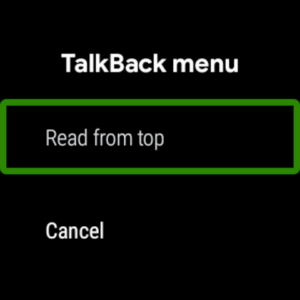
• In continuous reading mode, swipe right or left to fast-forward or rewind. If you're using a keyboard, press Alt + right arrow or Alt + left arrow. (To start continuous reading, choose "Read from top" or "Read from next item" in the global context menu.)
• On webpages, the "Headings and landmarks" navigation setting is now "Headings." To navigate by landmarks, use the local context menu.
• Improved navigation by "Controls." The "Controls" navigation setting now includes checkboxes, radio buttons, switches, toggles, and sliders (seek controls).
• For people who prefer to turn off the "Enhanced focus" setting introduced in TalkBack 6.2, you can now turn this off in Settings.
• For Android 8.0 and above, the "Dim screen shortcut" has been removed.
New in Switch Access:
• Text editing is easier with more actions available in the menu, including Highlight, Delete, Previous, Next, Copy, Cut, Paste, and Undo.
• The menus have a new design to help you stay in context as you navigate. Local (actions) menus appear next to the item, and the global menu appears under the menu button at the top of the screen.
• Performance improvements.
• Scroll arrows now appear for scrollable items.
For more information about Android Accessibility Suite and other Android accessibility options, visit support.google.com/accessibility/android
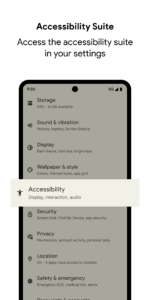
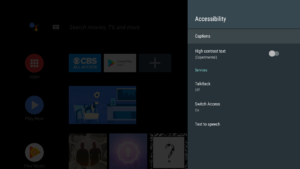
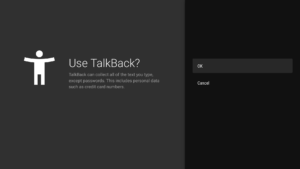
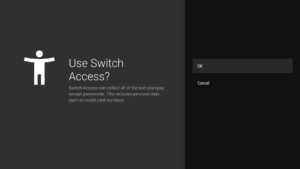
To turn on TalkBack, Switch Access, or Select to Speak:
1. Open your device's Settings app.
2. Select Accessibility.
3. Select TalkBack, Switch Access, or Select to Speak.
Permissions Notice
Phone: Android Accessibility Suite observes the phone state so it can adapt announcements to your call status.
Accessibility Service: Because this app is an accessibility service, it can observe your actions, retrieve window content, and observe text that you type.
Android Accessibility Suite 7.3.0.235852336 screenshots (12)
Screenshots from version 16.2.0.855052621
Download Android Accessibility Suite 7.3.0.235852336
This release may come in several variants. Consult our handy FAQ to see which download is right for you.
Known valid signatures: 9b42 279a.

Version:14.1.0.644281411 leanback
Uploaded:May 22, 2025 at 8:35AM UTC
File size:9.28 MB

Version:16.2.0.841591291 wear
Uploaded:December 9, 2025 at 7:40AM UTC
File size:22.84 MB

Version:6.1.0.186797687 leanback
Uploaded:February 26, 2018 at 7:13PM UTC
File size:8.61 MB
Version:6.1.0.186797687 wear
Uploaded:June 18, 2018 at 6:42PM UTC
File size:7.76 MB
Version:7.0.0.192146216
Uploaded:May 8, 2018 at 9:17PM UTC
File size:9.11 MB
Version:16.2.0.855052621
Uploaded:January 15, 2026 at 7:35AM UTC
File size:39.13 MB
Downloads:734
Version:16.2.0.846008575
Uploaded:January 2, 2026 at 1:50AM UTC
File size:34.54 MB
Downloads:1,262
Version:16.2.0.841710715
Uploaded:December 12, 2025 at 3:06AM UTC
File size:39.94 MB
Downloads:624
Version:16.1.0.808839780
Uploaded:October 1, 2025 at 11:59PM UTC
File size:37.03 MB
Downloads:1,540
Version:16.1.0.802494507
Uploaded:September 10, 2025 at 5:48PM UTC
File size:37.03 MB
Downloads:993
Version:16.0.0.777931756
Uploaded:July 11, 2025 at 2:09AM UTC
File size:36.45 MB
Downloads:1,477
Version:16.0.0.756175709
Uploaded:July 10, 2025 at 11:59AM UTC
File size:43.55 MB
Downloads:100
Version:16.0.0.758099302
Uploaded:June 3, 2025 at 3:20AM UTC
File size:36.45 MB
Downloads:1,776
Version:15.2.1.743808607
Uploaded:April 7, 2025 at 7:14PM UTC
File size:32.73 MB
Downloads:1,010
Version:16.0.0.738667889
Uploaded:April 6, 2025 at 7:14PM UTC
File size:44.5 MB
Downloads:61
Follow APK Mirror


