

 Premium
What's new in Samsung My Files 15.4.08.3
- When searching the internal storage, you can immediately add or delete Favorites while checking the folder route.
- When compressing files, you can strengthen the security by entering a password. Compressed files with passwords can also be unzipped.
- “Analyze storage” now shows you how much storage is being used by file type on OneDrive/Google Drive.
About Samsung My Files 15.4.08.3
[Introducing My Files]
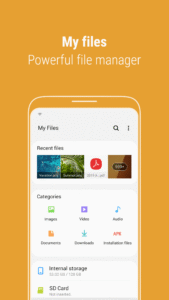
"My Files" manages all the files on your smartphone, just like a file explorer on your computer.
You can also manage files stored on SD cards, USB drives and files in the cloud storage connected with your smartphone at the same time.
Download and experience "My Files" now.
Premium
[New features in My Files]
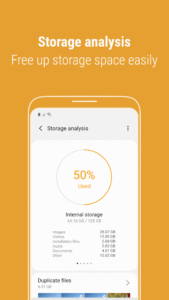
1. Free up storage space easily by tapping the "Storage Analysis" button on the main screen.
2. You can hide any unused storage space from the main screen via the "Edit My Files home".
3. You can view long file names without ellipses using the "Listview" button.
[Key features]
- Browse and manage files stored on your smartphone, SD card, or USB drive conveniently.
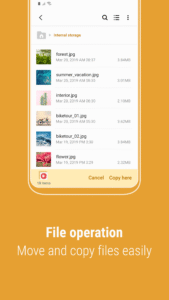
.Users can create folders; move, copy, share, compress, and decompress files; and view file details.
- Try our user-friendly features.
.The Recent Files list: Files the user has downloaded, run, and/or opened
.The Categories list: Types of files, including downloaded, document, image, audio, video, and installation files (.APK)
.Folder and file shortcuts: Show on the device home screen and the My Files main screen
.Provides a function used to analyze and free up storage space.
- Enjoy our convenient Cloud services.
.Google Drive
.OneDrive
※ Supported features may be different depending on models.
The following permissions are required for the app service.
[Required permissions]
-Storage: Used to open, delete, edit, search files and folders on internal / external memory (lower than Android 13)
- Notifications : Used to show the progress of ongoing actions such as moving or copying files and folders
Download Samsung My Files 15.4.08.3
This release may come in several variants. Consult our handy FAQ to see which download is right for you.
Known valid signatures: 9ca5 29c6 9741.

Version:15.6.03.3
Uploaded:October 9, 2026 at 6:42PM UTC
File size:56.46 MB
Downloads:1,152
Version:15.6.02.9
Uploaded:October 3, 2026 at 9:41PM UTC
File size:66.85 MB
Downloads:51
Version:15.6.01.13
Uploaded:September 18, 2026 at 9:31PM UTC
File size:66.81 MB
Downloads:717
Version:15.6.01.22
Uploaded:August 7, 2026 at 10:11AM UTC
File size:56.22 MB
Downloads:3,941
Version:15.6.00.74
Uploaded:July 23, 2026 at 8:58PM UTC
File size:56.22 MB
Downloads:2,492
Version:15.4.09.5
Uploaded:June 26, 2026 at 7:26AM UTC
File size:55.76 MB
Downloads:1,500
Version:15.4.08.8
Uploaded:June 12, 2026 at 10:48AM UTC
File size:65.90 MB
Downloads:1,765
Version:15.4.08.6
Uploaded:June 11, 2026 at 3:01PM UTC
File size:65.90 MB
Downloads:42
Version:15.4.08.3
Uploaded:May 10, 2026 at 5:38PM UTC
File size:55.47 MB
Downloads:3,391
Version:15.4.06.13
Uploaded:May 6, 2026 at 9:25PM UTC
File size:74.89 MB
Downloads:1,541
Follow APK Mirror


